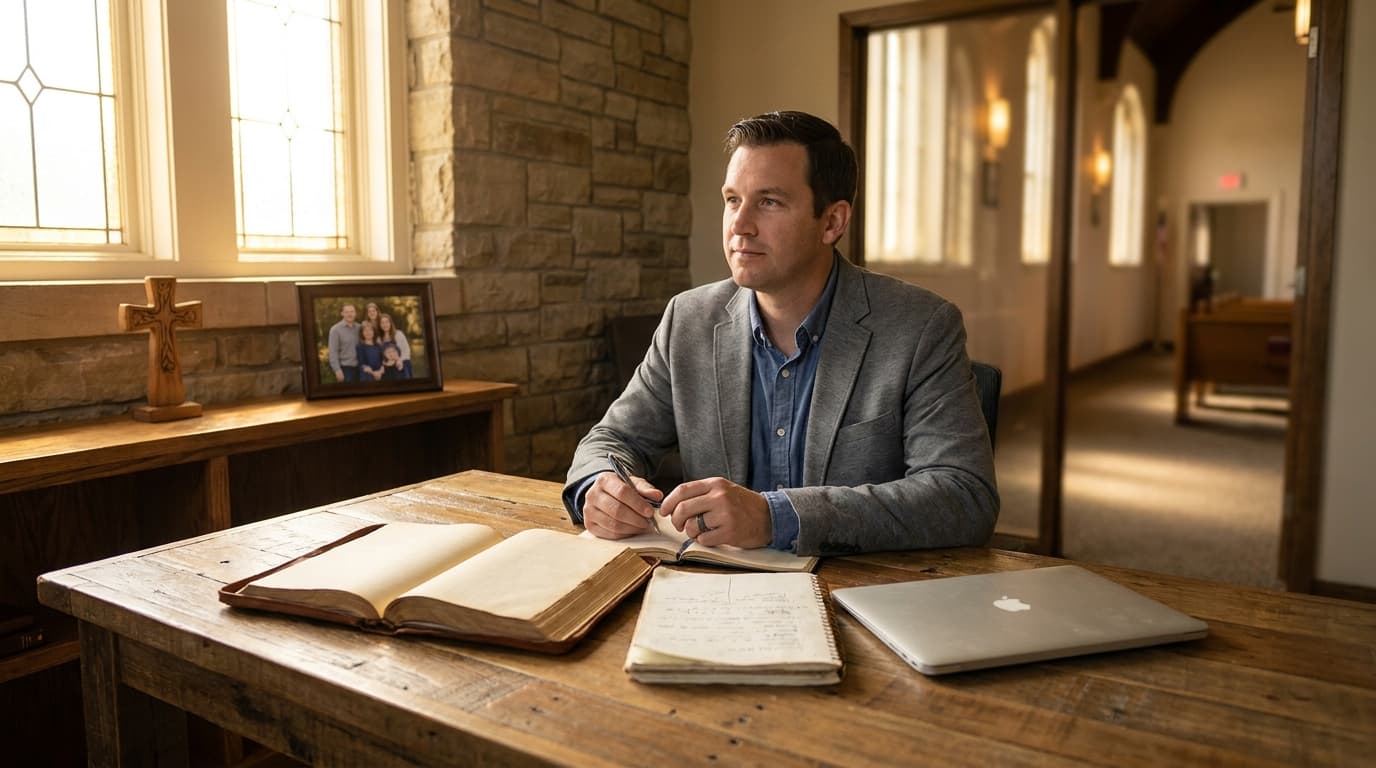
Best AI Tools for Bivocational Pastors in 2026
The best AI tools for bivocational pastors are ChatGPT Plus for sermon prep, Notion for task management, Canva for quick graphics, and pre-built prompt templates for recurring tasks. Bivocational pastors face a unique time crunch — juggling secular employment with pastoral responsibilities — and AI tools can recover 8-12 hours per week when deployed strategically.
The Bivocational Reality Nobody Talks About
Let's start with some numbers that most church leadership books gloss over.
According to the Southern Baptist Convention's most recent data, approximately 40% of their pastors are bivocational. The Baptist General Convention of Texas puts the number at nearly 50%. Across all denominations in the United States, estimates range from 30-45% of pastors working a second job to make ends meet.
That means somewhere around 150,000-200,000 pastors in America alone are trying to hold down a secular job while shepherding a congregation. And most of the advice they get about AI, technology, and ministry efficiency is written for full-time pastors with flexible schedules.
Here's what a typical week looks like for a bivocational pastor:
- Monday through Friday: 8-10 hours at secular job, plus commute
- Monday evening: Start thinking about Sunday's sermon
- Tuesday evening: Sermon research (2 hours)
- Wednesday evening: Midweek Bible study or church meeting (2-3 hours including prep and travel)
- Thursday evening: Sermon writing (2-3 hours)
- Friday evening: Collapse
- Saturday: Finish sermon, visit shut-ins, prep for Sunday (4-6 hours)
- Sunday: Morning worship, afternoon rest that never quite feels restful
- Evenings throughout the week: Phone calls, texts, pastoral emergencies, admin tasks (1-2 hours per day scattered)
The math is brutal. A bivocational pastor working a 40-hour secular job and putting in 20-30 hours of ministry work is pulling 60-70 hour weeks. Every week. For years.
This is where AI tools become more than a convenience — they become a survival strategy.
How AI Transforms Bivocational Time Management
The fundamental challenge for bivocational pastors isn't a lack of skill or calling. It's a lack of time. Every hour saved on administrative tasks or sermon preparation is an hour that can be redirected to the things that only a pastor can do: prayer, pastoral care, leadership development, and presence with the congregation.
AI doesn't replace any of those things. What it does is compress the tasks that surround them.
The Time Audit
Before selecting any AI tools, do a simple time audit. For one week, track every hour you spend on ministry-related tasks. Be honest and specific. Don't just write "sermon prep" — break it down:
- Scripture reading and meditation: ___ minutes
- Commentary research: ___ minutes
- Sermon outlining: ___ minutes
- Illustration hunting: ___ minutes
- Writing/rewriting: ___ minutes
- Bulletin creation: ___ minutes
- Email and communication: ___ minutes
- Social media: ___ minutes
- Administrative tasks: ___ minutes
- Phone calls and texts: ___ minutes
- Meeting preparation: ___ minutes
Most bivocational pastors are shocked by the results. The actual number of hours spent on ministry is usually higher than they estimated, and the breakdown reveals where the most time is leaking.
Where AI Saves the Most Time
Based on surveys and interviews with dozens of bivocational pastors, here's where AI tools create the biggest time savings:
- Sermon research and outlining: 3-5 hours saved per week
- Communication writing (emails, newsletters, announcements): 1-2 hours saved per week
- Graphics and visual content: 1-2 hours saved per week
- Administrative tasks (scheduling, notes, follow-ups): 1-2 hours saved per week
- Meeting preparation: 30-60 minutes saved per week
Total potential time savings: 7-12 hours per week. For a bivocational pastor working 60+ hour weeks, that's not a minor convenience — it's the difference between sustainable ministry and burnout.
Sermon Prep in 45 Minutes: The AI-Assisted Method
This is the headline. This is what bivocational pastors want to know. Can you really prepare a sermon in 45 minutes using AI?
The honest answer: not a finished sermon. But you can produce a solid sermon framework — research, outline, illustrations, and application points — in 45 minutes that would have taken 4-6 hours to produce manually.
Here's the 45-minute sermon prep method that's working for bivocational pastors right now.
Minutes 0-10: Research (ChatGPT or Claude)
Open your AI tool and use this prompt structure:
"I'm preparing a sermon on [PASSAGE] for a congregation of about [NUMBER] people in a [CONTEXT — small town, suburban, urban] [DENOMINATION/TRADITION] church. Please provide:
- Historical and cultural context for this passage
- Key original language terms and their significance
- The main theological theme or argument of the passage
- Three different angles or approaches for a sermon on this passage
- Potential pitfalls or common misinterpretations to avoid"
Copy the output into a document. You'll use it as your research foundation.
Minutes 10-25: Outlining (ChatGPT or Claude)
Using the research, prompt the AI:
"Based on the passage [PASSAGE] and the theme [CHOSEN THEME], create a detailed sermon outline with:
- A compelling hook or opening (not a joke — a genuine attention-grabber)
- Three main points with 2-3 sub-points each
- Relevant Scripture cross-references for each point
- A clear application section with specific, actionable takeaways
- A closing that ties back to the opening"
Review the outline critically. Does it flow logically? Does it serve your congregation? Does it align with your theology? Make adjustments directly in the AI's output.
Minutes 25-35: Illustrations and Application (ChatGPT or Claude)
"I need sermon illustrations for a sermon on [PASSAGE] with the theme [THEME]. Please provide:
- Two contemporary real-world illustrations that connect to everyday life
- One historical or biographical illustration
- Two application scenarios that address specific situations my congregation faces (describe your congregation briefly)
- A set of reflection questions for personal application"
Select the illustrations that resonate and fit your voice. Discard anything that feels generic or inauthentic.
Minutes 35-45: Integration and Personal Touch
This is the most important 10 minutes. Don't use AI here. Instead:
- Add your own stories and illustrations from your community
- Insert transitions that match your speaking style
- Note where you'll pause, where you'll make eye contact, where you'll let silence do the work
- Add pastoral touches — specific names if appropriate, references to recent church events, connections to ongoing conversations in the congregation
The result is a sermon framework that's 70-80% complete. The remaining 20-30% — the personal, pastoral, Spirit-led part — is what makes it your sermon rather than AI's sermon.
Saturday Refinement (60-90 minutes)
You still need time on Saturday to finalize and internalize the sermon. But that 60-90 minutes is spent on refinement and practice rather than research and construction. Read through the sermon aloud. Adjust the language to match your speaking voice. Add and remove content based on what you sense the congregation needs.
Total sermon prep time: 45 minutes of AI-assisted work during the week, plus 60-90 minutes of personal refinement on Saturday. That's about 2 hours total, down from 8-12 hours.
Best Tools for Limited Time: The Bivocational Pastor's Stack
When you only have 30-60 minutes per day for ministry tasks, every tool needs to earn its place. Here's the recommended stack for bivocational pastors, organized by priority.
Priority 1: ChatGPT Plus ($20/month)
This is the one paid tool that every bivocational pastor should consider. At $20/month, it costs less than most commentary subscriptions and provides more versatile functionality.
Why Plus instead of Free: The paid tier gives you access to GPT-4o (or the latest model), which produces significantly better output for sermon prep. You also get priority access during peak hours, which matters when your only available prep time is Saturday evening. And the higher usage limits mean you can work through a complete sermon in a single session without hitting caps.
Primary uses:
- Sermon research and outlining
- Bible study preparation
- Communication writing
- Administrative content creation
Priority 2: Notion or Todoist (Free tier)
Task management is critical for bivocational pastors because ministry tasks are constantly interrupting your secular work day. A quick capture system lets you jot down ideas, tasks, and follow-ups without losing focus on your day job.
Notion is more versatile — it can handle notes, documents, databases, and project management in one tool. But it has a steeper learning curve.
Todoist is simpler and faster for pure task management. If you just need a place to capture to-dos and set reminders, Todoist is the better choice.
Primary uses:
- Capturing sermon ideas throughout the week
- Tracking pastoral care follow-ups
- Managing church projects and deadlines
- Storing meeting notes and decisions
Priority 3: Canva Free or Pro (Free or $13/month)
When you need to create a quick graphic for social media, a bulletin insert, or an event flyer, Canva's AI features get you from idea to finished product in minutes rather than hours.
Primary uses:
- Social media graphics for sermon promotion
- Event announcements
- Bulletin inserts
- Simple presentations
Priority 4: Voice Memos + AI Transcription
This one is underrated. When a sermon idea hits you during your lunch break at your secular job, record a voice memo. Later, paste it into ChatGPT and ask for a structured outline based on your rambling notes.
Many bivocational pastors report that their best sermon ideas come during their secular work, when their mind has space to process Scripture subconsciously. A quick capture method ensures those ideas don't evaporate.
Priority 5: Pre-Built Prompt Templates
Create a document with your best-performing prompts and save it somewhere accessible — a Google Doc, a Notion page, or even a note on your phone. When you have limited time, you don't want to spend 5 minutes crafting the perfect prompt. You want to paste a template, fill in the blanks, and get to work.
Here are the essential templates every bivocational pastor should have:
Sermon Research Prompt: "I'm preaching on [PASSAGE] this Sunday. Provide historical context, key Greek/Hebrew terms, major interpretive traditions, and three possible sermon angles for a [CONTEXT] church."
Sermon Outline Prompt: "Create a detailed sermon outline on [PASSAGE] with theme [THEME]. Include: compelling opening, three main points with sub-points, cross-references, specific applications, and a closing that connects to the opening."
Illustration Prompt: "Provide sermon illustrations for [PASSAGE] on the theme of [THEME]. Include one contemporary story, one historical example, and two application scenarios for a congregation that is [DEMOGRAPHIC DESCRIPTION]."
Bible Study Prompt: "Create a Bible study guide on [PASSAGE] with 7 discussion questions ranging from observation to interpretation to application. Include a brief leader's guide with key talking points."
Communication Prompt: "Write a [TYPE — email newsletter, social media post, bulletin announcement] for [CHURCH NAME] about [TOPIC]. Tone should be [warm and inviting / urgent and action-oriented / celebratory]. Keep it under [LENGTH]."
Case Study: James the Teacher, James the Pastor
James Morrison teaches 8th grade social studies at a public school in Memphis, Tennessee. He also pastors New Hope Community Church, a congregation of about 55 people that meets in a rented community center on Sundays.
"I've been bivocational for six years," James says. "When I started, I thought it was temporary — just until the church grew enough to support a full-time salary. But the reality is that churches our size in our neighborhood aren't going to be able to afford a full-time pastor anytime soon. So I had to figure out how to do this well for the long haul."
James's schedule is demanding. He's at school from 7:15 AM to 3:30 PM, with grading and lesson planning that often extends into the evening. He has Wednesday night Bible study, Friday evening prayer meeting (which he recently moved to Saturday morning to protect his Fridays), and Sunday worship.
Before AI, James was spending approximately 20 hours per week on ministry tasks, on top of his full-time teaching job. He was sleeping 5-6 hours per night and running on caffeine and adrenaline.
"I was heading toward burnout," he admits. "My wife was concerned. My principal noticed I was less energetic in the classroom. Even some church members commented that I seemed tired. Something had to change."
The Experiment
In September 2024, James committed to a 30-day experiment with AI tools. He chose ChatGPT Plus ($20/month) as his primary tool and set three rules:
- He would use AI for sermon prep, but never preach something he hadn't personally studied and affirmed
- He would track his time savings daily
- He would evaluate quality honestly, not just efficiency
Week 1: Learning Curve
The first week was rough. James spent more time learning how to use ChatGPT than he would have spent just writing the sermon the old way. The prompts weren't specific enough, the output was generic, and he spent more time editing than he would have spent writing.
"I almost gave up," he says. "But I'd committed to 30 days, so I kept going."
Week 2: Breakthrough
By the second week, James figured out the key insight: context is everything. Instead of asking for a generic sermon on a passage, he started providing detailed information about his congregation, his teaching style, and the specific needs he was seeing.
When he asked for a sermon on Philippians 4:13 with the prompt "I'm a bivocational pastor of a small, predominantly African American congregation in Memphis. Many of our members are working multiple jobs and facing economic hardship. I need a sermon that addresses the real meaning of this verse in context, avoiding the prosperity gospel interpretation, and applying it to the daily grind of working-class life," the output was dramatically better.
"That prompt changed everything," James says. "The AI gave me a framework that spoke to my people's reality. I still rewrote most of it, but the bones were solid."
Weeks 3-4: Finding the Rhythm
By the third week, James had developed a workflow that fit his schedule:
- Monday lunch break (15 minutes): Paste the passage into ChatGPT, get research and context
- Tuesday planning period (20 minutes): Generate and refine sermon outline
- Thursday evening (20 minutes): Get illustrations and application points
- Saturday morning (90 minutes): Write and finalize the sermon
Total weekly sermon prep: about 2.5 hours, down from 8-10 hours.
The Unexpected Benefits
James discovered that AI didn't just save time — it improved his teaching at school, too.
"I started using ChatGPT for lesson planning, creating discussion questions, and generating quiz content. My students noticed the difference. The lessons were more engaging, the discussions were richer, and I had more energy in the classroom because I wasn't exhausted from sermon prep the night before."
His wife noticed the change at home. "For the first time in years, James wasn't working on the sermon every evening," she says. "We actually had dinner together as a family most nights. That felt like a miracle."
After Six Months
James's time breakdown now looks like this:
- Sermon prep: 2.5 hours/week (down from 8-10)
- Bible study prep: 45 minutes/week (down from 2-3 hours)
- Communications: 30 minutes/week (down from 2-3 hours)
- Administration: 30 minutes/week (down from 1-2 hours)
- Total: 4.25 hours/week (down from 15-18 hours)
That's a savings of 11-14 hours per week. James uses about half of that for additional pastoral care — more hospital visits, more phone calls, more presence with his congregation. The other half goes to his family and his own rest.
"I'm a better pastor now," James says, "not because AI does my job for me, but because I have the time and energy to do the parts of my job that only I can do."
Setting Boundaries: What Bivocational Pastors Must Protect
AI tools can save time, but they can also create new demands if you're not careful. Here are the boundaries that bivocational pastors need to set.
Boundary 1: Protect Your Day Job
Your secular employer pays you to do a specific job during specific hours. Don't let ministry tasks bleed into your work time more than absolutely necessary. A quick text to a church member in crisis is fine. An hour of sermon prep during work hours is not.
Use AI to batch your ministry work into the time you've designated for it. If you have 30 minutes during lunch, that's a focused AI-assisted session, not an excuse to multitask all afternoon.
Boundary 2: Protect Your Family
The hours you save with AI should not all go back into ministry. Some of them must go to your family. If you're saving 10 hours a week on sermon prep but spending 8 of those hours on additional church work, you've missed the point.
Have an honest conversation with your spouse about how the saved time should be allocated. Make family time a non-negotiable line item, not whatever's left over after ministry.
Boundary 3: Protect Your Sabbath
Even bivocational pastors need rest. If AI helps you finish sermon prep by Thursday, don't fill Friday and Saturday with more ministry work. Rest. Play. Be a human being, not just a pastor-machine.
Boundary 4: Protect Your Prayer Life
This might be the most important boundary. AI can speed up research and writing, but it can't pray for you. If sermon prep takes less time, redirect some of that saved time to prayer, meditation, and spiritual formation.
The danger of efficiency is that we optimize everything except the things that matter most. Don't let AI make you a more efficient pastor at the expense of a deeper relationship with God.
Boundary 5: Protect Your Theological Convictions
When AI generates theological content, it's drawing on a vast training dataset that includes every theological position under the sun — orthodox and heterodox, evangelical and liberal, traditional and progressive. The output might sound good but misrepresent your convictions.
Every piece of AI-generated theological content needs to pass through your doctrinal filter. If something doesn't align with your convictions, your denomination's teaching, or your church's statement of faith, it doesn't make the cut. No exceptions.
Communication Automation for Bivocational Pastors
Beyond sermon prep, one of the biggest time drains for bivocational pastors is communication. Emails, texts, phone calls, social media, newsletters — the communication load is relentless and constant.
AI can't handle all of it (and shouldn't), but it can automate the repetitive parts.
Weekly Email Newsletter
Use ChatGPT to draft your weekly newsletter based on a simple prompt: the sermon topic, any announcements, and the week's prayer requests. Edit for voice and accuracy. Total time: 15 minutes, down from 45-60 minutes.
Social Media Posts
Create a week's worth of social media posts in one sitting using ChatGPT for captions and Canva for graphics. Schedule them using a free tool like Buffer or Later. Total time: 30 minutes, down from 2-3 hours of daily posting.
Follow-Up Messages
After visitors attend your church, AI can draft personalized follow-up messages based on the visitor's name and any notes you took during their visit. You review and send. Total time: 5 minutes per visitor, down from 15-20 minutes.
Meeting Agendas and Minutes
Before a church board meeting, ask ChatGPT to generate an agenda based on your list of discussion items. After the meeting, paste your rough notes into ChatGPT and ask for formatted minutes. Total time savings: 30-45 minutes per meeting.
The Long Game: Sustainable Bivocational Ministry
AI tools are not a permanent solution to the bivocational challenge. They're a bridge — a way to sustain effective ministry while your church works toward financial sustainability, and a way to protect your health and family while you serve.
The goal isn't to do everything yourself with AI assistance. The goal is to create margin — time, energy, and mental space — so that you can invest in leadership development, raise up other teachers and leaders, and build a church that doesn't depend entirely on you.
Use the time AI saves to train a volunteer to handle social media. To mentor a young leader who can eventually teach Bible study. To develop a church governance structure that distributes responsibility.
AI tools help you survive the bivocational years. But the deeper work — building a sustainable church with shared leadership — that's what will eventually set you free.
Until then, these tools are here. They work. And they're waiting for you to pick them up.
Write Sermons Free: 200 Per Month on AlignedAI
Pastors can draft up to 200 sermons per month at no cost on AlignedAI. Each outline, manuscript draft, illustration set, or prep request counts as one message on the free tier — enough for weekly preaching plus Bible studies and church communications.
Sign up free at aligned.church →
No credit card required. Configure your theological tradition, Bible translation, and church context during setup.
Related reading
Frequently asked questions
What is a bivocational pastor?
Someone who works a secular job while also serving as pastor.
How can AI help?
Compresses sermon prep, automates communications, handles admin tasks.
Biggest time challenge?
Sermon preparation at 10-15 hours per week.
Can AI write sermons?
AI generates outlines and illustrations. Pastor provides theological depth.
Free tools?
Yes. ChatGPT free tier helps with basic tasks.
Time savings?
5 to 10 hours per week.
Different tools needed?
Tools that save the most time with least setup.
Church communications?
AI drafts newsletters, social media, and follow-up emails in minutes.
Confidentiality?
Avoid entering sensitive pastoral information.
Worth the investment?
$20-30/month pays for itself many times over.
About this article
Published by Aligned Team, the doctrine-aware AI platform built for pastors and church leaders. Every article is grounded in Scripture and aligned to historic Christian doctrine.
Reviewed against the same doctrinal frameworks that power AlignedAI. See our editorial standards.
Published June 5, 2026. Last updated June 19, 2026.
Spotted an error or a claim that needs a source? Email our support team — we update the article and its date when a correction is warranted.
Comments
- No comments yet. Be the first to share your thoughts.