Best AI Tools for Church Social Media in 2026
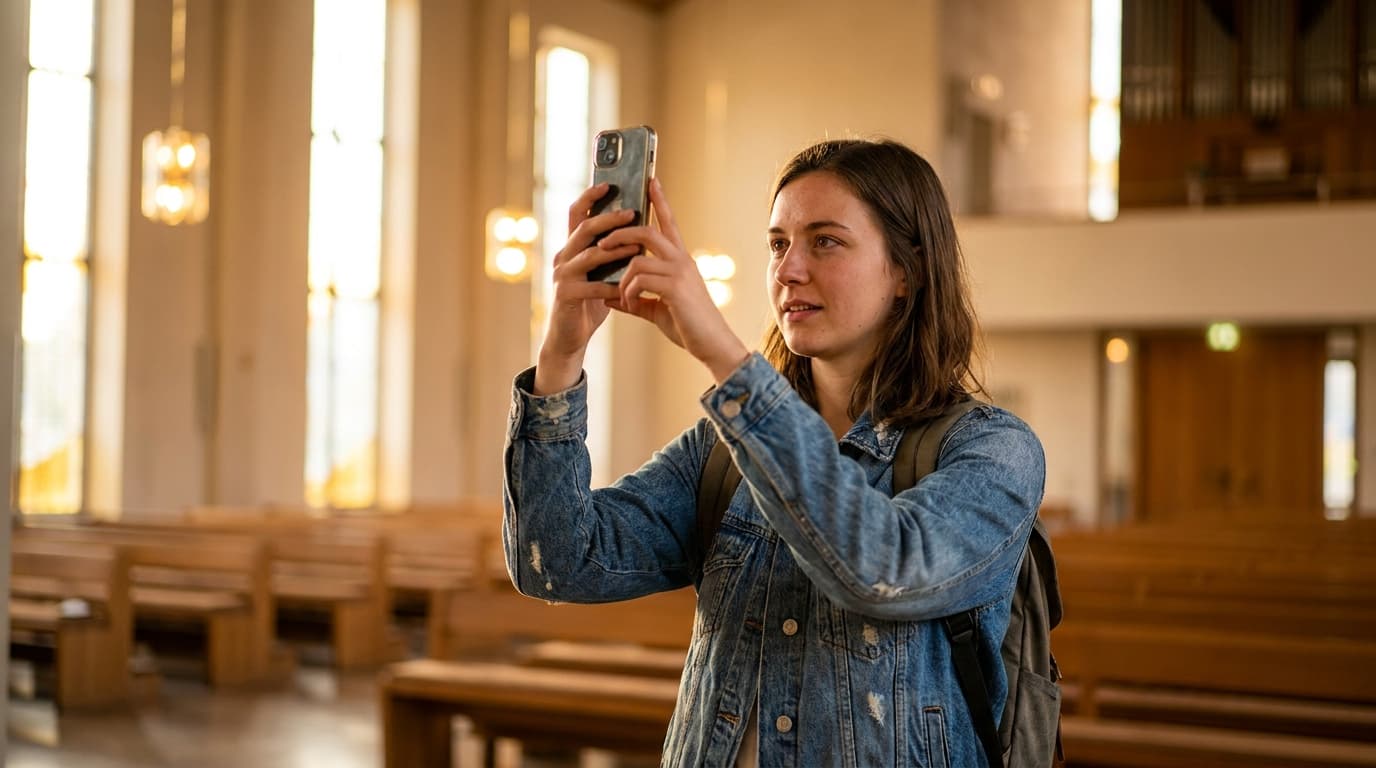
The best AI tools for church social media include ChatGPT for caption writing, Canva Magic Studio for graphics, Later or Buffer for scheduling, and Opus Clip for sermon clip creation. Churches that use AI for social media report posting 3-5x more consistently while spending less total time on content creation. The key is building a repeatable content system rather than posting randomly.
Why Social Media Matters More Than You Think
Let's start with an uncomfortable truth: the people in your community who don't go to church are on social media right now. They're scrolling Instagram during lunch, checking Facebook before bed, and watching YouTube Shorts while waiting in the school pickup line. If your church has no presence in those spaces, you're invisible to the very people you're trying to reach.
This isn't about chasing trends. It's about meeting people where they are.
According to Pew Research, 72% of American adults use at least one social media platform. Among adults 18-49, that number jumps to over 85%. More importantly for churches, 57% of people who attend a new church for the first time say they found it through social media or an online search.
That means your social media presence isn't a nice-to-have. It's a front door to your church. And in many cases, it's the first impression people have of your community.
The challenge for most churches isn't understanding why social media matters — it's finding the time, energy, and creativity to maintain a consistent presence. That's where AI changes everything.
The Content Calendar: Your Social Media Backbone
The number one reason churches fail at social media is inconsistency. They post three times in one week, then disappear for two weeks. They go hard on promotion for an event, then go silent afterward. The congregation learns to ignore the church's social media because there's nothing worth paying attention to.
AI can help you build and maintain a content calendar that keeps your posting consistent without consuming hours of your week.
Building a Content Calendar with AI
Start with ChatGPT or Claude and use this prompt:
"I'm creating a social media content calendar for a [denomination/tradition] church of about [NUMBER] people in [LOCATION]. We post on [PLATFORMS]. Our audience is primarily [DEMOGRAPHIC]. Please create a 4-week content calendar with daily posts, organized by content category. Include the type of post (image, video, text, carousel, story), the content theme, and a brief description of each post."
The AI will generate a structured calendar that you can customize. The key is having categories — don't just post random content. Organize your social media into themes:
- Scripture posts: Daily or weekly Bible verses with relevant commentary
- Sermon content: Clips, quotes, and highlights from Sunday's message
- Community stories: Testimonials, member spotlights, and behind-the-scenes looks
- Event promotion: Upcoming activities, sign-ups, and invitations
- Encouragement: Devotional content, prayer prompts, and uplifting messages
- Educational: Tips, resources, and informational content relevant to your community
- Engagement: Questions, polls, and conversation starters
The 80/20 Rule for Church Social Media
Here's a principle that will transform your church's social media: 80% of your content should give value (encourage, teach, inspire, connect), and only 20% should ask for something (attend, volunteer, give, sign up).
Most churches flip this ratio. They post announcements, event promotions, and calls to action 80% of the time, then wonder why nobody engages. AI can help you generate value-first content at scale, making it easy to maintain the right ratio.
Platform-Specific Strategies
Each social media platform has its own culture, algorithm, and content preferences. What works on Instagram doesn't work on Facebook, and what works on Facebook doesn't work on TikTok. AI tools can help you adapt your content for each platform.
Facebook remains the most widely used platform among adults 30+, which means it's where you'll find the majority of your congregation and potential visitors.
Best content types for churches on Facebook:
- Event announcements and invitations
- Sermon videos or full-length recordings
- Community updates and prayer requests
- Photo albums from church events
- Longer-form text posts with personal stories
AI tools for Facebook: Use ChatGPT to write longer-form posts that tell stories, share updates, and invite engagement. Facebook's algorithm favors posts that generate comments and shares, so end every post with a question or invitation to respond.
Instagram skews younger (18-40) and is more visually driven. Churches that succeed on Instagram post high-quality images, carousels with teaching content, and short-form video (Reels).
Best content types for churches on Instagram:
- Quote graphics from sermons
- Carousel posts with teaching points
- Behind-the-scenes Stories
- Reels (short-form video) from worship, events, or teaching
- Aesthetic photos of your space, community, and worship
AI tools for Instagram: Canva's AI features are essential here. Use Magic Design to create on-brand graphics in seconds. Use ChatGPT to write captions that include relevant hashtags and engagement prompts. Create templates for your most common post types — sermon quotes, event announcements, Scripture graphics — and reuse them weekly.
YouTube
YouTube is the second-largest search engine in the world and the primary platform for sermon content. If your church isn't uploading sermons to YouTube, you're missing a significant opportunity.
Best content types for churches on YouTube:
- Full sermon recordings
- Short sermon clips (YouTube Shorts)
- Teaching series
- Worship recordings
- Testimonial videos
AI tools for YouTube: Opus Clip and similar AI tools can automatically identify the most engaging moments from your sermon recordings and create short clips optimized for YouTube Shorts. ChatGPT can write video titles, descriptions, and tags optimized for search. Descript can automatically transcribe your sermons for captions and SEO.
TikTok
TikTok is where the 18-35 demographic lives, and churches are finding creative ways to reach them. This platform rewards authenticity over polish — a pastor sharing a genuine thought on camera will outperform a slickly produced promotional video.
Best content types for churches on TikTok:
- Quick teaching moments (30-60 seconds)
- Behind-the-scenes looks at church life
- Pastor's real-time reactions to Scripture
- Worship snippets
- Relatable church humor
AI tools for TikTok: Use ChatGPT to script short-form video content. Ask for hooks — the first 3 seconds of a TikTok determine whether someone keeps watching. Generate 10 different hooks for a single teaching point and test which ones perform best.
Case Study: New Life Church's Social Media Transformation
New Life Church is a nondenominational congregation of about 180 people in Charlotte, North Carolina. In January 2025, their social media presence was, by their own admission, embarrassing.
"We had a Facebook page with 400 followers that we posted on maybe once a week," says Amanda Foster, who leads the communications team as a volunteer. "Our Instagram had 120 followers and looked like it was run by someone who'd never used Instagram — because it was. We had no YouTube presence and no TikTok. I felt guilty every time I thought about it."
Amanda works full-time as a marketing coordinator, so she understood the principles of good social media. She just didn't have the time to apply them to the church.
"I was spending maybe 2 hours a week on church social media, and it was all reactive — last-minute posts about events, resharing other people's content, and the occasional sermon quote graphic that I threw together in Canva. There was no strategy, no calendar, no consistency."
The AI-Powered Reset
In February 2025, Amanda decided to use AI tools to build a sustainable social media system for the church. She spent one Saturday creating the entire framework.
Step 1: Content Calendar (2 hours with ChatGPT)
Amanda used ChatGPT to create a 4-week content calendar for Facebook, Instagram, and YouTube. She provided details about the church's demographics, upcoming events, sermon series, and community focus areas. The AI generated a daily posting schedule with content types, themes, and brief descriptions.
Step 2: Template Library (2 hours with Canva)
Using Canva's AI features, Amanda created templates for the church's most common post types: sermon quotes, event announcements, Scripture graphics, community highlights, and engagement questions. She uploaded the church's logo, brand colors, and fonts so every graphic would be consistent.
Step 3: Batch Content Creation (2 hours with ChatGPT and Canva)
With the calendar and templates in place, Amanda wrote captions for an entire month of posts in one sitting using ChatGPT. She adapted each caption for the specific platform — longer and more conversational for Facebook, shorter and hashtag-optimized for Instagram. She used Canva templates to create corresponding graphics.
Step 4: Scheduling (30 minutes with Later)
She loaded all the content into Later (a social media scheduling tool with a free tier) and scheduled the entire month of posts.
Total setup time: approximately 6.5 hours for one month of content.
Ongoing Maintenance
Each week, Amanda spends about 1 hour on social media:
- Monday (20 minutes): Check performance metrics from the previous week and note what worked
- Wednesday (20 minutes): Create content for the following week that's responsive to current events or church life
- Friday (20 minutes): Respond to comments, messages, and engage with the community
Monthly, she spends an additional 2 hours creating the next month's batch content using the same AI-assisted process.
The Results After Four Months
- Facebook: Followers grew from 400 to 750. Average post engagement increased by 340%.
- Instagram: Followers grew from 120 to 480. Reels content generated the most engagement, with several posts reaching 2,000-5,000 views.
- YouTube: Launched with sermon clips. Within four months, the channel had 200 subscribers and one sermon clip that reached 8,000 views.
- Visitor connections: The church tracked 14 first-time visitors who specifically mentioned finding the church on social media.
"The most surprising thing," Amanda says, "is that I'm spending less time on social media than before but getting dramatically better results. The AI handles the heavy lifting of content creation, and I focus on strategy, community engagement, and making sure everything sounds like us."
What Amanda Learned
Batching is essential. Creating content in monthly batches using AI is far more efficient than creating posts one at a time throughout the week.
Templates save hours. Canva templates with the church's branding mean that creating a professional-looking graphic takes 2 minutes instead of 20.
Repurposing is the secret weapon. Every sermon generates 5-10 pieces of social media content: quote graphics, discussion question posts, short video clips, and application prompts. AI makes the repurposing process fast and easy.
Consistency beats quality. A good post today is better than a perfect post next week. AI helps you maintain a consistent posting schedule without sacrificing quality.
Tools for Different Platforms
For Graphic Design: Canva
Canva's AI features (Magic Design, Magic Write, Magic Edit) make it the essential tool for church social media. Create sermon quote graphics, event flyers, carousel templates, and story backgrounds in minutes. The free tier is generous; the Pro tier ($13/month) adds brand kits, more templates, and background removal.
For Scheduling: Later, Buffer, or Hootsuite
All three offer free tiers with scheduling capabilities. Later is particularly strong for Instagram planning with its visual calendar. Buffer has a clean, simple interface. Hootsuite offers the most comprehensive analytics.
For Video Editing: CapCut or Descript
CapCut (free) is excellent for creating short-form video content from sermon clips. Descript ($24/month) offers AI-powered transcription, clip generation, and editing features that make sermon repurposing fast.
For Writing: ChatGPT or Claude
Use these for caption writing, hashtag research, content calendar creation, and engagement prompt generation. The key is providing your church's voice profile so the AI generates content that sounds like your community.
For Analytics: Native Platform Tools
Every social media platform has built-in analytics. Use them. AI can help you analyze the data — upload your metrics to ChatGPT and ask for insights and recommendations — but the raw data comes from the platforms themselves.
Content Repurposing from Sermons
This is the single most efficient content strategy for churches: your sermon is already content. Every Sunday message can generate a week's worth of social media content with the help of AI.
The Repurposing Workflow
After Sunday's sermon, take 30 minutes to repurpose:
Quote graphics (5 minutes): Identify 3-5 powerful quotes from the sermon. Use Canva templates to create quote graphics. Post one per day Monday through Friday.
Discussion question (5 minutes): Ask ChatGPT to generate a discussion question based on the sermon's main point. Post it on Wednesday to encourage midweek engagement.
Short video clip (10 minutes): Use CapCut or Opus Clip to extract a 30-60 second clip from the sermon's most compelling moment. Post as an Instagram Reel and YouTube Short.
Application prompt (5 minutes): Write a practical application prompt based on the sermon. "This week, try [SPECIFIC ACTION] as a way to live out Sunday's message." Post on Thursday.
Sermon summary (5 minutes): Ask ChatGPT to summarize the sermon in 3-4 sentences. Use as a Facebook post or newsletter excerpt.
Total time: 30 minutes for a week of sermon-based content.
AI-Assisted Repurposing Prompt
Use this prompt with ChatGPT: "Here's my sermon transcript/notes from Sunday. Please generate: (1) Five powerful one-sentence quotes suitable for social media graphics, (2) Three discussion questions for small groups, (3) A 50-word summary suitable for a newsletter, (4) Three practical application prompts for daily living, and (5) A suggested 30-second video clip section with a compelling hook."
This single prompt generates the raw material for an entire week of social media content.
Common Church Social Media Mistakes (and How AI Helps Fix Them)
Mistake 1: Only Posting Announcements
If your social media is just event announcements and sign-up links, you're not giving people a reason to follow. AI can help you generate value-first content — teaching, encouragement, and inspiration — that builds an audience who will then see your announcements.
Mistake 2: Ignoring Engagement
Posting without engaging is like preaching without making eye contact. When someone comments on your post, respond. When someone shares your content, thank them. AI can help draft quick, warm responses that save time while maintaining the personal touch.
Mistake 3: No Visual Consistency
When every post looks different — different fonts, colors, styles — it creates a chaotic, unprofessional impression. Canva templates with your church's branding solve this completely. AI-generated designs using your brand kit maintain visual consistency automatically.
Mistake 4: Inconsistent Posting Schedule
Posting three times one week and zero times the next trains the algorithm to deprioritize your content. A scheduling tool with AI-generated content ensures you post consistently, even when you're busy.
Mistake 5: Not Tracking Results
If you're not measuring what works, you can't improve. Use the platform's native analytics to track engagement, reach, and follower growth. Ask AI to analyze the data and suggest improvements.
Getting Started This Week
If your church's social media presence needs work, here's a realistic plan for getting started with AI tools this week:
Day 1: Create accounts on ChatGPT and Canva (both free). Write a voice profile prompt for your church.
Day 2: Generate a 4-week content calendar using ChatGPT. Focus on content categories, not specific posts yet.
Day 3: Create 5 Canva templates for your most common post types (sermon quote, event, Scripture, community, engagement).
Day 4: Write captions for two weeks of posts using ChatGPT and create corresponding graphics with Canva.
Day 5: Set up a free scheduling tool (Later or Buffer) and schedule the first week of posts.
Total investment: about 6-8 hours for a month of professional, consistent social media content. After the first month, the process becomes faster as your templates and prompts are already in place.
Your community is scrolling right now. The question isn't whether to show up — it's how to show up well. AI makes "showing up well" possible for churches of any size with any budget.
Building Your Church's Social Media Voice with AI
Before you create a single post, you need to establish your church's social media voice. This is the personality that comes through in every caption, every comment response, and every story. Without a defined voice, your content will feel inconsistent — warm one day, corporate the next, casual on Friday, formal on Monday.
Creating a Voice Profile
Use ChatGPT to help you define and articulate your church's voice. Start with this prompt:
"I'm developing the social media voice for a [DENOMINATION/TRADITION] church of [NUMBER] people in [LOCATION]. Our congregation is primarily [DEMOGRAPHIC]. Our pastoral tone is [DESCRIPTION — warm, bold, gentle, prophetic, encouraging]. We want to sound [ADJECTIVES — approachable, authentic, hopeful, grounded, joyful]. We avoid sounding [ADJECTIVES — preachy, judgmental, corporate, generic, desperate]. Please create a voice guide that includes: tone description, vocabulary preferences, phrases we would use, phrases we would avoid, example captions in our voice, and guidelines for responding to comments."
The AI will generate a comprehensive voice guide that serves as your North Star for all social media content. Share this guide with everyone who contributes to your church's social media — staff, volunteers, interns — so the voice stays consistent regardless of who's writing.
The Voice Test
Every piece of social media content should pass a simple test: if someone who knows your church read this post, would they immediately recognize it as coming from your community? If the answer is no, revise until it sounds like you.
AI-generated content sometimes sounds generic — like it could come from any church. The voice profile helps prevent this, but you still need to add the human touches: references to your city, inside jokes that your community understands, and the pastoral warmth that only comes from people who genuinely love the congregation they serve.
Handling Negative Comments and Online Criticism
Social media isn't always friendly. Churches sometimes face negative comments, theological debates in comment sections, trolls, and criticism. Having a plan for how to handle these situations prevents panic and preserves your witness.
AI-Assisted Response Guidelines
Use ChatGPT to develop response guidelines for common negative scenarios:
"I'm the social media manager for a church. Help me develop response guidelines for the following situations: (1) someone posts a negative comment about our church, (2) a theological debate breaks out in the comments, (3) someone shares a personal crisis in a comment, (4) a troll posts inflammatory content, (5) a former member posts a grievance publicly. For each situation, provide a recommended response approach, example responses, and guidance on when to respond publicly vs. when to take the conversation private."
Having these guidelines ready before you need them prevents reactive, emotional responses that can escalate situations and damage your church's online witness.
The 24-Hour Rule
For any negative comment that stings, wait 24 hours before responding. Draft a response using AI assistance, but don't post it immediately. Come back the next day, review it with fresh eyes, and decide whether to respond, modify, or ignore.
Measuring Social Media Success for Churches
If you're investing time in social media, you need to know whether it's working. But "working" for a church looks different than "working" for a business. You're not optimizing for sales — you're optimizing for connection, community, and ultimately, spiritual engagement.
Metrics That Matter for Churches
Reach and impressions: How many people are seeing your content? This measures visibility in your community.
Engagement rate: What percentage of people who see your content interact with it (like, comment, share, save)? This measures whether your content resonates.
Follower growth: Is your audience growing? This measures whether your content strategy is attracting new people.
Website clicks: Are people clicking through to your website, sermon recordings, or event pages? This measures whether social media is driving deeper engagement.
Visitor attribution: Are new visitors mentioning social media when they visit? This is the ultimate measure of whether your social media is doing its primary job — getting people through the door.
Using AI to Analyze Performance
Each month, export your social media metrics and feed them into ChatGPT with this prompt: "Here are our church's social media metrics for the past month. Please analyze the data, identify our top-performing content types, suggest what we should do more of, flag any concerning trends, and recommend specific content strategies for next month."
The AI can identify patterns in your data that you might miss — which posting times generate the most engagement, which content categories resonate most, and which platforms deserve more or less attention.
The Long Game: Building Community, Not Just an Audience
Social media success for churches isn't measured in follower counts or viral posts. It's measured in real relationships formed, real people welcomed, and real lives changed. AI tools help you show up consistently and create quality content. But the community building happens in the comment replies, the direct messages, the conversations that start online and continue in person.
Use AI to create the content. Use your humanity to create the community. The technology handles the logistics. The love handles the rest.
Write Sermons Free: 200 Per Month on AlignedAI
Pastors can draft up to 200 sermons per month at no cost on AlignedAI. Each outline, manuscript draft, illustration set, or prep request counts as one message on the free tier — enough for weekly preaching plus Bible studies and church communications.
Sign up free at aligned.church →
No credit card required. Configure your theological tradition, Bible translation, and church context during setup.
Related reading
Frequently asked questions
Can AI help with social media?
AI drafts posts, creates content calendars, generates captions, and maintains posting schedules.
Best AI tool?
Tools like Aligned that understand your theology and church voice.
Posting frequency?
3 to 5 times per week. AI makes this achievable for small teams.
Content from sermons?
AI extracts quotes, generates discussion questions, and creates sermon summaries.
Which platforms?
Facebook, Instagram, and YouTube at minimum.
AI-generated content okay?
Yes, with review. Always check it reflects your church voice.
Engagement help?
AI suggests conversation starters and creates interactive content.
Maintain authenticity?
Use AI for drafting, then add personal touches.
Content calendar?
AI generates calendars based on sermon series, events, and holidays.
Graphics?
AI excels at text. Use Canva or a designer for graphics.
About this article
Published by Aligned Team, the doctrine-aware AI platform built for pastors and church leaders. Every article is grounded in Scripture and aligned to historic Christian doctrine.
Reviewed against the same doctrinal frameworks that power AlignedAI. See our editorial standards.
Published June 5, 2026. Last updated June 19, 2026.
Spotted an error or a claim that needs a source? Email our support team — we update the article and its date when a correction is warranted.
Comments
- No comments yet. Be the first to share your thoughts.