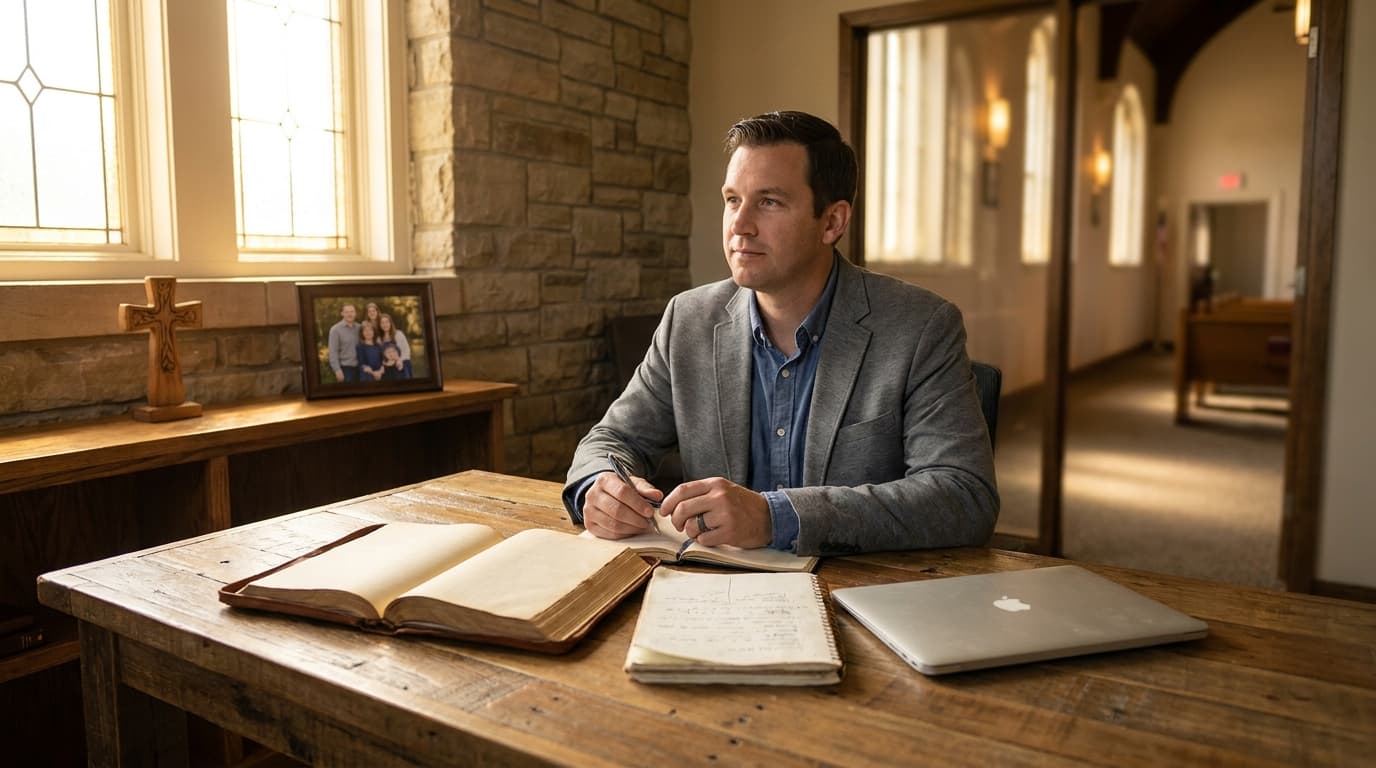
Best AI Tools for Small Churches in 2026

The best AI tools for small churches in 2026 are Aligned for sermon writing, ChatGPT for general research, Canva AI for graphics, and Google Workspace AI for admin. These tools help under-resourced congregations do more with less — without needing a tech team or a megachurch budget.
Today, with AI assistants integrated directly into ministry platforms like Aligned, pastors can move from a blank page to a first draft in minutes, freeing up precious hours for prayer, counseling, and the irreplaceable work of shepherding their flock.
Why Small Churches Need AI Tools — Differently Than Big Churches
Small churches face a unique version of the technology challenge. Megachurches have IT staff, communications directors, and budgets for enterprise software. A church of 80 has a volunteer who updates the website when they remember, a pastor who does everything from preaching to unclogging toilets, and a budget that barely covers the light bill.
AI tools change this equation in a way that nothing else has. For the first time, a solo pastor with a laptop can produce professional-quality communications, streamline admin tasks, and reclaim hours for the relational ministry that actually matters.
The key is choosing tools that are simple enough for a volunteer to learn, affordable enough for a tight budget, and powerful enough to make a real difference.
What Small Churches Actually Need from AI
Before picking tools, it helps to understand the specific pain points of small church ministry:
- The pastor wears too many hats. In a church under 150, the pastor is often the preacher, administrator, communications director, worship coordinator, and janitor — sometimes literally.
- Volunteers are limited and inconsistent. You cannot build workflows that depend on a volunteer being available every week.
- Budget is real. A $200/month enterprise tool is not an option. Free tiers and low-cost plans are essential.
- Complexity kills adoption. If a tool takes more than 30 minutes to learn, it will not get used.
- Personal touch matters more. In a small church, everyone knows everyone. Communications need to feel personal, not corporate.
The Best AI Tools for Small Churches by Category
Sermon Preparation: Aligned
Aligned is the standout choice for small church sermon prep because it is purpose-built for ministry. Unlike general-purpose AI tools that require extensive prompt engineering to produce usable sermon content, Aligned understands the structure and tone of preaching from the start.
Why it works for small churches:
- Generates sermon outlines that sound like sermons, not essays
- Understands doctrinal frameworks so output stays in your theological lane
- Includes sermon series planning so you can map out a month at a time
- Free tier available for churches just getting started
Real-world example: Pastor James leads a 90-person church in rural Ohio. He is the only paid staff member and also works part-time as a substitute teacher. Before Aligned, sermon prep consumed his entire Saturday. Now he generates an outline on Tuesday evening, refines it Wednesday and Thursday, and has Saturday free for hospital visits and community outreach.
Cost: Free tier available. Paid plans start at $19/month.
General Research and Writing: ChatGPT
ChatGPT is the Swiss Army knife of AI tools for small churches. It handles everything from sermon research to email drafting to brainstorming session ideas. The free tier is surprisingly capable, and the $20/month Plus plan unlocks features that most small churches will never outgrow.
Why it works for small churches:
- Handles an enormous range of tasks with one tool
- Conversational interface that feels natural to learn
- Strong at research, brainstorming, and first-draft generation
- Active community sharing church-specific prompts and templates
What to watch out for:
- Output is not ministry-specific and often needs significant editing
- May mix theological perspectives without warning
- Does not remember your church context between sessions
Cost: Free tier available. Plus plan at $20/month.
Visual Content: Canva AI
Every small church needs graphics for social media, bulletins, event flyers, and the occasional church sign. Canva AI features make it possible for someone with zero design experience to produce professional-looking visuals.
Why it works for small churches:
- AI-powered design suggestions mean even beginners create good-looking content
- Massive template library with church-appropriate options
- Magic Resize feature adapts one design for multiple platforms
- Brand kit keeps your church colors and fonts consistent
Real-world example: Maria volunteers to manage social media for her 70-person church. She has no design background and used to spend three hours creating a single event flyer in PowerPoint. With Canva AI, she creates the same flyer in 15 minutes — and it looks better.
Cost: Free tier available. Pro plan at $13/month.
Admin and Productivity: Google Workspace with Gemini
Most small churches already use Gmail and Google Docs. Google Gemini AI is now integrated into these tools, adding AI assistance to the workflows pastors already have.
Why it works for small churches:
- No new tool to learn — AI is built into tools you already use
- Gemini in Gmail drafts responses and composes emails
- Gemini in Docs helps with writing, formatting, and editing
- Gemini in Sheets can analyze attendance data and giving trends
- Free for nonprofits through Google for Nonprofits
Cost: Free through Google for Nonprofits.
Email Communications: Mailchimp with AI
Email remains the most effective digital communication channel for small churches. Mailchimp AI features help small churches write better emails, optimize send times, and improve open rates.
Why it works for small churches:
- AI subject line generator improves open rates
- Content suggestions help when you do not know what to write
- Send-time optimization ensures emails arrive when people actually read them
- Free tier handles up to 500 contacts
Cost: Free tier for up to 500 contacts. Essentials plan at $13/month.
A Practical AI Stack for Small Churches on a Budget
Tier 1: Free (Get Started Today)
- Aligned Free — sermon outlines and research
- ChatGPT Free — general writing and brainstorming
- Canva Free — basic graphics
- Google for Nonprofits — email, docs, and calendar
Tier 2: Under $50/month (Meaningful Upgrade)
- Aligned Pro ($9/month) — full sermon suite
- Canva Pro ($13/month) — advanced design features
- ChatGPT Plus ($20/month) — faster, more capable AI
Tier 3: Under $100/month (Comprehensive Solution)
- Everything in Tier 2
- Planning Center ($30-60/month) — church management
- Mailchimp Essentials ($13/month) — email marketing
How to Introduce AI Tools to Your Small Church
Phase 1: One Tool, One Use Case (Weeks 1-2) Pick one tool and one specific use case. Most pastors start with Aligned for sermon prep or ChatGPT for general research. Use it consistently for two weeks before adding anything else.
Phase 2: Expand Your Use (Weeks 3-4) Once the first tool feels natural, explore additional features. If you started with Aligned for sermon outlining, try using it for illustration brainstorming or application development.
Phase 3: Add a Second Tool (Month 2) Add a second tool that covers a different need. If your first tool was for sermon prep, add Canva for graphics or ChatGPT for admin tasks.
Phase 4: Build a Workflow (Month 3) By now you should have a sense of which tools save the most time. Build a weekly workflow that incorporates them. Consistency is more important than sophistication.
Common Mistakes Small Churches Make with AI
Over-automating personal communications. In a small church, people expect to hear from their pastor, not a bot. Use AI to draft communications, but always add a personal touch before sending.
Choosing tools that are too complex. Enterprise church management platforms with AI features are designed for churches with dedicated staff. A small church needs tools that one person can manage in an hour a week.
Ignoring data privacy. AI tools process data on external servers. Be thoughtful about what member information you feed into AI platforms. Never include sensitive pastoral care details in AI prompts.
Expecting AI to replace relationship. AI tools can free up time for relationship, but they cannot replace it. The goal is to spend less time on tasks and more time with people.
Not training volunteers. If only the pastor knows how to use the AI tools, the church is one sick day away from losing all the benefits. Train at least two people on every tool.
The Bottom Line
AI tools are no longer just for large churches with big budgets. In 2026, small churches have access to powerful, affordable AI that can transform sermon prep, communications, and admin. Start with one tool, learn it well, and expand from there. The time you save is time you can spend on what matters most: shepherding your people.
Budget Planning for AI Adoption in Small Churches
Before you start signing up for AI tools, create a realistic budget. Here is how small churches are allocating their AI spending in 2026:
The $0 Starter Stack
If your church has zero budget for AI tools, here is a stack that covers the basics:
- ChatGPT free tier for sermon prep, communication drafting, and general writing
- Google Workspace for Nonprofits (free) for email, documents, and collaboration
- Canva free tier for basic graphic design and social media posts
- Google Calendar with Gemini for scheduling and coordination
- Google Sheets for data tracking and basic reporting
This stack handles the essential needs of a small church without any financial investment. The trade-off is time — free tools often require more manual work than paid alternatives.
The $50/Month Growth Stack
When your church can allocate $50 per month, add one or two targeted tools:
- Aligned Essentials for sermon prep and pastoral communications
- Mailchimp free tier (up to 500 contacts) for email newsletters
- Buffer free tier for social media scheduling
- Continue using free Google Workspace for Nonprofits for everything else
This stack adds specialized sermon writing capability and basic email marketing without breaking the budget.
The $150/Month Ministry Stack
Churches with slightly more resources can build a comprehensive AI stack:
- Aligned Pro for sermon prep, Bible study creation, and pastoral communications
- Planning Center free tier for volunteer scheduling and basic church management
- Mailchimp Essentials for email marketing with automation
- Canva Pro for church branding and social media graphics
- Google Workspace for Nonprofits for productivity and collaboration
This stack provides professional-grade tools for sermon preparation, communication, and volunteer management.
Implementation Timeline for Small Churches
Do not try to implement everything at once. Here is a realistic timeline:
Week 1: Pick One Tool
Choose the AI tool that addresses your biggest pain point. For most small church pastors, that is sermon preparation. Start with one tool and learn it well.
Week 2: Build a Workflow
Create a simple workflow document: "Every Monday, I use [tool] to generate sermon outline ideas. Every Tuesday, I develop the outline into a full sermon. Every Wednesday, I create the small group guide." Write it down so it becomes a habit.
Week 3: Add a Second Tool
Once your sermon prep workflow is running smoothly, add a second tool for your next biggest pain point — communication, scheduling, or social media.
Week 4: Train Your Team
If you have staff or key volunteers, show them how to use the tools you have adopted. A 30-minute training session can save hours of duplicated effort.
Month 2: Evaluate and Adjust
After a month of using AI tools, evaluate: Are they saving time? Is the quality of your output improved? Are there gaps that another tool could fill? Adjust your stack based on what you have learned.
Staff Training Considerations
Small churches often have limited staff, which means training falls on the pastor. Here are practical approaches:
Start with the Tech-Savvy Volunteer
Every church has someone who is comfortable with technology. Identify that person and make them your AI champion. They can learn the tools first, then help train others.
Create Simple How-To Guides
Write down the exact steps for common tasks: "How to draft a church email using ChatGPT" or "How to create a social media graphic in Canva." Put these guides in a shared folder that anyone on your team can access.
Use Video Tutorials
Record short screen-share videos (2 to 3 minutes) showing how to use each tool. Store them in a shared Google Drive. New volunteers can watch the videos instead of requiring one-on-one training.
Set Clear Boundaries
Not every volunteer needs access to every tool. Set clear guidelines about who uses what, and what kind of content they are authorized to create. A children's ministry volunteer does not need access to the sermon prep tool, and a social media volunteer does not need access to the church management system.
Common Mistakes Small Churches Make with AI
Mistake 1: Buying too many tools at once. Adopting five new tools simultaneously creates confusion, overwhelms your team, and ensures that none of the tools are used well. Start with one, master it, then add another.
Mistake 2: Choosing tools designed for large churches. Enterprise church management platforms have features that small churches will never use — and a price tag to match. Choose tools designed for your church size.
Mistake 3: Not using the nonprofit discount. Google, Microsoft, Canva, and many other companies offer free or discounted plans for nonprofits. Always check for nonprofit pricing before paying full price.
Mistake 4: Delegating AI to the least tech-savvy person. Do not hand AI tools to the person on your team who struggles with email. Start with the most tech-comfortable person and let them create processes that others can follow.
Mistake 5: Expecting perfection immediately. There is a learning curve with every new tool. Give yourself and your team at least a month to become comfortable with a new AI tool before evaluating whether it is working.
Real Church Example: From Overwhelmed to Organized
Grace Fellowship is a 120-person church in rural Kentucky with one full-time pastor and two part-time staff members. Before adopting AI tools, the pastor spent 12 hours per week on sermon prep, 4 hours on communications, and 3 hours on scheduling. The administrative assistant spent most of her time answering repetitive emails and coordinating volunteer schedules.
After adopting a simple AI stack — Aligned for sermon prep, ChatGPT for communications, and Google Calendar with Gemini for scheduling — the pastor's sermon prep time dropped to 6 hours, communications took 1 hour, and scheduling was nearly automated. The administrative assistant now focuses on pastoral care coordination and Sunday morning logistics instead of inbox management.
The total cost: $9 per month for Aligned Pro. Everything else was free through Google for Nonprofits.
"I was skeptical," the pastor admits. "But after the first month, I had 10 extra hours per week. I used those hours to visit people, study Scripture more deeply, and actually think about where God is leading our church. That is worth $9 a month."
The Bottom Line for Small Churches
AI tools are not just for megachurches with large budgets and tech teams. The most impactful AI tools for small churches are affordable, easy to learn, and designed for solo pastors and small teams. Start with one tool, build a workflow, train your team, and expand from there. The goal is not to automate your ministry — it is to free up the hours you need for the relational, pastoral work that only you can do.
Measuring the Impact of AI Tools on Your Small Church
After adopting AI tools, track these metrics to measure their impact:
Time Savings
Track how many hours you and your team spend on administrative tasks each week. Most small church pastors report saving 5 to 10 hours per week after implementing AI tools for sermon prep, communication, and scheduling. That is 250 to 500 hours per year — the equivalent of 6 to 12 full work weeks redirected from administration to ministry.
Communication Quality
Compare the quality of your communications before and after AI adoption. Are your emails more engaging? Are your social media posts more consistent? Are your sermon materials better organized? Ask a trusted church member for honest feedback.
Volunteer Satisfaction
Survey your volunteers about their scheduling and communication experience. AI tools should make volunteering easier, not harder. If volunteers report that the new tools are confusing or burdensome, simplify your approach.
Congregational Engagement
Track attendance, small group participation, and event attendance over time. AI tools that improve communication and follow-up should correlate with improved engagement metrics.
AI Tools to Avoid as a Small Church
Not every AI tool is appropriate for a small church. Avoid:
- Enterprise church management platforms with features you will never use and prices designed for large organizations
- AI tools that require a dedicated tech staff member to configure and maintain
- Platforms that lock your data and make it difficult to switch to a different tool later
- Tools that replace human connection rather than freeing up time for it
The best AI tools for small churches are simple, affordable, and designed to enhance — not replace — the relational nature of small church ministry.
Common Questions Small Church Pastors Ask About AI
Will AI replace my sermon preparation?
No. AI tools assist sermon preparation by generating research, outlines, and draft content. But the prayerful study, personal reflection, and pastoral application that make a sermon come alive require a human pastor. Think of AI as a research assistant, not a replacement.
Is it ethical to use AI for church communications?
Yes, as long as you are transparent and authentic. Using AI to draft an email is no different from using a template or having an assistant write a first draft. The key is that the final product reflects your voice, your theology, and your genuine care for the recipient.
Will my congregation notice that I am using AI?
If you are editing and personalizing AI output, probably not. Congregations notice when communications feel generic, impersonal, or theologically off. If you take the time to make AI-generated content your own, the result will feel authentic and personal.
How do I protect sensitive information when using AI?
Never enter confidential pastoral information into AI tools. Use AI for general content creation — sermon outlines, event announcements, volunteer communications — not for sensitive counseling situations, giving records, or personal crises.
What if my church cannot afford any paid tools?
Start with the free stack described above. Google for Nonprofits, Canva free tier, and ChatGPT free tier cover the essential needs of most small churches. You can always upgrade later as your budget allows.
The Future of AI in Small Church Ministry
AI tools for churches are becoming more accessible, more affordable, and more powerful every year. In 2026, we are seeing several trends that are particularly relevant for small churches:
Lower price points. Competition among AI tool providers is driving prices down. Tools that cost $100 per month two years ago are now available at $20 to $30 per month.
Better mobile experiences. More pastors are doing ministry work on their phones. AI tools are optimizing for mobile workflows, making it possible to draft sermons, respond to communications, and manage schedules from anywhere.
Integrated platforms. Instead of managing five separate tools, churches can increasingly use one integrated platform that handles sermon prep, communication, scheduling, and data tracking.
Denominational partnerships. Some denominations are negotiating group discounts on AI tools, making professional-grade platforms affordable for even the smallest churches.
The small church advantage is agility. You can adopt new tools faster than large organizations, experiment with different approaches, and find what works for your specific context. Do not let the size of your church limit your vision for how AI can support your ministry.
Write Sermons Free: 200 Per Month on AlignedAI
Pastors can draft up to 200 sermons per month at no cost on AlignedAI. Each outline, manuscript draft, illustration set, or prep request counts as one message on the free tier — enough for weekly preaching plus Bible studies and church communications.
Sign up free at aligned.church →
No credit card required. Configure your theological tradition, Bible translation, and church context during setup.
Related reading
Frequently asked questions
What are the best AI tools for small churches?
The best AI tools for small churches are Aligned for sermon writing and communications, ChatGPT for general research and brainstorming, Canva AI for social media graphics, and Google Workspace AI for admin tasks. Start with free tiers and upgrade as your needs grow.
Can a church with under 100 members benefit from AI?
Absolutely. Small churches often have fewer volunteers and tighter budgets, which makes AI tools even more valuable. AI can help a single staff member do the work of two or three people by automating repetitive tasks like email drafting, social media posting, and sermon research.
How much should a small church budget for AI tools?
Start with $0 by using free tiers of ChatGPT, Canva, and Aligned. Most small churches find that $30 to $75 per month covers one or two paid AI subscriptions that significantly reduce workload.
Is AI replacing church staff at small churches?
No. AI tools handle repetitive tasks so that existing staff and volunteers can focus on relational ministry. In most small churches, AI is filling gaps that were never staffed in the first place, not replacing people.
What is the easiest AI tool for a small church to start with?
ChatGPT is the easiest entry point because it handles a wide range of tasks and most people can learn it in a day. For churches focused specifically on sermon and communications improvement, Aligned is the best starting point because it is purpose-built for ministry.
Can AI help small churches with outreach?
Yes. AI tools can generate outreach letters, social media content, visitor follow-up emails, and event announcements. Small churches that use AI for communications often see improved engagement because they can maintain a consistent posting schedule.
How do small church pastors find time to learn AI tools?
Start with one tool and one use case. Most pastors find that 30 minutes of experimentation with ChatGPT or Aligned on a Monday morning quickly becomes a natural part of their workflow.
Are there AI tools designed specifically for small churches?
Aligned is one of the few AI platforms designed specifically for churches of all sizes, with features that scale from solo pastors to multi-staff teams.
Can AI help small churches compete with larger churches online?
Yes. AI tools level the playing field by enabling small churches to produce professional-quality social media content, email newsletters, and website copy. Consistency matters more than budget, and AI makes consistency achievable.
What AI tools should small churches avoid?
Avoid enterprise church management platforms with AI features that require expensive multi-year contracts. Also avoid AI tools that are not transparent about data usage and privacy, especially when handling member information.
About this article
Published by Aligned Team, the doctrine-aware AI platform built for pastors and church leaders. Every article is grounded in Scripture and aligned to historic Christian doctrine.
Reviewed against the same doctrinal frameworks that power AlignedAI. See our editorial standards.
Published June 5, 2026. Last updated September 16, 2026.
Spotted an error or a claim that needs a source? Email our support team — we update the article and its date when a correction is warranted.
Comments
- No comments yet. Be the first to share your thoughts.