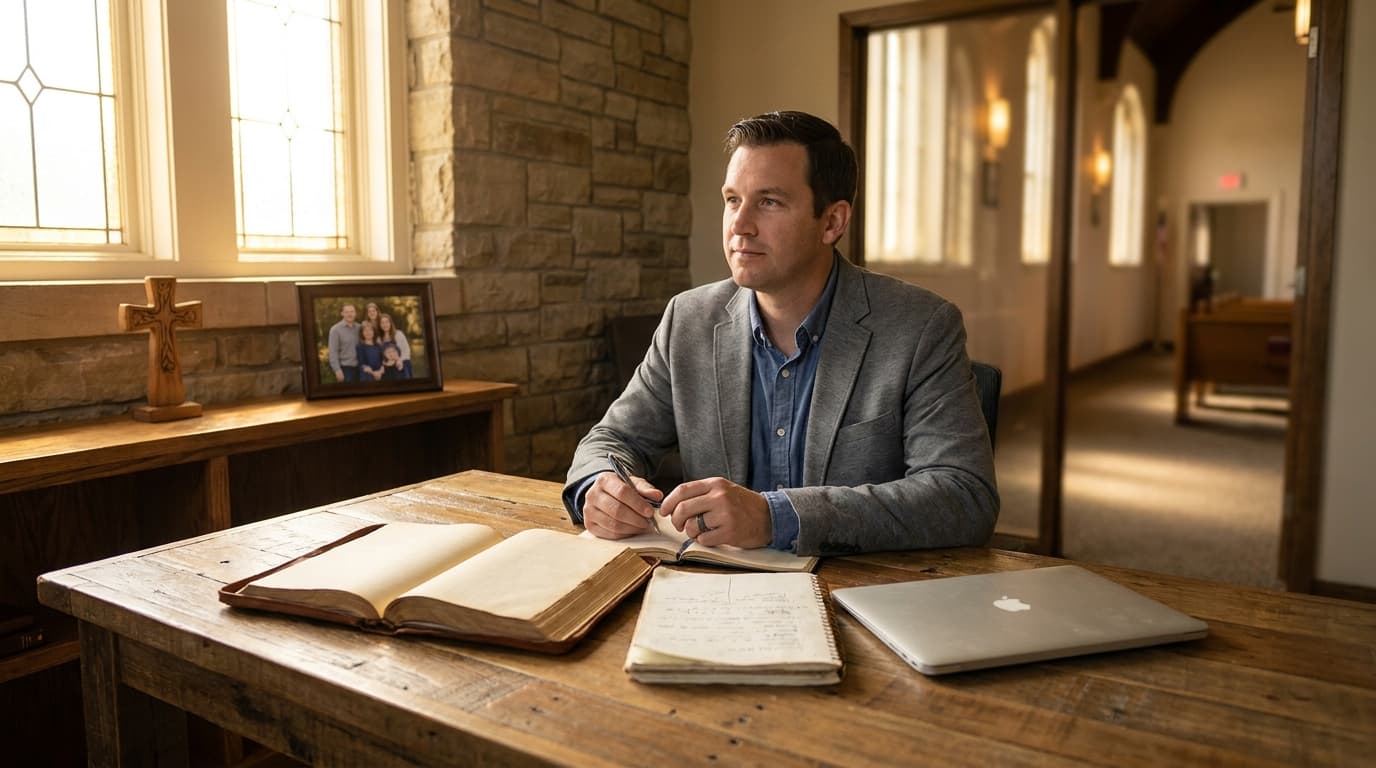
Best AI Tools for Church Admins in 2026

The best AI tools for church admins include ChatGPT for written communications, Notion AI for organization and documentation, Canva Magic Studio for graphics, and scheduling tools like Calendly with AI features. Church administrators juggle scheduling, communications, data management, and event coordination — AI can save 10-15 hours per week across these tasks while improving consistency and reducing errors.
The Unsung Heroes: Church Administrators and AI
If you're a church administrator, you already know something that most people in the congregation don't: you're the one who actually keeps the church running. The pastor preaches. The worship team leads. The volunteers serve. But behind every Sunday service, every event, every communication, and every logistical detail, there's an administrator making sure everything happens when and how it's supposed to.
And if you're like most church admins, you're doing it with limited resources, minimal recognition, and a to-do list that grows faster than it shrinks.
According to a survey by ChurchSalary.com, the average church administrator handles responsibilities that in a corporate setting would be split across three to four different roles: office management, communications, event coordination, data management, volunteer coordination, and facilities oversight. Many church admins also handle bookkeeping, HR basics, and IT troubleshooting.
AI tools can't do your job. But they can take the repetitive, time-consuming parts of your job and compress them dramatically. The emails that take 45 minutes to draft can take 10. The report that takes two hours to compile can take 20 minutes. The graphics that require a design background can be created by anyone.
Let's break down the admin task categories and match them with the right AI tools.
Admin Task Category 1: Scheduling and Calendar Management
The Challenge
Church scheduling is uniquely complex. You're coordinating pastoral schedules, volunteer rotations, room reservations, recurring events, special services, and community use of facilities — all while navigating the reality that most of your volunteers have full-time jobs and family commitments.
A single Sunday might involve scheduling greeters, nursery workers, sound booth operators, projection operators, coffee setup volunteers, parking lot attendants, and prayer team members. Multiply that by 52 weeks and account for vacations, illnesses, and last-minute changes, and you have a scheduling nightmare.
The AI Solution
Calendly (Free or $10/month) now includes AI-powered scheduling suggestions. It can analyze patterns in how meetings are scheduled and suggest optimal times, reducing the back-and-forth emails that eat up your Tuesday afternoon.
Google Calendar with Gemini integration can help you manage complex multi-calendar setups. The AI can identify scheduling conflicts, suggest room assignments based on event size, and even draft event descriptions and invitations.
When2Meet and Doodle (Free tiers) use basic AI to find the best meeting times for groups. For scheduling volunteer teams, these tools eliminate the "when works for everyone?" email chains.
Notion Calendar integrates with Notion's workspace, letting you connect scheduling with task management and documentation. The AI features can auto-generate agenda items based on your notes and project status.
Time Savings
Church admins report saving 2-3 hours per week on scheduling tasks when using AI-enhanced scheduling tools. The biggest savings come from automated reminders, conflict detection, and the elimination of manual coordination emails.
Admin Task Category 2: Communications
The Challenge
Church communications are constant and varied: weekly newsletters, event announcements, volunteer communications, pastoral letters, social media posts, bulletin content, email responses, and phone follow-ups. Many church admins spend more time on communications than any other single task.
The challenge isn't just volume — it's voice. Every communication needs to sound like it comes from the same church, with the same warmth, the same theological perspective, and the same attention to detail. When the pastor writes the newsletter, it sounds pastoral. When the admin writes it, it needs to sound pastoral too.
The AI Solution
ChatGPT or Claude ($20/month or free tier) is the single most valuable communications tool for church admins. Here's why: you can create a "voice profile" prompt that describes your church's communication style and reuse it for every piece of content.
For example: "Write in the voice of [Church Name], a warm and welcoming [denomination/tradition] church in [city]. Our communication style is conversational, theologically grounded but not academic, and always inviting. We address our congregation as family. Our typical reader is [demographic description]."
Feed this voice profile into ChatGPT along with specific content requests, and the output will be remarkably consistent with your church's existing communications.
Mailchimp (Free tier or $13/month) has introduced AI-powered content suggestions, subject line optimization, and send-time optimization. The AI can suggest the best time to send your newsletter based on when your contacts typically open emails.
Grammarly (Free or $12/month) catches errors that spell-check misses and can adjust tone. For church admins who handle formal correspondence with denominational offices, vendors, and community partners, Grammarly's AI ensures professionalism.
Time Savings
Communication tasks that previously took 6-8 hours per week can be compressed to 2-3 hours with AI assistance. The biggest gains are in first-draft creation — AI generates the initial content, and you edit for accuracy and voice rather than writing from scratch.
Admin Task Category 3: Data Management and Reporting
The Challenge
Church data is scattered across multiple systems: the church management software, the email platform, the giving records, the volunteer database, the membership directory, and probably a few spreadsheets that nobody else knows about.
Generating reports — attendance trends, giving summaries, volunteer participation rates, visitor tracking — often means manually pulling data from multiple sources and compiling it into a format that church leadership can actually use.
The AI Solution
Google Sheets with Gemini or Microsoft Excel with Copilot can transform raw data into insights. Upload your attendance spreadsheet and ask the AI to identify trends, create charts, or flag anomalies. What used to take hours of manual analysis now takes minutes of conversation with the AI.
Notion AI can help organize and query your church's documentation. Store meeting notes, policy documents, and operational procedures in Notion, then use AI to search across everything. "What did we decide about the building renovation at last month's board meeting?" gets an instant answer instead of digging through files.
Airtable (Free tier or $20/month) combines spreadsheet functionality with database features and now includes AI for data analysis and content generation. For churches that need more structure than a spreadsheet but less complexity than a full church management system, Airtable with AI is a strong middle ground.
Time Savings
Reporting tasks that previously took 3-5 hours per month can be completed in 30-60 minutes with AI-assisted data tools. The key is setting up clean data systems first — AI can only analyze data that exists in a usable format.
Admin Task Category 4: Event Planning and Coordination
The Challenge
Church events range from simple (a potluck dinner) to complex (a week-long vacation Bible school or a church-wide retreat). Each event requires planning documents, communication timelines, volunteer coordination, budget tracking, and post-event evaluation.
For many church admins, event planning happens in the margins — squeezed between other tasks and often relying on "how we did it last year" rather than systematic planning.
The AI Solution
ChatGPT for planning documents. Feed in your event parameters — type, date, expected attendance, budget, available volunteers — and ask for a comprehensive planning document with timeline, task assignments, and communication schedule. The AI will generate a planning framework that you can customize.
Notion or Trello for project management. Use AI-enhanced project management tools to track event tasks, assign responsibilities, and monitor progress. Notion AI can generate task lists from planning documents, create timelines, and send reminders.
Canva for event promotion. Create event graphics, flyers, and social media posts in minutes using Canva's AI-powered design tools. Upload your church's brand assets (logo, colors, fonts) once, and every event graphic will be on-brand automatically.
Time Savings
Event planning and coordination typically takes 15-20 hours per major event. With AI tools, that can be reduced to 8-12 hours, with the biggest savings in document creation, communication drafting, and graphic design.
Case Study: Linda's Transformation
Linda Kowalski has been the church administrator at Cornerstone Community Church in Indianapolis for 11 years. The church runs about 280 on a typical Sunday. Linda handles everything from the weekly bulletin to the annual audit preparation, with one part-time assistant helping with data entry on Tuesdays and Thursdays.
"I love my job," Linda says, "but I was drowning. Every week felt like I was running a marathon that never ended. I'd finish the newsletter and realize I still had to do the volunteer schedule. I'd finish the schedule and realize I hadn't sent the event reminders. There was always something else."
In October 2024, Linda's pastor suggested she try ChatGPT. She was skeptical. "I'm not a tech person. I still use a paper planner alongside my digital calendar. The idea of talking to a computer to write things for me felt weird."
Week 1: The Newsletter
Linda's first experiment was the weekly email newsletter, which she sends every Thursday to about 600 subscribers. Previously, she spent approximately 3 hours each week writing it: gathering content from ministry leaders, writing the pastoral message section, formatting announcements, and proofreading.
She created a ChatGPT account and, with her pastor's help, wrote a voice profile prompt for the church. Then she fed in the week's content — sermon topic, announcements, prayer requests, upcoming events — and asked for a newsletter draft.
"The first draft was about 70% right," Linda recalls. "The structure was good, the tone was close, but it didn't sound like us. I spent about 45 minutes editing it — adding our specific phrases, adjusting the warmth, making sure the theology was right. But that's still way less than the 3 hours I used to spend."
By the fourth week, Linda had refined her prompts and the editing time dropped to about 20 minutes. Her total newsletter time went from 3 hours to about 45 minutes.
Month 2: Volunteer Scheduling
Linda started using Notion to manage the volunteer schedule. She created a database of all volunteers with their availability, preferences, and training status. Notion's AI helped her generate the weekly schedule by analyzing patterns and suggesting assignments.
"The volunteer schedule used to take me about 2 hours every other week — calling people, checking availability, filling gaps. Now I do it in about 30 minutes with Notion. The AI suggests assignments based on who's available and who hasn't served recently, and I just review and adjust."
Month 3: Event Planning
The church's annual Christmas program is Linda's biggest event of the year. In previous years, she started planning in September and spent approximately 40-50 hours total on planning and coordination over three months.
Using ChatGPT for planning documents, Notion for task management, and Canva for promotional graphics, Linda completed the planning in about 25 hours total. The biggest time savings came from:
- Planning document creation: from 6 hours to 1 hour
- Communication drafting (invitations, reminders, follow-ups): from 8 hours to 2 hours
- Graphic design (posters, social media, bulletin inserts): from 5 hours to 1 hour
- Volunteer coordination: from 6 hours to 3 hours
The Results After Six Months
Linda tracked her time meticulously. Here's the breakdown:
| Task | Before AI | After AI | Saved |
|---|---|---|---|
| Weekly newsletter | 3 hours | 45 minutes | 2.25 hours |
| Volunteer scheduling | 2 hours/biweekly | 30 min/biweekly | 1.5 hours |
| Event communication | 4 hours/event | 1 hour/event | 3 hours |
| Graphic design | 3 hours/week | 45 minutes/week | 2.25 hours |
| Report generation | 4 hours/month | 1 hour/month | 3 hours |
| Meeting prep | 2 hours/week | 30 minutes/week | 1.5 hours |
Total weekly savings: approximately 10-12 hours.
"The time savings are real," Linda says, "but what I didn't expect was the quality improvement. My newsletters are more engaging because I have time to focus on the content rather than fighting with formatting. My event planning is more thorough because the AI helps me think through details I might have missed. And I'm less stressed, which means I'm a better coworker and a better minister to the people who come into our office."
Privacy Considerations for Church Admins
This is critically important. Church admins handle sensitive information — giving records, prayer requests, pastoral counseling notes, background check results, medical information about members, and family situations. When you use AI tools, you need to understand what happens to the data you input.
The General Rule
Never input personally identifiable information (PII) into AI tools unless you're certain about the tool's data handling practices. This includes:
- Full names combined with addresses, phone numbers, or email addresses
- Giving records or financial information
- Health information or prayer requests that contain medical details
- Counseling notes or sensitive family situations
- Background check results
- Minor children's information
What to Do Instead
Use generic descriptions. Instead of "Mrs. Johnson is going through chemotherapy," write "a congregant is dealing with a serious health issue." Instead of "the Smiths are getting divorced," write "a family in our congregation is going through a difficult season."
For tasks that require specific data — like generating a giving report — use tools that process data locally or within your existing systems rather than sending it to external AI servers. Google Sheets with Gemini, for example, processes data within your Google account rather than sending it to an external chatbot.
Tool-Specific Policies
- ChatGPT: OpenAI uses conversation data to improve their models by default. You can opt out in settings, but the data still passes through their servers.
- Google Workspace AI: Data processed within Google Workspace stays within your Google account and is not used to train AI models for other users.
- Notion AI: Notion's AI features process content within Notion's infrastructure. Review their data policy for specifics.
- Microsoft Copilot: For organizations using Microsoft 365, Copilot processes data within your Microsoft tenant.
Creating a Privacy Policy
Every church using AI tools should have a simple policy about what information can and cannot be entered into AI systems. This protects the church, its members, and the administrator.
Tool Recommendations by Budget
$0 Budget
- ChatGPT free tier for communications and planning
- Google Workspace for Nonprofits (if eligible) for scheduling, documents, and email
- Canva free tier for basic graphics
- Notion free tier for organization
$20-50/Month Budget
- ChatGPT Plus ($20/month) for enhanced communications
- Canva Pro ($13/month) for professional graphics
- Mailchimp free tier for email newsletters
$50-100/Month Budget
Everything above, plus:
- Notion Team plan for collaborative administration
- Calendly for scheduling
- Grammarly for professional communications
$100+/Month Budget
Everything above, plus:
- A church management system with AI features
- Professional email marketing platform
- Advanced project management tools
The Admin's AI Mindset
The most successful church admins using AI share a common mindset: they view AI as a first-draft partner, not a replacement for their judgment.
AI generates the initial content. The admin reviews, adjusts, and ensures it aligns with the church's voice, values, and theology. AI handles the repetitive mechanics. The admin handles the relational and pastoral elements.
This partnership works because it plays to each party's strengths. AI is fast, consistent, and tireless. The admin is relational, contextually aware, and theologically grounded. Together, they produce better work in less time than either could alone.
If you're a church admin who hasn't tried AI tools yet, start with one task this week. Pick the task you dread most — the newsletter, the schedule, the report — and try using AI to help with just that one thing. See how it feels. Adjust the process. And when you're comfortable, add the next task.
You might be surprised by how much lighter your to-do list feels.
AI-Assisted Email and Phone Response Templates
One of the most time-consuming tasks for church admins is responding to the steady stream of emails and phone calls that come in daily. From facility rental inquiries to questions about service times, from vendor communications to pastoral referral requests, the volume of correspondence can feel relentless.
Building a Response Library with AI
Use ChatGPT to create a comprehensive library of email response templates. Start by listing the 20 most common types of inquiries your church receives. Then use this prompt for each type:
"I'm a church administrator responding to [TYPE OF INQUIRY]. Write a warm, professional email response that:
- Thanks the person for reaching out
- Answers their question clearly and completely
- Offers a next step or invitation to connect
- Uses a friendly but professional tone
- Is concise (under 200 words)"
Save the generated templates in a shared document or your email client's template feature. When an inquiry comes in, select the appropriate template, personalize it with specific details, and send. What used to take 5-10 minutes per email now takes 1-2 minutes.
Phone Script Development
For churches that receive a high volume of phone calls, AI can help develop scripts for common call types. These aren't rigid scripts that make volunteers sound robotic — they're conversation guides that ensure consistent, helpful responses.
Create scripts for: facility rental inquiries, service time questions, directions and parking information, pastoral care requests, volunteer interest, new member inquiries, and vendor or service provider calls.
The key is training your phone volunteers or front desk staff to use these as guides rather than word-for-word scripts. The AI provides the structure; the human provides the warmth and adaptability.
Automating Routine Administrative Reports
Church boards, denominational offices, and insurance providers often require regular reports — monthly financial summaries, quarterly attendance reports, annual ministry reviews, and compliance documentation. These reports are essential but time-consuming.
Monthly Board Reports
If your church board requires a monthly report, use ChatGPT to generate the template and framework. Provide the AI with your standard report sections and ask it to create a fill-in-the-blank template with prompts for each section. This ensures consistency across months and makes it easier for different people to contribute sections.
Attendance Tracking and Analysis
If you track attendance data in a spreadsheet, use Gemini or Copilot to analyze trends. Upload your attendance data and ask: "What patterns do you see in our attendance over the past 12 months? Are there seasonal trends? How do special events affect regular attendance?"
The AI can generate charts, identify trends, and even suggest explanations for patterns you might not have noticed. This data-driven approach to ministry planning impresses board members and helps leadership make informed decisions.
Compliance Documentation
Churches must comply with various regulations — background checks for workers with minors, facility safety inspections, insurance requirements, and employment law. AI can help maintain compliance calendars, generate documentation templates, and remind you of upcoming deadlines.
Use ChatGPT to create a compliance calendar: "I'm a church administrator in [STATE]. Create an annual compliance calendar that includes all regulatory requirements for a church with children's ministry, part-time employees, and a facility used by outside groups."
Getting Started: A 7-Day Challenge for Church Admins
If you're a church admin who hasn't tried AI tools yet, here's a practical 7-day challenge to get started:
Day 1 (Monday): Create a free ChatGPT account and use it to draft one email response you've been putting off.
Day 2 (Tuesday): Use ChatGPT to draft your weekly bulletin or newsletter content based on notes from ministry leaders.
Day 3 (Wednesday): Use Canva's AI features to create one social media graphic for an upcoming event.
Day 4 (Thursday): Use ChatGPT to generate an agenda for next week's staff meeting based on your running task list.
Day 5 (Friday): Use ChatGPT to draft a thank-you note to a volunteer, a vendor, or a community partner.
Day 6 (Saturday): Reflect on the week. Which tool saved the most time? Which task was most improved? What would you try next week?
Day 7 (Sunday): Enjoy the fact that you're slightly less behind on your to-do list than you were a week ago.
The barrier to entry is lower than you think. The time savings are real. And the people in your church — the pastor, the volunteers, the congregation — will notice the difference in your availability, your responsiveness, and your stress level.
You're the unsung hero of your church. AI tools can't replace you. But they can make your heroism a little less exhausting.
Write Sermons Free: 200 Per Month on AlignedAI
Pastors can draft up to 200 sermons per month at no cost on AlignedAI. Each outline, manuscript draft, illustration set, or prep request counts as one message on the free tier — enough for weekly preaching plus Bible studies and church communications.
Sign up free at aligned.church →
No credit card required. Configure your theological tradition, Bible translation, and church context during setup.
Related reading
Frequently asked questions
How can AI help church admins?
Email drafting, newsletter creation, volunteer scheduling, event planning, data entry.
Best AI tool?
Platforms like Aligned that integrate communications, scheduling, and content creation.
Financial administration?
AI drafts reports and giving statements. Use dedicated software for accounting.
Replace admin staff?
No. AI handles repetitive tasks so staff can focus on relational work.
Volunteer scheduling?
Yes. AI drafts schedules, sends reminders, manages substitutions.
Improve communications?
AI drafts newsletters, social media, and email campaigns consistently.
Database management?
AI assists with data entry, report generation, and pattern identification.
Privacy concerns?
Use reputable tools. Avoid sensitive member info in general-purpose AI.
Time savings?
5 to 10 hours per week.
Event planning?
AI helps draft event descriptions, promotional materials, and invitation emails.
About this article
Published by Aligned Team, the doctrine-aware AI platform built for pastors and church leaders. Every article is grounded in Scripture and aligned to historic Christian doctrine.
Reviewed against the same doctrinal frameworks that power AlignedAI. See our editorial standards.
Published June 5, 2026. Last updated June 19, 2026.
Spotted an error or a claim that needs a source? Email our support team — we update the article and its date when a correction is warranted.
Comments
- No comments yet. Be the first to share your thoughts.