Say yes or no to serving this Sunday
Your church asked if you can serve, and they're hoping for a quick answer either way. It takes one tap from the email, with no account and nothing to sign in to. A “no” is welcome too; it helps them find someone else in time.
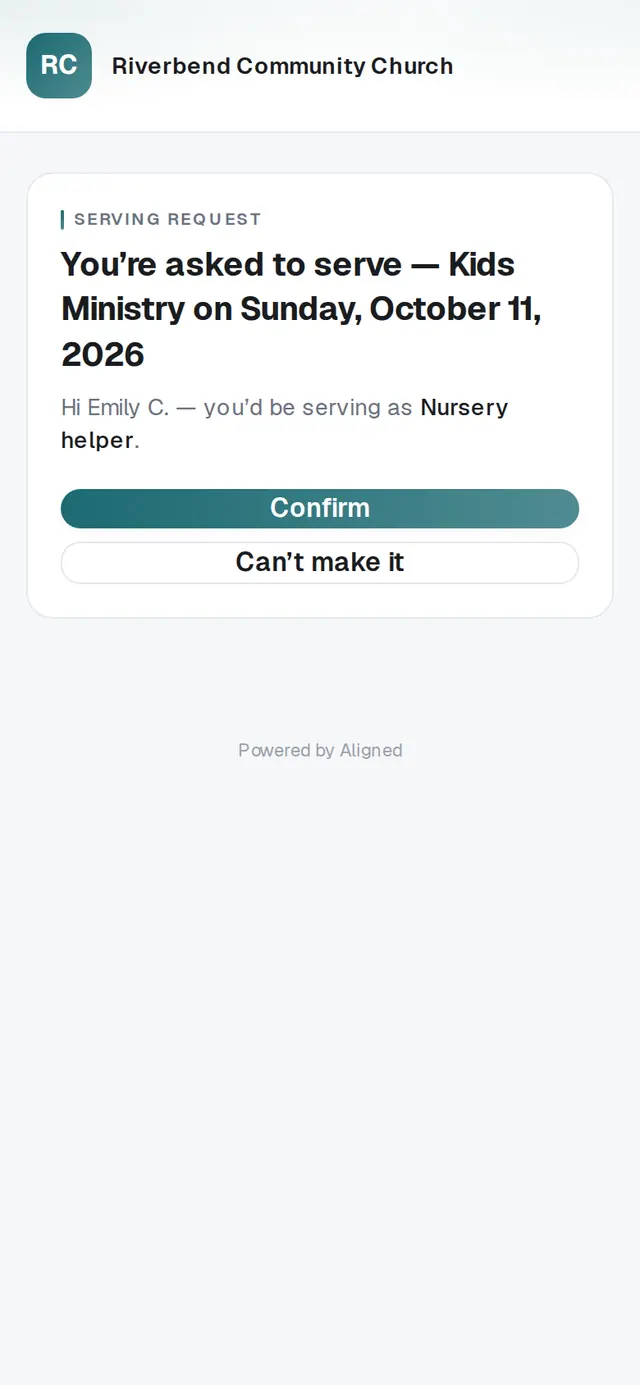
1/5 · Tap the link in your church's Can you serve …? email
Good to know
- Keep the email. The same link shows your answer and lets you change it any time.
- Serving requests come by email. If you'd like to be asked but never get them, make sure your church has your current email address.
If it’s not working
It says “That didn't go through. Please try again.”
Your answer wasn't saved. Check your connection and tap it again.
It says “Too many tries. Please wait a few minutes and try again.”
The link was tapped a lot in a short time. Wait a few minutes, then answer again.
It says “This link isn't valid”
Your church may have changed the schedule and taken this request back. Look for a newer email from them, or ask whoever schedules your team.
It says “This link is temporarily unavailable.”
Nothing is wrong with your link. Try again in a little while, or let your church know your answer directly.
I didn't get an email
Check your spam or promotions folder for “Can you serve …?”. If it isn't there, ask your church — they can check your email address or send you the link another way.
Next, you might want to
- Update your contact info with your churchChange your phone, email or address from your church's link, and see your church life in one place on your member hub.
- Join a small groupAsk to join a group from its link or your church's website, and a leader follows up with you.
- Sign up for an eventReserve spots for yourself and your family at a church event — or join the waitlist when it's full.