Update your contact info with your church
New phone number, new address, new email — your church wants to be able to reach you. When they send you an “Is your info up to date?” email, updating takes about 30 seconds, with no account. The same email can carry a link to your member hub, where your groups, sign-ups and giving live together.
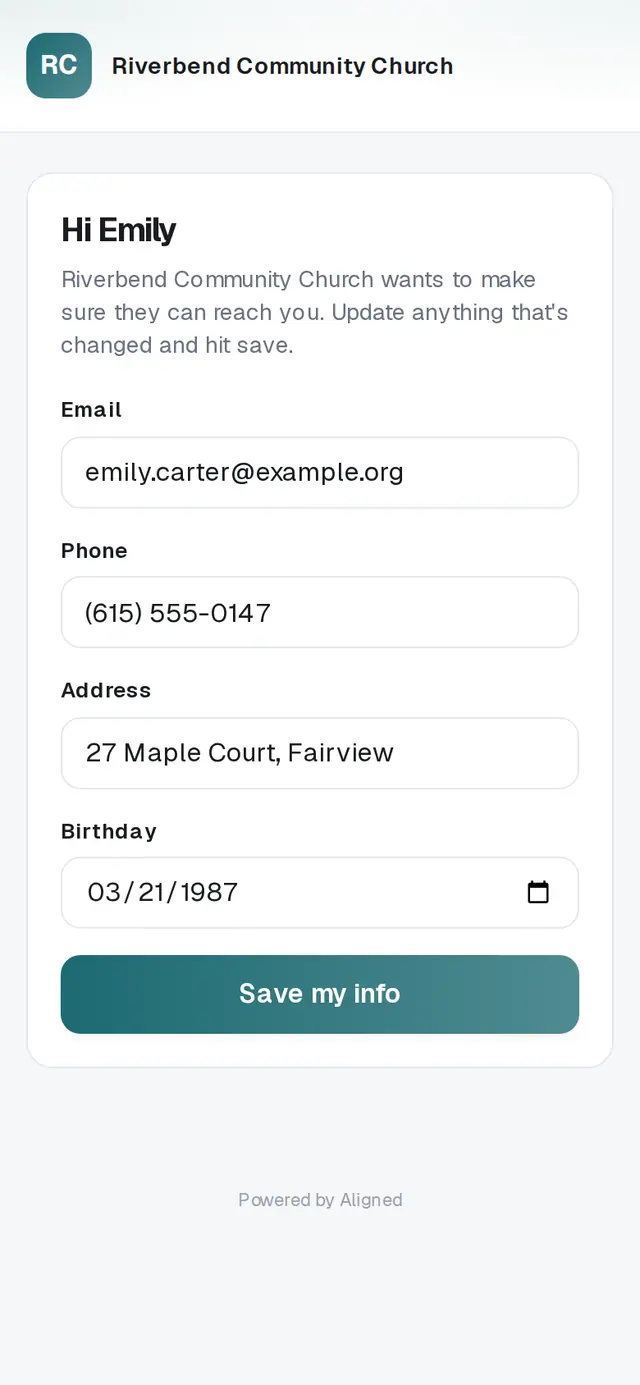
1/7 · Tap the link in your church's Is your info up to date? email
Good to know
- Your member hub doesn't open your giving details. For receipts, recurring gifts and statements, sign in on your church's giving page or use the link in any gift receipt.
- These links are personal to you, so keep them to yourself rather than forwarding them.
- Changes to your household — a new baby, a name change — are for your church to make. Let them know and they'll update it.
If it’s not working
It says “Couldn't save — please try again.”
Your changes weren't saved. Check your connection and tap the save button again.
It says “This link isn't valid”
The link may be old or cut off. Ask your church to send you a fresh one.
I tapped Save on my member hub, but my old details still show
Your change was saved. The page shows your old details until you reload it — reload and your new ones appear.
I don't have a member hub link
Your church sends it; nothing arrives on its own. Ask them for your member hub link, or for an “Is your info up to date?” email, which carries it.
Next, you might want to
- Stop texts or emails from your churchReply STOP to your church's texts or unsubscribe from its emails — and start them again if you change your mind.
- Sign in to give faster next timeSign in with a code so your details and saved card are ready — and sign out on a shared phone or computer.
- Sign a document your church sentOpen the signing link, read the document, and sign by typing your name — no account and no printer.
- Join a small groupAsk to join a group from its link or your church's website, and a leader follows up with you.