Sign in to give faster next time
If you give at your church often, signing in saves you typing your name, email and card every time. There's no password: you get a 6-digit code by text or email, and your phone remembers you after that.
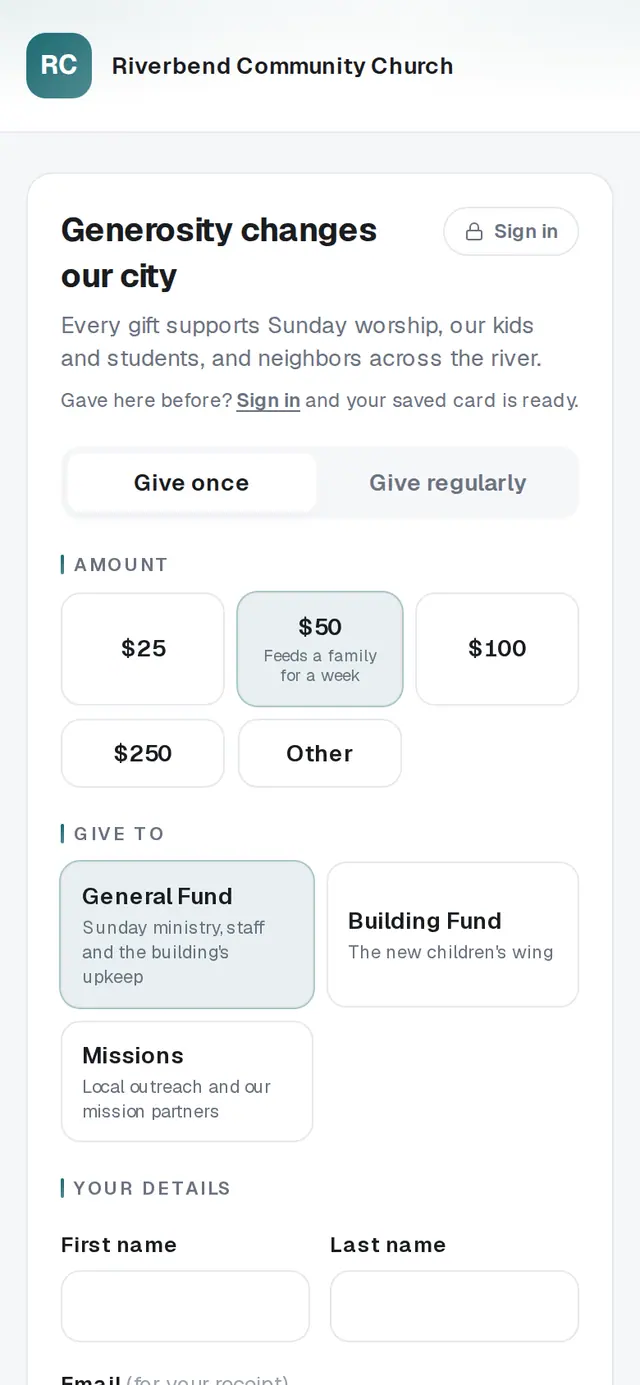
1/7 · On your church's giving page, tap Sign in
Good to know
- No card saved yet? Open Your giving and tap Add a card under Payment method. After that, one-tap giving is ready.
- Signing in also opens Your giving, where you can see past gifts, change a recurring gift and download your giving statements.
- Once you're signed in with your mobile number and have a saved card, text giving can take your gift with a single YES reply, if your church offers it.
If it’s not working
It says “Enter a valid mobile number.”
Check the number, including the area code, and tap Text me a code again.
It says “Text codes aren't available yet — use your email instead.”
Your church can't send sign-in texts at the moment, so the form switches to email. Type the email your gifts are under and tap Email me a code.
It says “More than one person gives from this number.”
Someone else in your home gives from the same number, so a text code can't tell you apart. Sign in with the email on your gifts instead.
It says the code is invalid or has expired
Codes only work once and expire quickly. Tap Use a different number, then Text me a code again, and type the newest code.
I signed in, but I don't see Give again in one tap
It appears once you have a saved card here. Add one in Your giving under Payment method, or give once with the form — you'll still skip typing your name and email.
Next, you might want to
- Give online to your churchGive a one-time gift from your church's giving page — from a link, a QR code, its website or the lobby tablet.
- Give with a text messageText your church's keyword or number, reply with an amount, and finish with a YES or a secure link.
- Change, skip or pause your recurring giftChange the amount or how often, skip one gift, or take a break until a date you pick — all from Your giving.
- Download your giving statement for taxesOpen Your giving, pick a year, and print or save the statement your tax preparer asks for.