Download your giving statement for taxes
Tax time comes around, and someone asks for a record of what you gave. Every year you've given has a ready-made statement waiting in Your giving — open it, and print it or save it as a PDF.
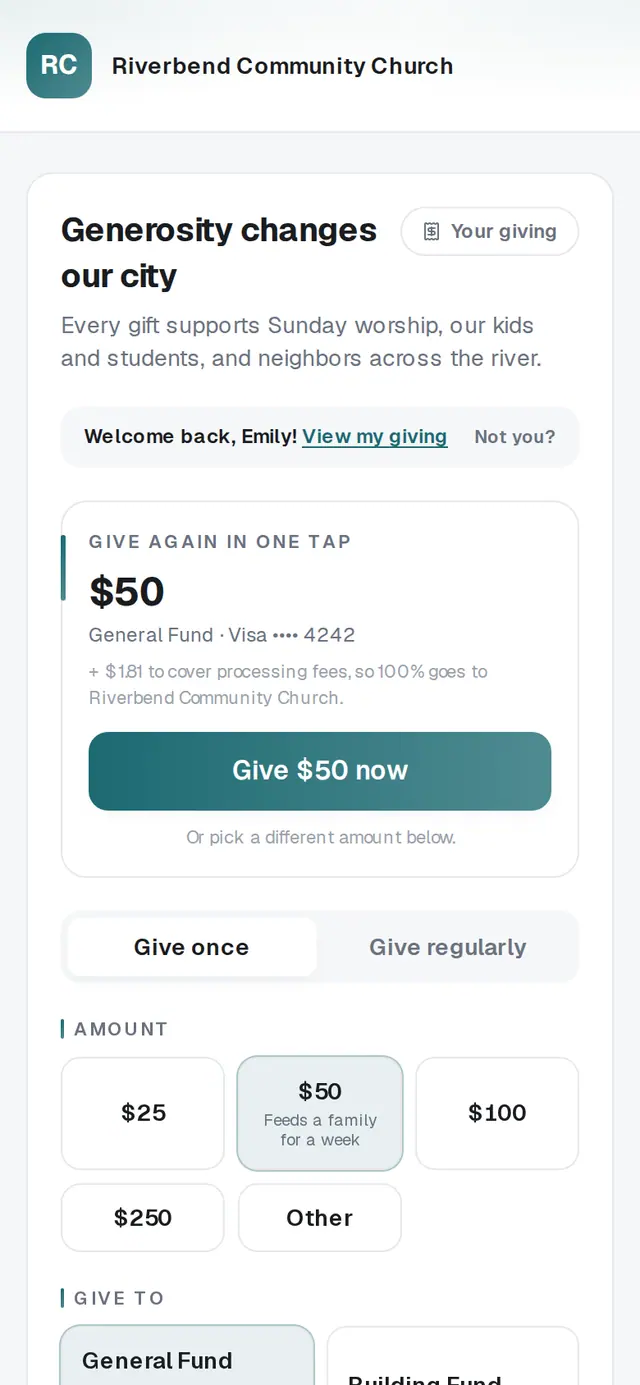
1/5 · Open Your giving
Good to know
- Gave anonymously? Your own statement still includes those gifts. Only your church's staff screens leave your name off.
- Each person who gives gets their own statement, so a couple who both give will each have one.
- A gift made late on December 31 can land on the next year's statement, because it finished going through after midnight.
If it’s not working
I don't see a Statements section
It appears once you have a gift that has gone through. If you gave in the last day or two, check back once it has finished processing.
A gift is missing from my statement
Statements include only gifts that went through, so a declined or still-processing gift isn't there. A check or cash gift shows only if your church recorded it under your name — ask your church about it.
The year I need isn't there
Only years with gifts are listed. If you gave that year with a different email address, those gifts are under that address — tap Sign out on this device and sign in with it.
The statement my church sent me looks short
Statements your church prints leave out gifts you gave anonymously. The statement in Your giving includes them.
The receipt link says it isn't valid anymore
Your church may have sent a fresh link since. Open your church's giving page and tap Sign in instead — you'll get a code by text or email.
Next, you might want to
- Give online to your churchGive a one-time gift from your church's giving page — from a link, a QR code, its website or the lobby tablet.
- Sign in to give faster next timeSign in with a code so your details and saved card are ready — and sign out on a shared phone or computer.
- Change, skip or pause your recurring giftChange the amount or how often, skip one gift, or take a break until a date you pick — all from Your giving.