Change, skip or pause your recurring gift
Money's tighter this month, or you'd like to give a little more. You can adjust a recurring gift yourself any time: raise it, lower it, skip the next one, or pause it until you're ready. After that it carries on by itself.
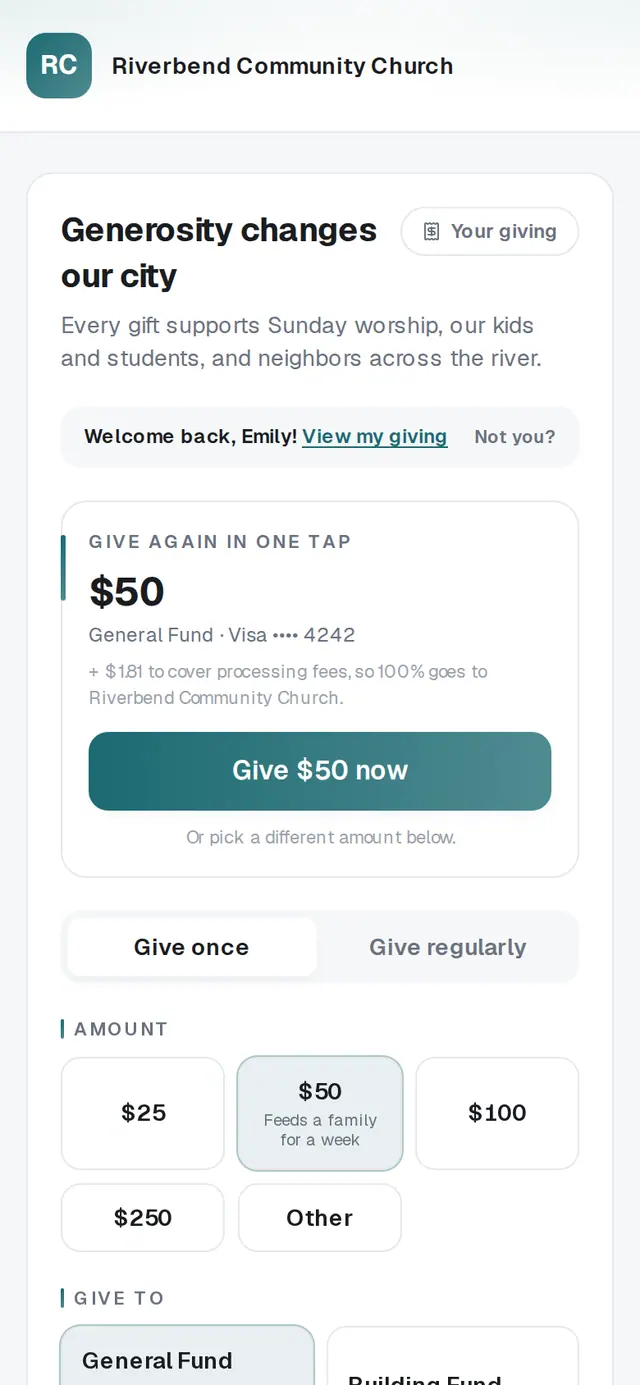
1/7 · Open Your giving
Good to know
- Want the gift to go to a different fund? Changing a gift keeps its fund, so cancel it and set up a new one on your church's giving page with Give regularly.
- New card? That's Update card, on the same gift.
If it’s not working
There's no Skip next gift button
Yearly gifts can't be skipped — use Pause until instead. A gift that didn't go through can't be skipped or paused until its card is fixed; tap Update card first.
The Pause gift button stays gray
The date has to be after your next gift is due and no more than about a year away. Pick a later date and the button lights up.
It says online gifts can be up to $50,000
That's the most one online gift can be. To give more, contact your church directly.
It says “We can't update this gift online. Please contact your church.”
This gift was set up in a way the page can't change. Your church can make the change for you.
It says “That didn't go through. Please try again.”
Nothing was changed. Wait a moment and try again; if it keeps happening, contact your church.
Next, you might want to
- Cancel your recurring giftStop a gift that repeats, yourself, from Your giving — or skip or pause it if you only need a break.
- Update the card you give withPut a new card on your recurring gift, or fix a gift that didn't go through, from Your giving.
- Set up a monthly giftGive on repeat — weekly, monthly, every three months or yearly — starting today or on a date you pick.
- Sign in to give faster next timeSign in with a code so your details and saved card are ready — and sign out on a shared phone or computer.