Update the card you give with
Cards expire and get replaced, and a recurring gift can quietly stop working when they do. Updating the card takes a minute, and your gift carries on with the new one — nothing else about it changes.
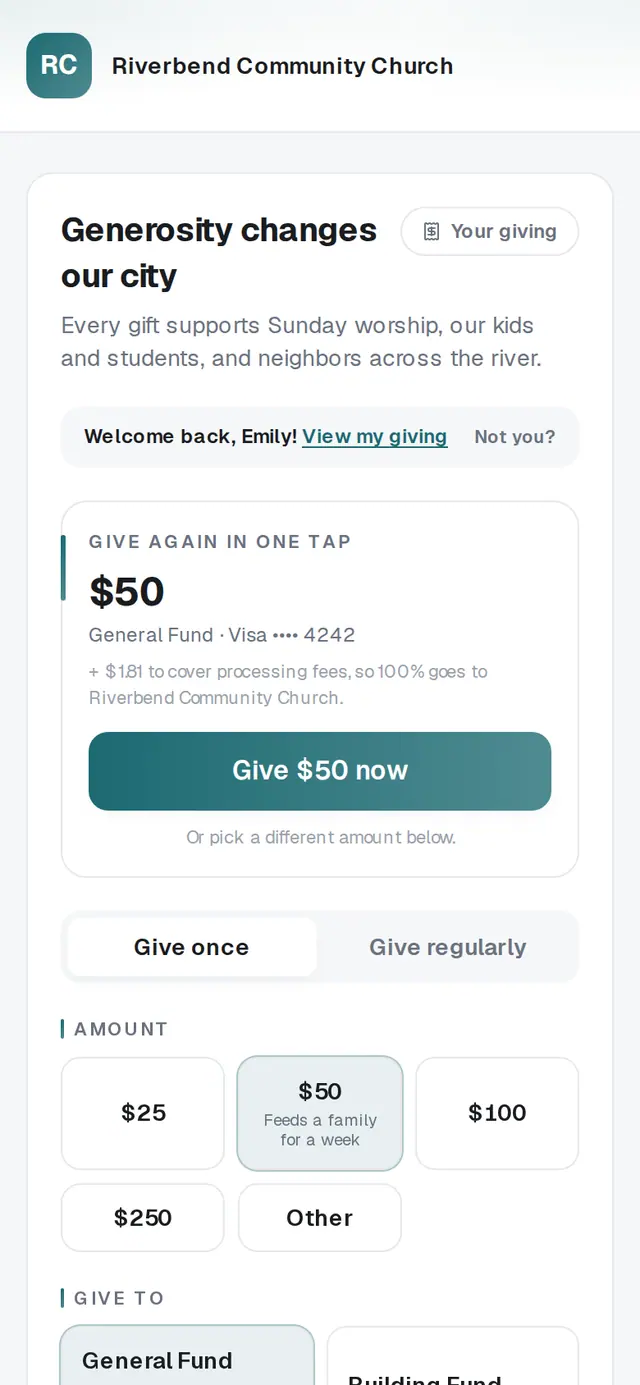
1/3 · Open Your giving
- 3Type your new card into the New card formThe form loads securely in the page. Your card number goes straight to the secure payment processor and never touches your church's page.
- 4Tap Save cardYou'll see “Card updated — future gifts will use the new card.”
Good to know
- When a recurring gift fails, we try it again on our own, and the email tells you so. After four failed tries the gift stops, so update the card when you get that email.
- Does your church text you? Text CARD to its number for a link to save or change your card.
If it’s not working
It says “Could not load the secure card form.”
The secure form didn't load this time. Tap Try again. If it still won't load, check your connection or try another browser.
It says “Card updates aren't available right now. Please contact your church.”
Your church's giving page isn't taking changes at the moment. Contact your church — they can help.
It says the card couldn't be saved
Check the card number, expiration date and security code, then tap Save card again. If your bank still says no, try a different card.
My gift stopped after the card failed
After four failed tries a recurring gift stops. Set it up again on your church's giving page with Give regularly.
I updated my card, but another gift still shows the old one
Each recurring gift keeps its own card. Tap Update card on that gift too.
Next, you might want to
- Change, skip or pause your recurring giftChange the amount or how often, skip one gift, or take a break until a date you pick — all from Your giving.
- Cancel your recurring giftStop a gift that repeats, yourself, from Your giving — or skip or pause it if you only need a break.
- Set up a monthly giftGive on repeat — weekly, monthly, every three months or yearly — starting today or on a date you pick.
- Sign in to give faster next timeSign in with a code so your details and saved card are ready — and sign out on a shared phone or computer.