Cancel your recurring gift
Need to stop a gift that goes out on its own? You can do it yourself in about a minute, with nothing to call or email about. If you only need a break, skipping one gift or pausing for a while keeps everything else in place.
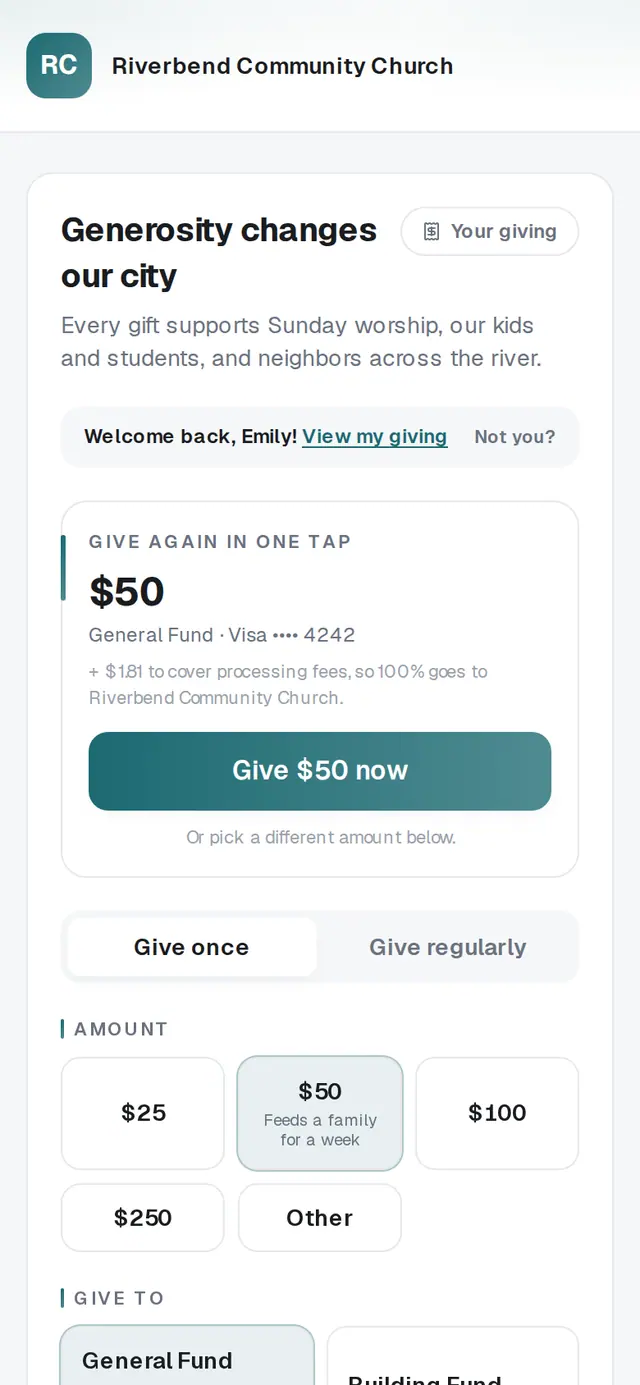
1/5 · Open Your giving
Good to know
- Only need a break? Skip next gift moves your next gift back one round, and Change gift has a Pause until date. Both keep your gift set up.
- Does your church text you from its own number? Text CANCEL AUTO to it and you'll get a link back to your recurring gifts.
- Want to give on repeat again later? Your church's giving page has a Give regularly tab, and + Set up a recurring gift in Your giving takes you straight there.
If it’s not working
I don't have a receipt email
Open your church's giving page and tap Sign in. We'll text a 6-digit code to your mobile number, or tap Use my email instead to get it by email. You can also go to aligned.church/give/manage and enter the email you give with.
It says “No giving found”
Your gifts are under a different email address. Try the one you used when you gave, or ask your church for your giving link.
It says “That didn't go through. Please try again.”
Your gift was not stopped, and the page won't say it was until it truly is. Wait a minute and tap Cancel gift again. If it keeps happening, contact your church.
I don't see my gift, or there's no Cancel gift button
Only gifts that are still going out have buttons; a gift marked Canceled is already stopped. If the gift isn't listed at all, it may be under another email address. Tap Sign out on this device at the bottom and sign in with the other one.
I canceled, but I was charged again
If your church recently moved its giving to Aligned, a gift you set up with their old giving service keeps running there until your church stops it. Contact your church and they'll take care of it.
Next, you might want to
- Change, skip or pause your recurring giftChange the amount or how often, skip one gift, or take a break until a date you pick — all from Your giving.
- Update the card you give withPut a new card on your recurring gift, or fix a gift that didn't go through, from Your giving.
- Sign in to give faster next timeSign in with a code so your details and saved card are ready — and sign out on a shared phone or computer.
- Set up a monthly giftGive on repeat — weekly, monthly, every three months or yearly — starting today or on a date you pick.