Bring your people over from your old system
Retyping a whole congregation isn't an option. Aligned reads your old system, shows you what it found — with counts and a few names — and brings over only what you tick. Nothing changes until you approve it, and nobody gets an email or text because of it.
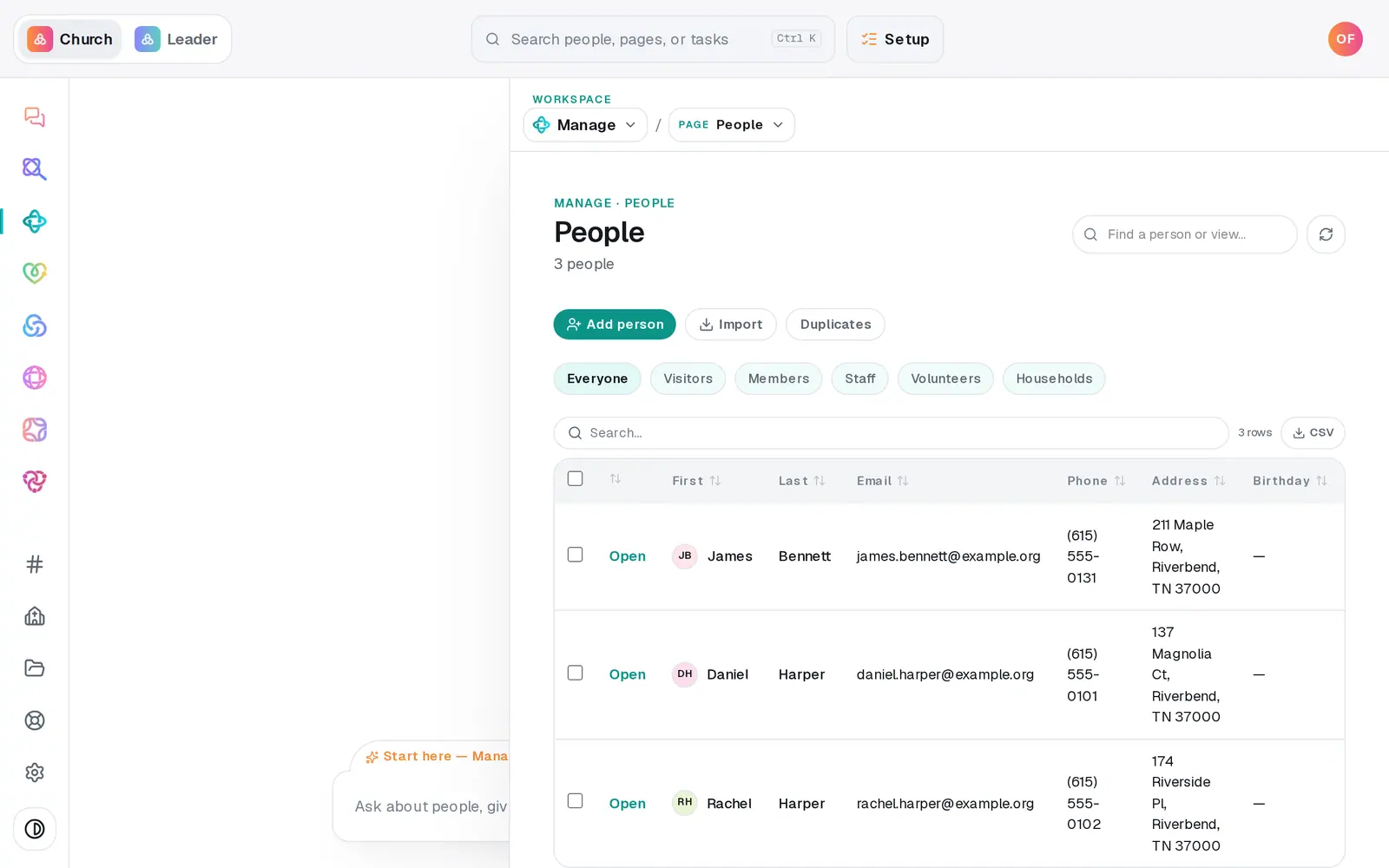
1/6 · Go to Manage → People and press Import
Good to know
- Run it again any time. Aligned matches people by email, so a second run updates what changed instead of making duplicates.
- Bring people in before lists — a list only carries people Aligned already has, and one whose members aren't here yet is skipped with a note.
- Moving from a different system? Export your people to a spreadsheet and use From a file on the People tab instead.
- Starting from scratch? While your People list is still empty, Manage's home page offers Start fresh, which walks you through setting up your church in the chat.
If it’s not working
An app says "Couldn't read"
The red line says why, and the button under it is the fix: Reconnect when the sign-in expired or was turned down, Try again in a minute when the app is busy, or Try again when it timed out. A category that couldn't be read can't be ticked — it's never counted as empty.
It says the app doesn't include something, like Groups
The connection works, but that part of the other system isn't switched on for your account. Turn it on there first, then press Reconnect.
"An import is already running for your church"
Imports run one at a time. Wait for the running one to finish, then press Import what I ticked again — anything already brought over is updated, not doubled.
The import brought in people we didn't want
Type "undo the last import" in the Manage chat. It names the run and how many people it added, and undoes it only after you tap Undo this import — those people are archived, not deleted. Only your most recent import can be undone this way.
It asks "Ready to make this live?"
Your church hasn't finished Setup yet, and an import is one of the things that waits for it. Finish Setup and run the import again — nothing you've done so far is lost.
Next, you might want to
- Import people from a spreadsheetUpload a CSV of your members from any system or spreadsheet, match its columns once, and bring everyone in without duplicates.
- Bring over donors and giving historyImport donors and past gifts from Planning Center, Breeze, Donorbox, Givebutter or any platform's export file — as records, with no money moving.
- Undo an import or fix one that failedRoll back your most recent import by asking the Manage chat, or fix an app that says it couldn't read part of your old system.
- Bring over Planning Center lists and workflowsImport your Planning Center lists with the same people on them, and rebuild your follow-up workflows as automations that wait for your OK.