Fill out a form from your church
Your church may ask you to fill out a connect card, a ministry interest form or a quick survey. It opens from a link or a QR code, takes a couple of minutes, and there's no account to make.
About 2 minutes Part of Aligned ChurchUpdated September 29, 2026
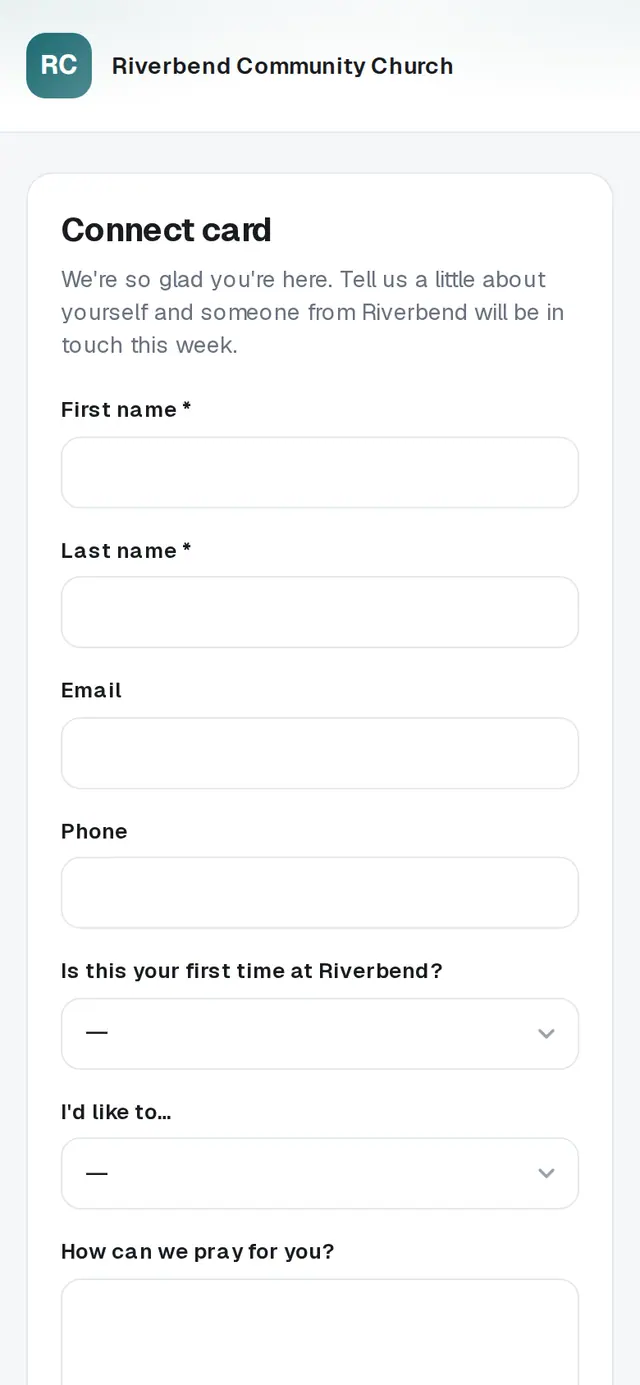
1/4 · Open the link or scan the QR code your church shared
Good to know
- Your church can also put a form right on its website. It works the same way, and the button reads Submit there too.
- Tapping Submit twice, or again after a dropped connection, won't send your answers twice.
If it’s not working
It says “Please fill this in.” or “Please choose an option.”
That question is required. Answer it and tap Submit again.
It says my church has closed this form
Your church isn't taking responses on this form anymore. If that seems wrong, reach out to your church — they can send you a current link.
It says “This form link isn't valid”
Double-check the address, or ask your church for a fresh link.
It says “Too many submissions right now. Please wait a few minutes and try again.”
A lot of people sent the form at once, or it was sent several times from your connection. Wait a few minutes and tap Submit again.
It says “Couldn't submit — please try again.”
Your answers are still on the page. Check your connection and tap Submit again.
Did this help?
Next, you might want to
- Plan a visit or send a prayer requestUse your church website's short forms to say you're coming, share a prayer request, or ask a question.
- Sign up for an eventReserve spots for yourself and your family at a church event — or join the waitlist when it's full.
- Join a small groupAsk to join a group from its link or your church's website, and a leader follows up with you.
- Update your contact info with your churchChange your phone, email or address from your church's link, and see your church life in one place on your member hub.