Tell the church you're new
Your first Sunday somewhere new, and you'd like someone to know you came. The church's QR code opens its page on your phone, with no app to download and no account to make. One button there tells the church you're new.
About 2 minutes Part of Aligned ChurchUpdated November 12, 2026
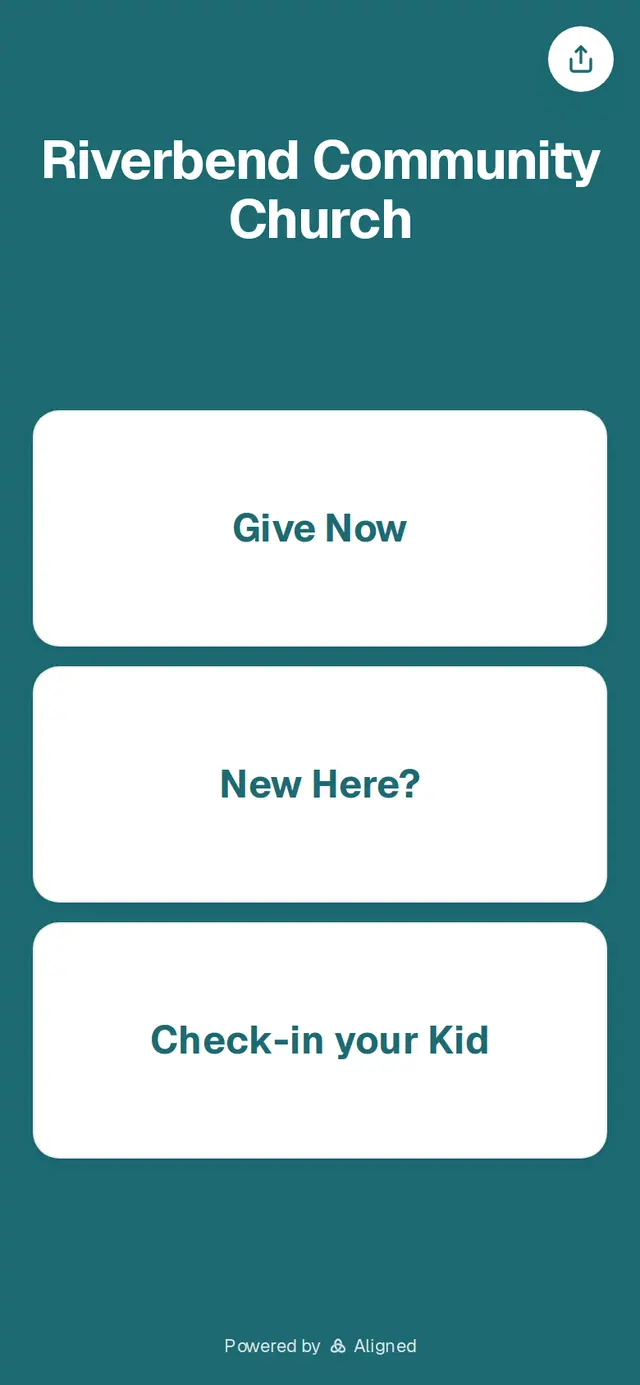
1/5 · Scan the church's QR code with your phone's camera
Before you start: A phone with a camera.
Good to know
- Brought your kids? Check-in your Kid on the same page checks them in from your phone.
- The church's name at the top opens its website, when it has one.
- Want to send the page to someone? The round button at the top right copies its address.
If it’s not working
There's no New Here? button
The church hasn't put a New Here form on its page. Please ask someone at the church how to let them know you're new.
It says “This page isn't active” or “This sticker isn't active”
The church's page isn't open right now. Please ask someone at the church for help.
It says “Please fill this in.” or “Please choose an option.”
That question is required. Answer it and tap Submit again.
It says “Couldn't submit — please try again.”
Your answers are still on the page. Check your connection and tap Submit again.
Did this help?
Next, you might want to
- New here? Add your family at check-inFirst Sunday with your kids? Add your family from your own phone at check-in, then scan a KidSecured™ label for each child.
- Plan a visit or send a prayer requestUse your church website's short forms to say you're coming, share a prayer request, or ask a question.
- Fill out a form from your churchComplete a connect card, interest form or survey your church sent you, with no account needed.