New here? Add your family at check-in
First Sunday with your kids? You don't need to fill out a paper card first. You can add your whole family right at the check-in screen in about a minute, and from next week on, checking in starts with a quick search for your name.
About 2 minutes Part of Aligned ChurchUpdated September 29, 2026
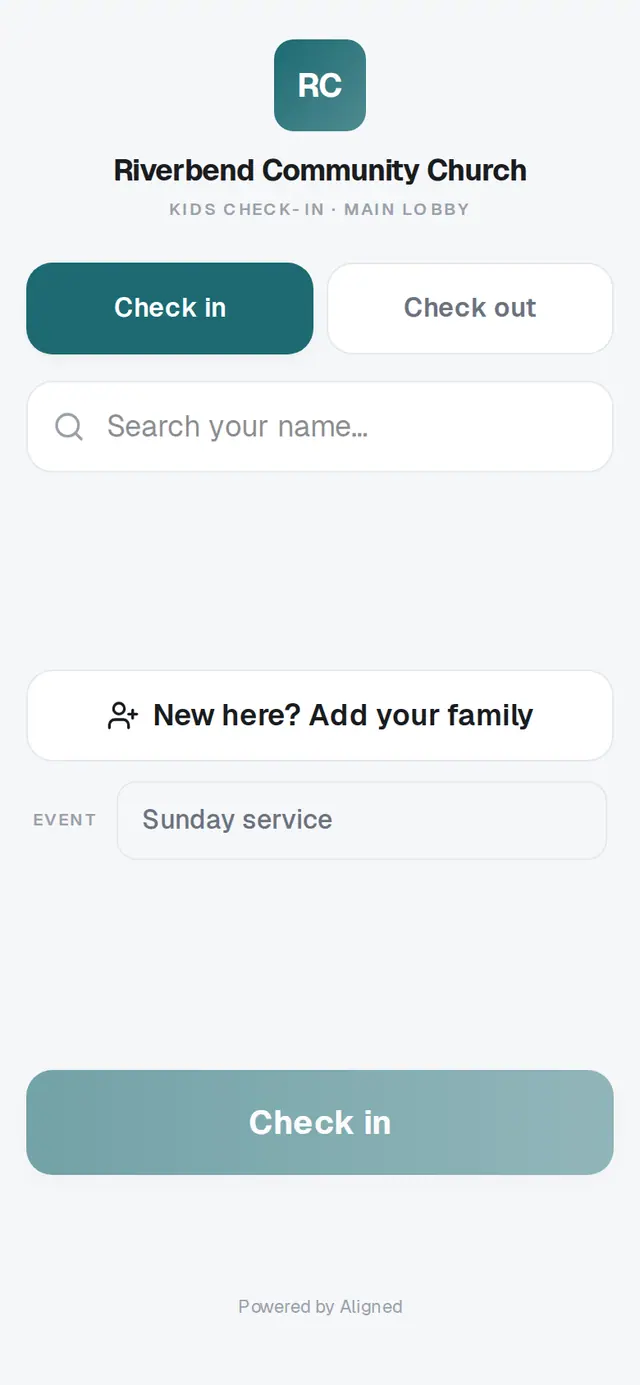
1/6 · On the check-in screen, tap New here? Add your family
Good to know
- Your family is added to your church's records, so next week you'll find everyone by searching your last name.
- Some churches also turn on a Guest name (optional) box on the check-in screen, for checking someone in by name only.
If it’s not working
The Add my family button stays gray
It needs a first and a last name for the first adult. Fill those in and it lights up.
It says an email “doesn't look right”
Check that email for a typo, or clear it — email is optional.
It says “Couldn't reach the server — check the connection and try again.”
The station lost its connection for a moment. What you typed is still there, so tap Add my family again. If it keeps happening, grab a volunteer.
I need to add more people
The form takes up to two adults and six children. A volunteer or your church office can add anyone else.
Did this help?
Next, you might want to
- Check your kids in on SundayFind your family on the check-in screen, tap who's here, and get the security code you'll show at pickup.
- Pick up your kids after churchType the security code from check-in to check your children out — everyone who shares it goes together.
- Plan a visit or send a prayer requestUse your church website's short forms to say you're coming, share a prayer request, or ask a question.