Pick up your kids after church
The service is over and you're heading to get the kids. The security code you got at check-in is what lets you, and only you, check them out.
About 1 minute Part of Aligned ChurchUpdated September 29, 2026
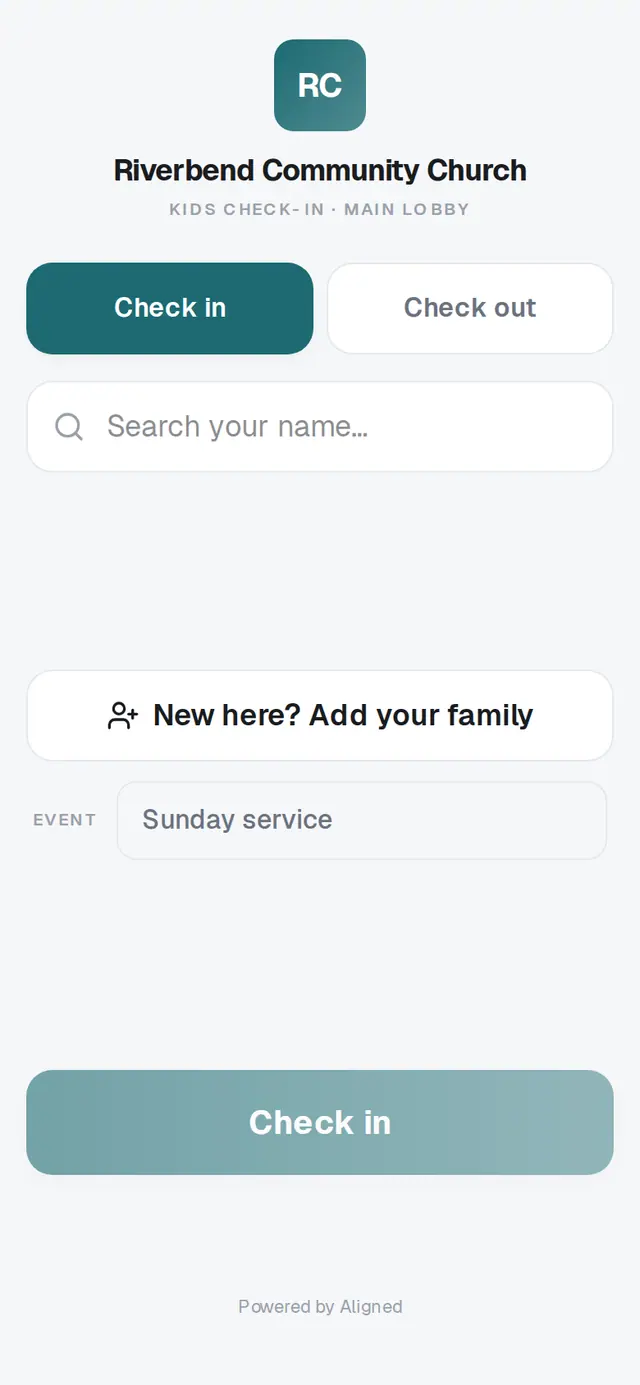
1/4 · On the check-in screen, tap Check out
Before you start: The security code from this morning's check-in — on your pickup tag, or in the photo you took of the screen.
Good to know
- Your church's volunteers may also ask to see your pickup tag or the code on your phone at the classroom door. Keep it handy until the kids are with you.
If it’s not working
It says “That code doesn't match anyone still checked in today.”
Check the code on your tag or photo and type it again. A code only works on the day you checked in, and only until everyone on it has been checked out. If it still won't match, ask a volunteer.
The Check out button stays gray
Type the whole code from your tag; the button lights up once there's enough of it.
I lost my code
Find a volunteer or someone from the kids' team. They'll help you pick up your children.
It says “Couldn't reach the server — check the connection and try again.”
The screen lost its connection for a moment. Your code is still in the box, so tap Check out again, or ask a volunteer.
Did this help?