Publish your app to the App Store and Google Play
Getting into the stores is the part that sounds technical, and it's mostly copy and paste. Aligned builds your app and uploads it to your church's own Apple and Google accounts. Plan on about an hour of setup, then a few days of store review.
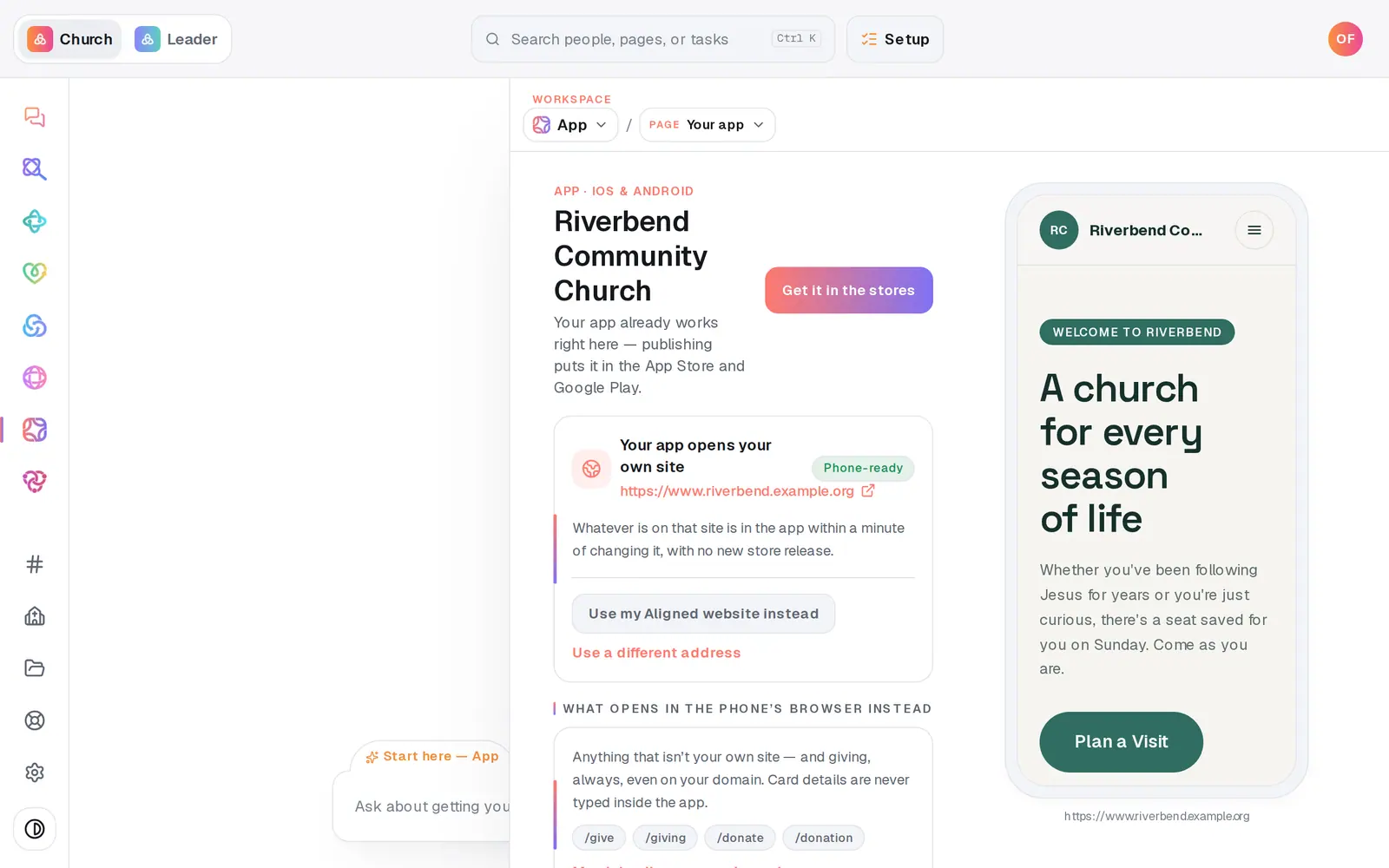
1/7 · In App, press Get it in the stores
Good to know
- One store is enough to start. Publish to the App Store or Google Play on its own, and add the other later.
- Stuck on Apple's or Google's screens? Walk me through Apple and Walk me through Google take you through them step by step in the chat.
- Your keys are stored encrypted, used only to build and upload your app, and never shown again. Paste them on this page only — never into the chat.
- Day-to-day changes reach the app through your website with no store release. You only publish again for a new name, icon or bundle ID — the button then reads Publish an update.
If it’s not working
The store declined our app
Declines are normal and usually about the listing — a missing screenshot, a privacy answer, or a support link that doesn't load. Record it with It was declined and the email's notes, then use Help me fix it on the banner. Once it's fixed, press Fix & resubmit.
The Publish button is grey
Something above isn't finished yet: the app's name and icon, at least one store key, and a website for the app to open. If a note says store publishing is being switched on for your account, everything is saved — you'll get a notification when the button goes live.
A store's row says "Build failed"
Press the Publish button again to retry. If it fails again, message us from Help and say which store.
It's been a few days and we haven't heard anything
Aligned can't see your review status — Apple and Google write to your developer account's email. Check that inbox, and the app's page in App Store Connect or the Play Console.
We already have an app from another company
Press Already have a church app? before you create anything in the stores. If the old app is on your church's own developer accounts, the new one can replace it on the same listing; if it's on the other company's account, you publish your own app and retire the old one.
Next, you might want to
- Get your church its own appTurn your church's website into an app for the App Store and Google Play — choose the site it opens, check how it looks, and name it.
- Send a push notification to your church appSend a short announcement to the phones of everyone who installed your church's app and allowed notifications.
- Get your church's app on your phoneInstall your church's app from the App Store or Google Play, or keep its website on your home screen like an app.