Send a private message to someone on your team
Some things don't belong in front of the whole staff: a question for your worship leader, a word with your treasurer. A direct message in Team Chat is a conversation with just the people you pick, and nobody else at your church can read it.
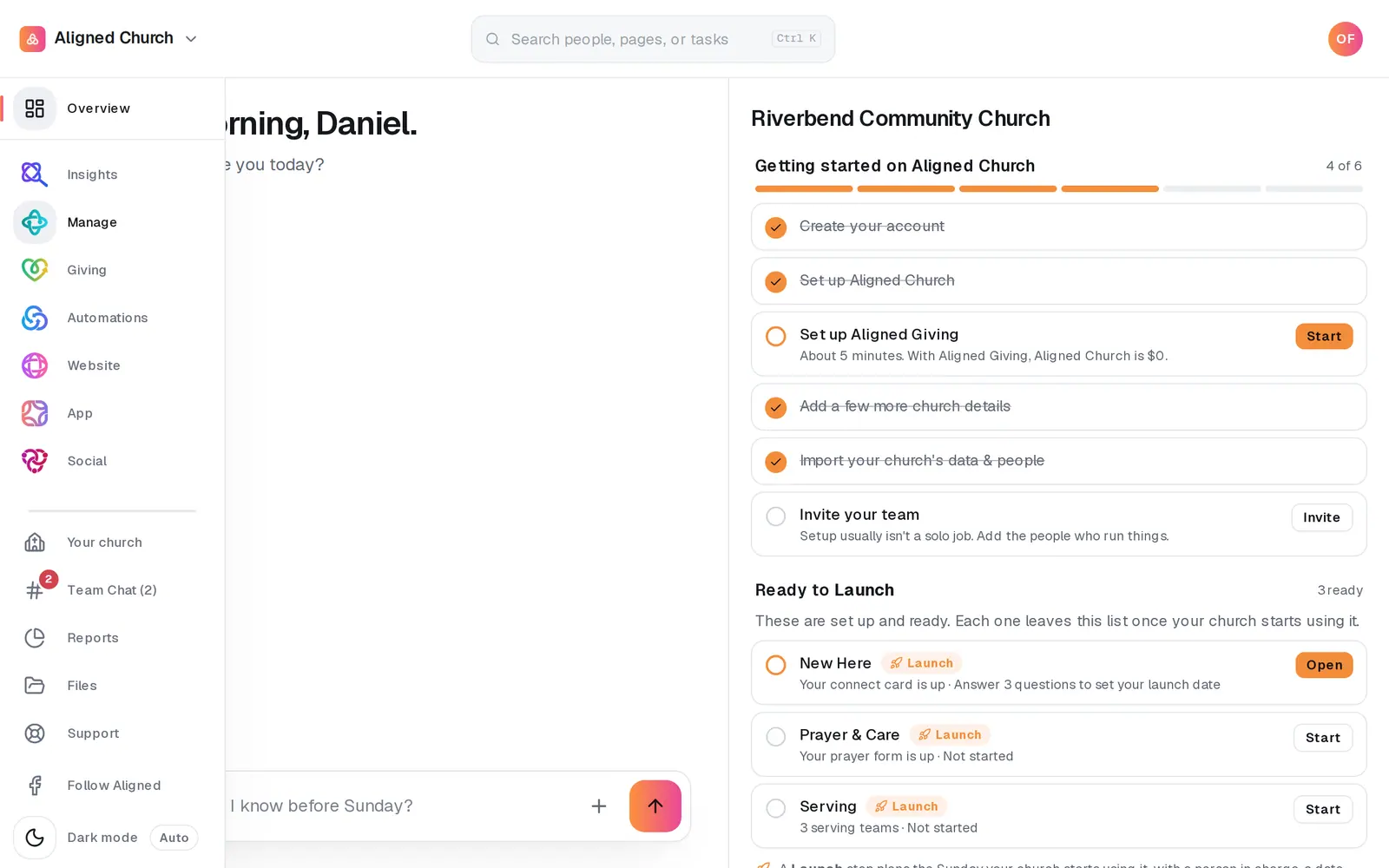
1/6 · Open Team Chat at the bottom of the left rail
Good to know
- Nobody outside a direct message can read it, and that includes your church's account owner.
- Want to find it quickly? Press the star at the top of the conversation, Add to Favorites, and it moves to Favorites at the top of the left menu. Your favorites are yours alone.
- To change a message you sent, rest your mouse on it and press its pencil (Edit) or bin (Delete); on a phone, press and hold it. In a direct message, only the person who wrote a message can delete it.
If it’s not working
There's no pencil, and no Direct messages
Your role doesn't include Team Chat, so Team Chat shows only your church's Guidebook. Ask your church's account owner or an Admin to tick Team Chat for your role on the Staff tab in Your church.
It says “No one on your team matches that.”
Only people on your church's Team Chat can be messaged: nobody outside your church, and nobody whose role has Team Chat turned off. Check the spelling. Someone without a login yet needs an invite: ask your church's account owner or an Admin to use Invite people, at the bottom of the left menu. For someone whose role has Team Chat off, the same people can tick Team Chat for that role on the Staff tab in Your church.
I can't add someone to our conversation
A direct message keeps the people it started with. Press the pencil again and start a new message with everyone you want in it.
I deleted a message by mistake
A deleted message is gone for everyone, with nothing left in its place. Press Support at the bottom of the left rail (on a phone, under More) and ask: Aligned's team can bring it back for your church.