Answer or skip the questions before a draft
You asked for a sermon and Aligned came back with a question. That's the Quick setup card, and it isn't stalling — a few taps about structure, length and tone are the difference between a generic draft and one shaped like yours. Answer as many as you like, skip the rest, or have it remember your answers so it stops asking.
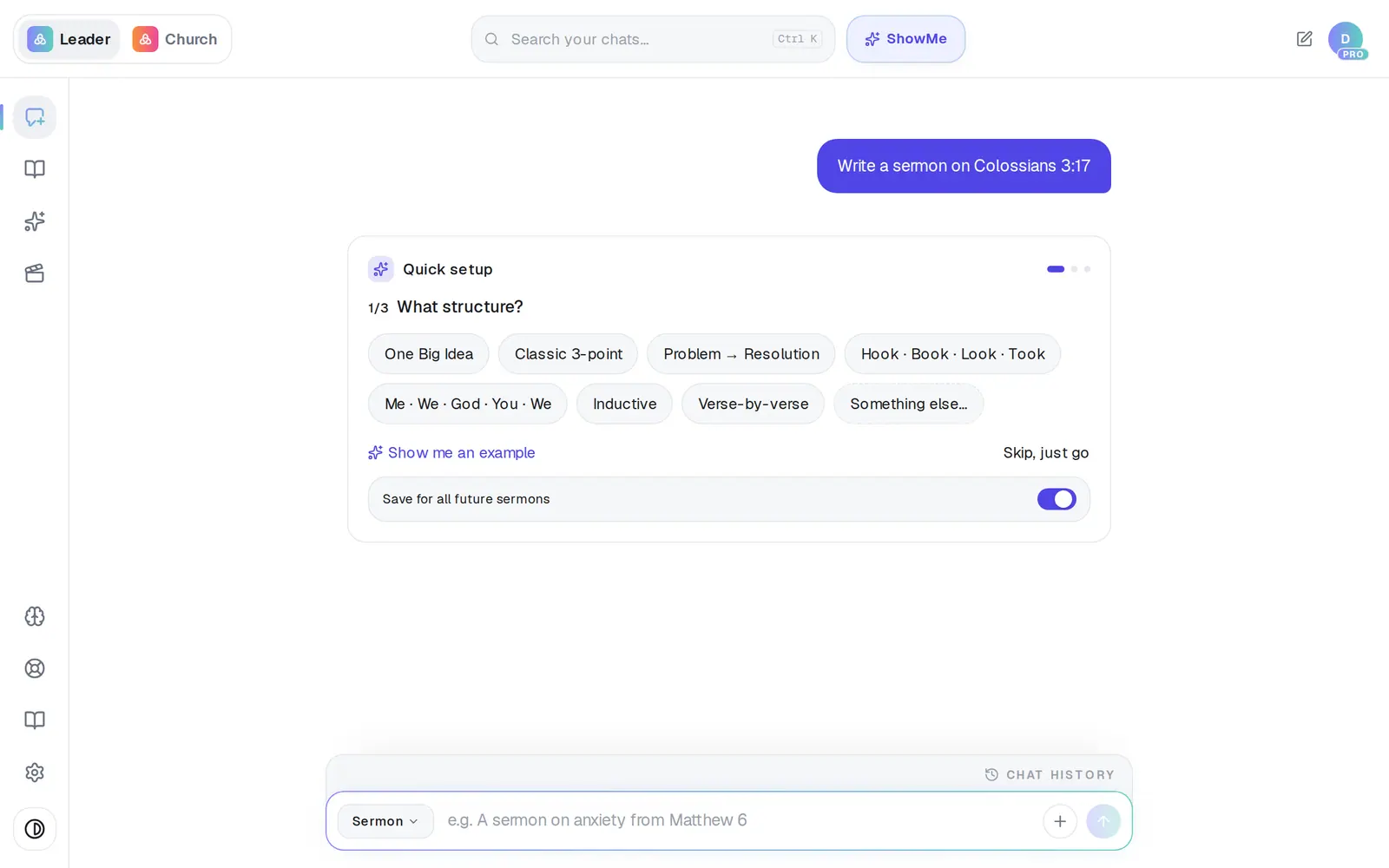
1/7 · Read the question on the Quick setup card
Good to know
- Not sure what to pick? Show me an example fills in a sample answer you can edit. Back returns to the previous question.
- The quickest way past the questions is a detailed request. A paragraph that names the passage, your audience, the length and the angle usually goes straight to writing.
- When a question asks which of your sermons to work from, you'll see a searchable list of your synced sermons instead of choices. Tap one, or Or paste the sermon text instead.
- You can set your preferences ahead of time in Brain → Sermon Format: preaching approach, structure, output format, length and tone. Any single request can still override them (“outline only this week”).
If it’s not working
It keeps asking the same questions every time
Save for all future sermons was probably off. Leave it on the next time you answer — or fill in Brain → Sermon Format — and those questions stop.
I asked for something new and it changed the draft I had open
Start a fresh chat for a brand-new piece. In a chat that already has a draft open, a request asked as a question (“Can we make week 1 more of a sermon?”) is read as a change to that draft.
The card just says “Thinking through a couple of quick questions…”
It's working out what to ask. It takes a moment; if nothing appears, Aligned goes ahead and writes without questions.
Next, you might want to
- Write this Sunday's sermonGo from a passage or topic to a full sermon draft in your tradition, ready to shape.
- Make every sermon come out your waySet your preaching approach, structure, length and tone once, so every sermon draft follows it.
- Pick what kind of thing Aligned writesChoose Sermon AI, Bible study, devotional and more — and ask for the kinds of writing that aren't in the menu.