Pick what kind of thing Aligned writes
A devotional isn't a sermon, and a small-group study isn't either. The format button beside the message box tells Aligned what you're making, so the draft comes back shaped for it. Leave it on Auto and Aligned works out the format from what you ask.
About 2 minutes Works on the free planUpdated September 29, 2026
aligned.church/leader
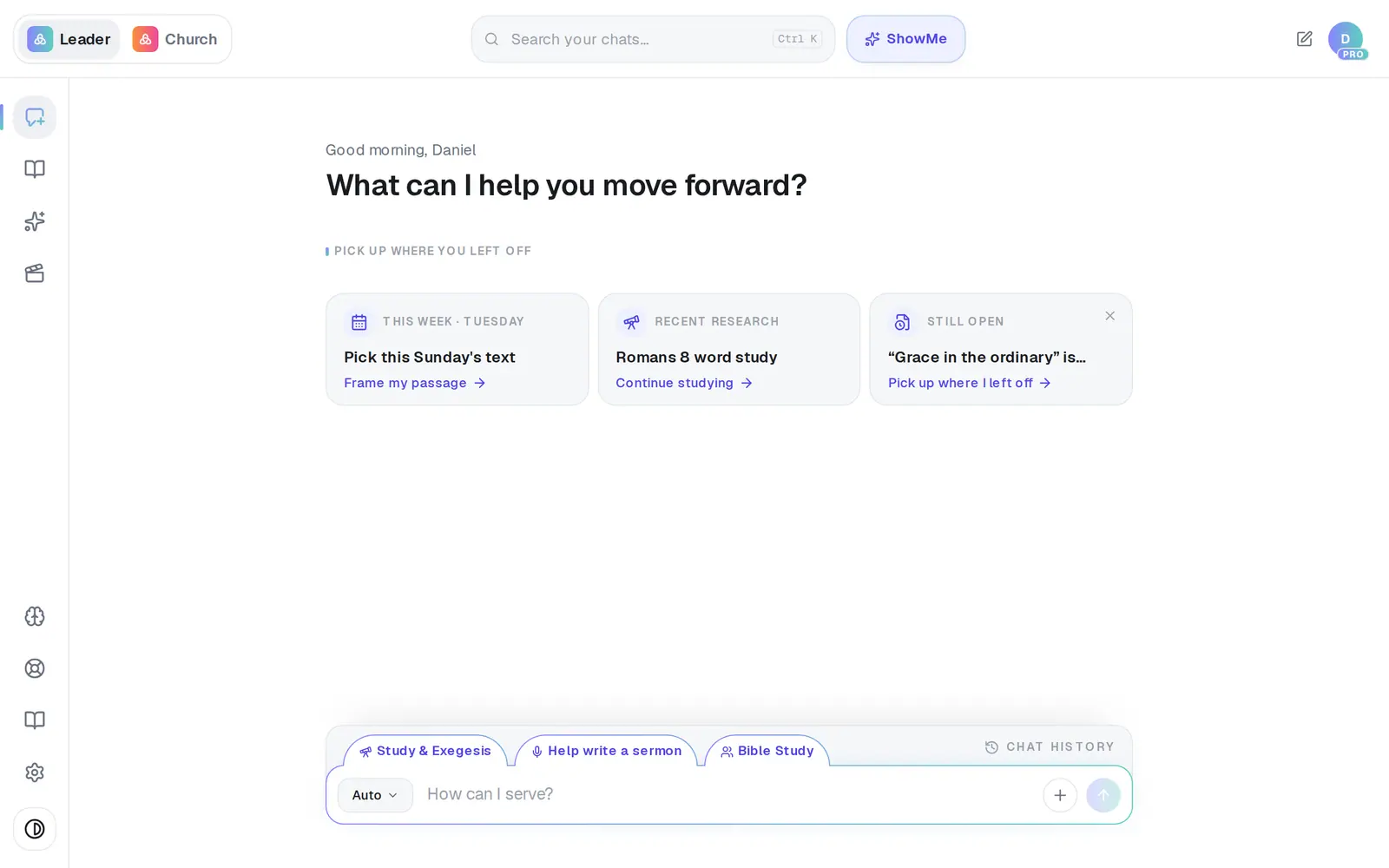
1/5 · Tap the format button at the left of the message box
Good to know
- On a computer, the tabs just above the message box — Study & Exegesis, Help write a sermon and Bible Study — switch format in one tap.
- Record meeting, at the very bottom of the list, isn't a format: it opens Meetings. Personal Assistant and Build Automation sit just above it.
- There's no picture format. To make an image, ask for a picture, graphic or poster by name in any format.
- Slides are a writing job: “make slides for this sermon” gives you text to paste into your slides. For a picture, ask for a “title slide” and give a size, like 16:9.
If it’s not working
Sermon AI isn't in my list
Staff see the formats that fit the position they were invited with. The church owner can change your position in Settings → Staff; staff can't change their own.
The format button won't open
A draft is open, and the button is locked on purpose. Close the draft (or start a new chat) and it opens again.
I asked for a summary of a passage and didn't get a document
In Auto, a question or a summary is answered in the chat. Name the format — pick Sermon AI, or ask “write a devotional on Romans 8” — when you want a document.
Did this help?
Next, you might want to
- Write this Sunday's sermonGo from a passage or topic to a full sermon draft in your tradition, ready to shape.
- Write a devotionalGet a one-day devotional or a five-day reading plan for your people, ready to edit and send.
- Write a small-group Bible studyGet a discussion guide with questions for your group from a passage or last Sunday's sermon.