Write a small-group Bible study
Your group meets on Tuesday and the study guide isn't written yet. Give Aligned the passage and a little about your group, and it builds a study your leaders can run — observation, explanation, discussion questions and application — in a draft you can edit and print.
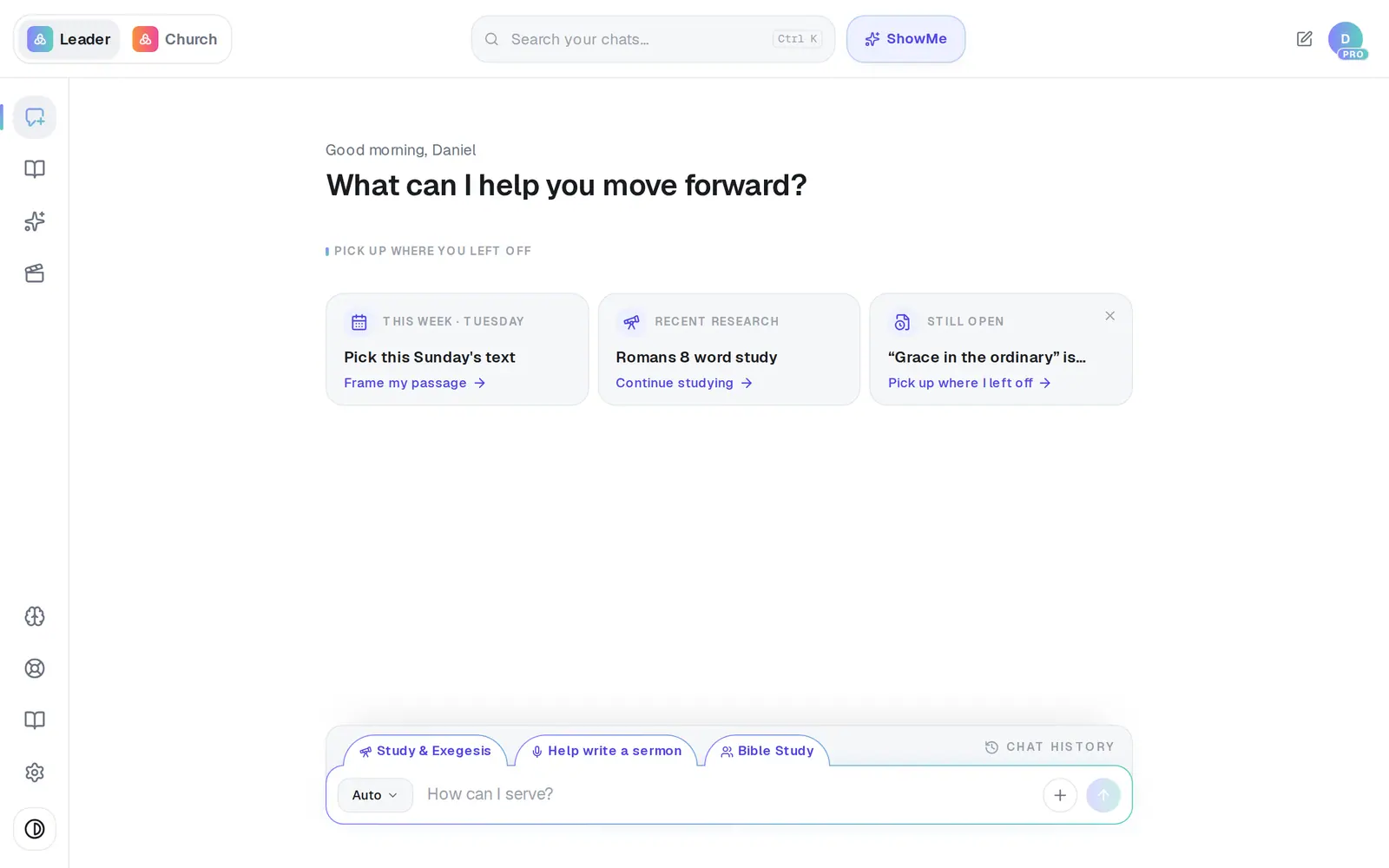
1/6 · Tap Bible Study just above the message box
Good to know
- Starting from Sunday's sermon? Open the sermon draft and tap Turn into → Congregation Bible Study at the top. From a devotional, the Create discussion questions tab above the message box does the same. The original stays as it is.
- Already preached it, and it's on YouTube? In Media, open AI Sermon Repurpose, tick the sermon under My Sermons, then tap Turn into → Congregation Bible Study.
- Once the study is written, the Improve this tab above the message box asks for more open-ended questions and more Scripture in one tap.
- On the free plan, each full study counts as one of your 200 requests a month.
If it’s not working
I wanted a kids lesson and got a Bible study for adults
Kids & Youth Lesson has no row in the format list. Switch the format button back to Auto and name the age: “a kids lesson on James for 3rd–5th grade” or “this week's youth lesson on James.” A “lesson on James” with no age is written as a Bible study.
Bible Study isn't in my list
If you're on a church's staff, you see the formats that fit the position you were invited with. The church owner can change your position in Settings → Staff; you can't change your own.
The format button won't open
It's locked while a draft is open, so your next message keeps working on that draft. Close the draft or start a new chat, and it works again.
Next, you might want to
- Write a devotionalGet a one-day devotional or a five-day reading plan for your people, ready to edit and send.
- Turn your sermon into a devotional or studyUse Turn into to make a devotional, small-group study, kids lesson or social posts from a finished draft.
- Print your sermon or save it as a PDFPrint your manuscript or save a PDF on a computer or phone, and know where the file ends up.
- Pick what kind of thing Aligned writesChoose Sermon AI, Bible study, devotional and more — and ask for the kinds of writing that aren't in the menu.