Print your sermon or save it as a PDF
The draft is done and you want it on paper for the pulpit, or as a PDF to send to your worship team. There's no separate Print button in Aligned — printing happens through Export → PDF, three taps from your draft.
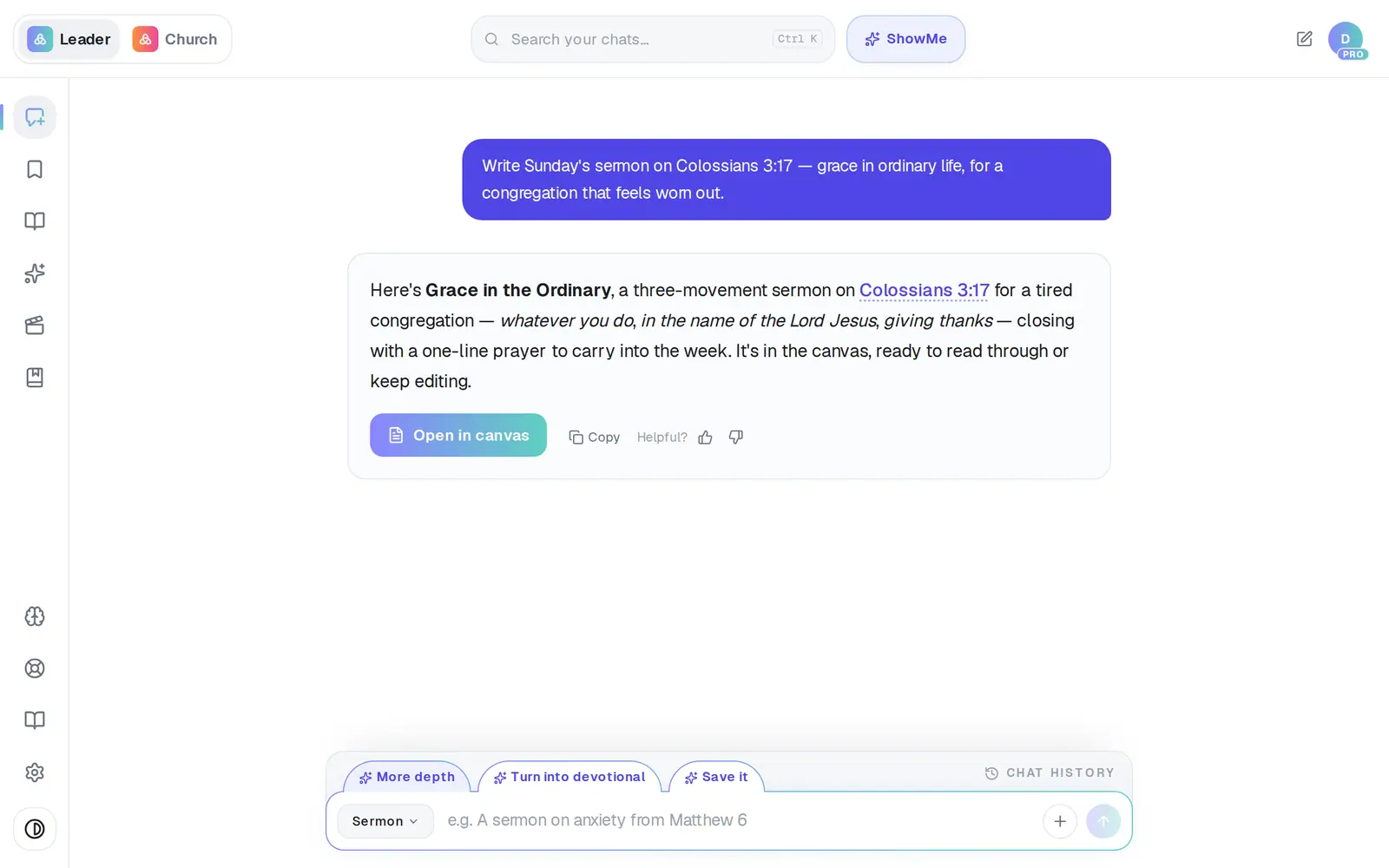
1/3 · Tap Open in canvas on your sermon
Good to know
- In the iPhone or Android app, PDF makes a real PDF file and opens your phone's share sheet. On an iPhone, Print is right there; on either phone, Save to Files keeps a copy, and Mail or Messages send it on.
- Want to adjust the layout or add notes before you print? Choose Word (.docx) instead, then print from Word.
If it’s not working
I can't find a Print button
Printing is the PDF. Tap Export, then PDF, and print from the window that opens.
Where did my PDF go?
It's on your computer or phone, not in Aligned — an exported file never shows up in Saved Work. On a computer it's wherever you saved it from the print window. In the phone apps it's kept only if you picked somewhere in the share sheet: Save to Files puts it in your Files app.
I closed the share sheet and nothing saved
Closing the sheet without choosing anything saves nothing. Tap Export and PDF again, and pick Save to Files (or Print) this time.
There's no Export button
It appears once the draft has finished writing. If Aligned is still writing, give it a moment.
The printout doesn't match the text size on my screen
The Text size button (the “A” icon) only changes how the draft looks on your screen. The PDF always uses its own print size.
Next, you might want to
- Get your sermon into Word or Google DocsDownload your draft as a Word file, or send it straight into a new Google Doc to edit and share.
- Copy your sermon into Word or an emailCopy a whole draft, one answer, or last week's sermon straight from your chat list — formatting and all.
- Save your sermon so you can find it laterSave a draft or an answer to Saved Work, and know for sure that it saved.
- Find a past chat or sermonGet back to a conversation from yesterday or last month, even if you only remember a phrase.