Copy your sermon into Word or an email
Sometimes you don't need a file — you need the words in your bulletin template, a staff email or your own notes. Aligned's Copy buttons carry the headings, bold and lists with them, so what you paste looks like what you wrote.
About 1 minute Works on the free planUpdated September 29, 2026
aligned.church/leader
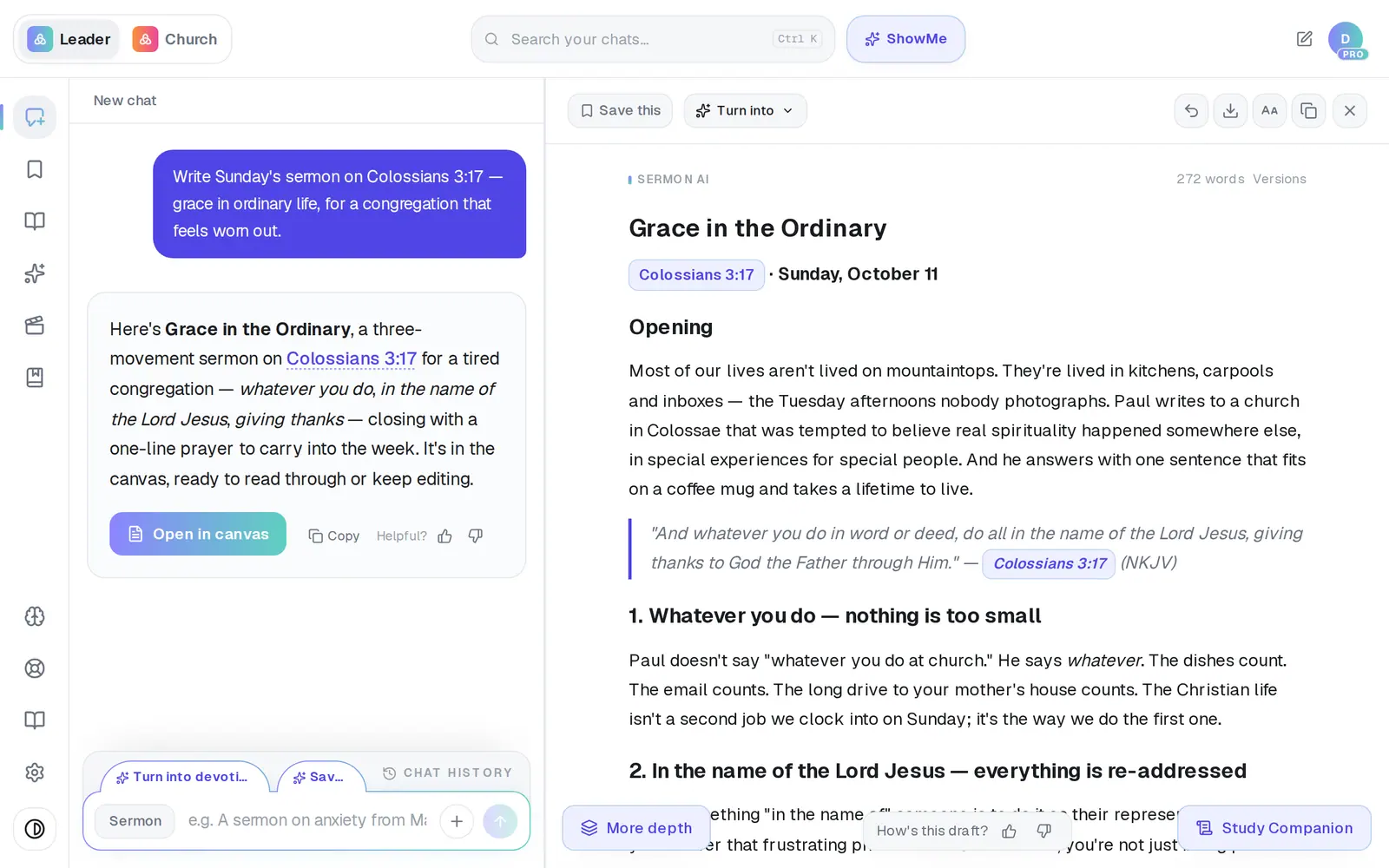
1/4 · In the canvas, tap Copy — the last small icon at the top
Good to know
- Only need a paragraph? Highlight it in the canvas and tap Copy in the small bar that appears.
- On your very first draft you may also see a Copy for Sunday button in the canvas header. It copies the whole draft, the same as Copy.
- Need a file instead of pasted text? Export in the canvas header gives you a PDF, a Word file or a Google Doc.
If it’s not working
The Copy icon didn't turn into a check
Your browser may have blocked access to the clipboard. Tap it again — or highlight the text in the canvas and use your keyboard's copy shortcut (Ctrl+C, or ⌘C on a Mac).
The row says “Copy failed”
The chat didn't load in time, or the clipboard said no. Check your connection and tap it again.
The row says “Nothing to copy”
That chat has no answer in it yet — nothing was written back to your question.
Did this help?
Next, you might want to
- Get your sermon into Word or Google DocsDownload your draft as a Word file, or send it straight into a new Google Doc to edit and share.
- Print your sermon or save it as a PDFPrint your manuscript or save a PDF on a computer or phone, and know where the file ends up.
- Find a past chat or sermonGet back to a conversation from yesterday or last month, even if you only remember a phrase.
- Save your sermon so you can find it laterSave a draft or an answer to Saved Work, and know for sure that it saved.