Save your sermon so you can find it later
Aligned keeps every chat on its own, but a finished sermon deserves a place you can find without scrolling — somewhere you can name it and file it in a folder. That's Saved Work, and saving to it is one tap.
About 1 minute Works on the free planUpdated September 29, 2026
aligned.church/leader
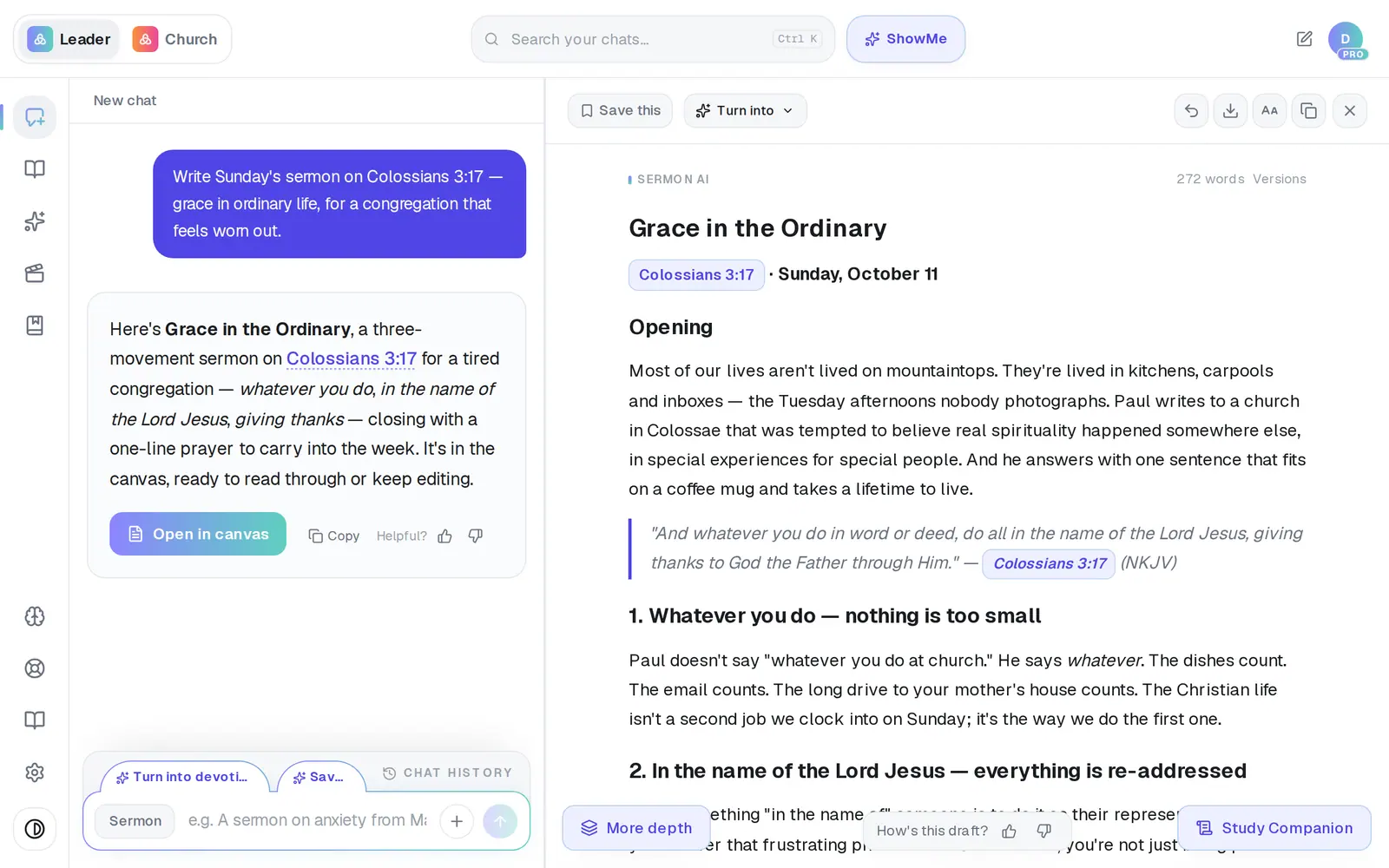
1/5 · Tap Save this at the top of the canvas
Before you start: Saving needs a free account. If you're trying Aligned without one, tapping Save asks you to create an account first.
Good to know
- The Save it tab above the message box, after a finished draft, does the same as Save this.
- Saved Work keeps each copy exactly as you saved it. If you keep editing and tap Save this again, the new version is saved as its own item beside the old one — nothing gets overwritten.
- Give it a better name or put it in a folder: every card in Saved Work has a ⋯ menu with Rename, Move to… and Delete.
If it’s not working
I tapped Save and nothing happened
A save that doesn't go through is quiet — no Saved, no bar at the top. Check your connection and tap it again. If you're not signed in, saving asks you to create a free account first.
I can't find Saved in the rail
It appears after your first save. If you've never saved anything, nothing is missing — your conversations are in Chat History, the bar above the message box.
My latest edits aren't in the saved copy
Saved Work keeps the draft as it was when you saved it. Tap Save this again after editing; the new version is saved alongside the old one.
Did this help?
Next, you might want to
- Find everything you've savedOpen Saved Work, narrow it down by folder, and reopen a saved draft to keep working on it.
- Organize your drafts into foldersMake folders in Saved Work, move drafts into them, and rename or delete what you don't need.
- Find a past chat or sermonGet back to a conversation from yesterday or last month, even if you only remember a phrase.
- Print your sermon or save it as a PDFPrint your manuscript or save a PDF on a computer or phone, and know where the file ends up.