Find a past chat or sermon
You know you wrote it — the sermon with that line about the empty chair — but not what the chat was called. Every conversation in Aligned is kept automatically from its first message, and you can search the words inside them, not only their names.
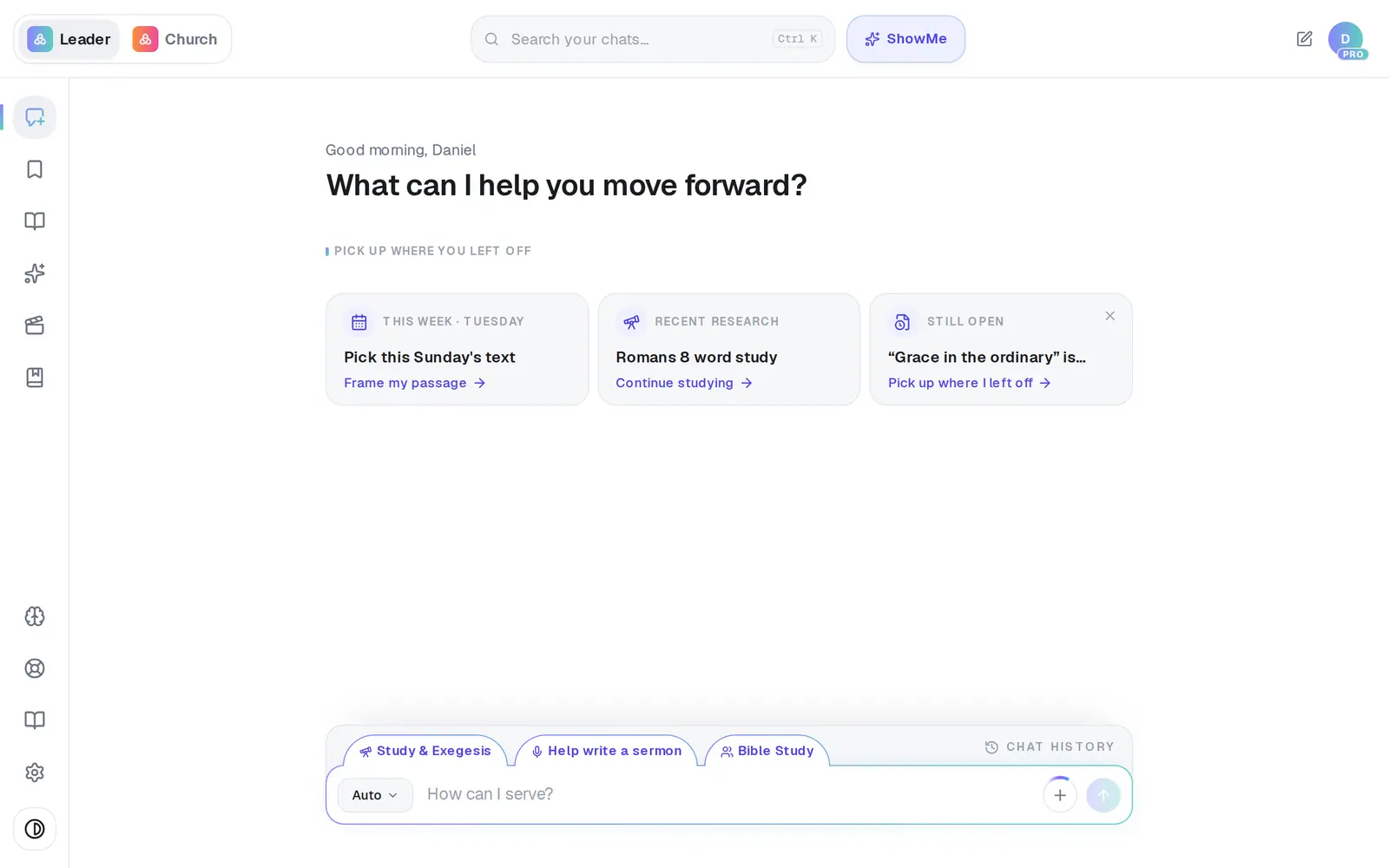
1/4 · Tap Chat History above the message box
Good to know
- Know the chat's name? Click Search your chats… at the top of the screen, or press ⌘K on a Mac (Ctrl K on Windows). That box matches names only — for a phrase inside a chat, use the search in Chat History. On a phone, it's the magnifier at the top.
- The search needs at least 2 characters. A short, distinctive phrase works better than a whole sentence.
- The list shows a few chats at a time. The button at the bottom (Show 12 more, say) brings in the next seven each time you tap it.
- Your newest Study & Exegesis chat is one tap away: the Recent research card on the empty chat screen reopens it.
If it’s not working
Did I lose my chat when I closed the window?
No. Every conversation is saved from its first message — closing the window, starting a new chat, signing out or switching screens all keep it. The only way a chat leaves the list is if you delete it yourself.
My chat isn't in the list
The list holds your 100 most recent chats. For anything older, type a phrase from it into the search at the top of Chat History — that search reaches further back. A chat also only appears once you've sent a message in it, so a blank chat you opened and left won't be there. Book chapters live under Books, though the search finds them too.
The search says “No chats match”
Try fewer words, or a different word you're sure was in it — the words have to appear together, exactly as you typed them. If it says Search is unavailable right now, wait a moment and try again.
The chat opened but my document isn't showing
Opening a chat by its name doesn't pop the document open. Tap Open in canvas on the document's card in the conversation — or use the Canvas button in Chat History next time.
It says “This chat didn't load”
Check your connection and tap Retry. A link to a chat that has since been deleted lands on this screen too.
Next, you might want to
- Save your sermon so you can find it laterSave a draft or an answer to Saved Work, and know for sure that it saved.
- Find everything you've savedOpen Saved Work, narrow it down by folder, and reopen a saved draft to keep working on it.
- Start, rename or delete a chatOpen a fresh conversation, give a chat a name you'll recognize, or remove one you don't need.
- Pick up the draft you were working onReopen yesterday's draft in one tap, and set a “Finish tomorrow” reminder when today isn't the day.