Find everything you've saved
Everything you've saved — sermons, studies, devotionals, emails — lives in one place called Saved Work. Here's how to get there, narrow it down, and pick a draft back up right where you left it.
About 1 minute Works on the free planUpdated September 29, 2026
aligned.church/leader
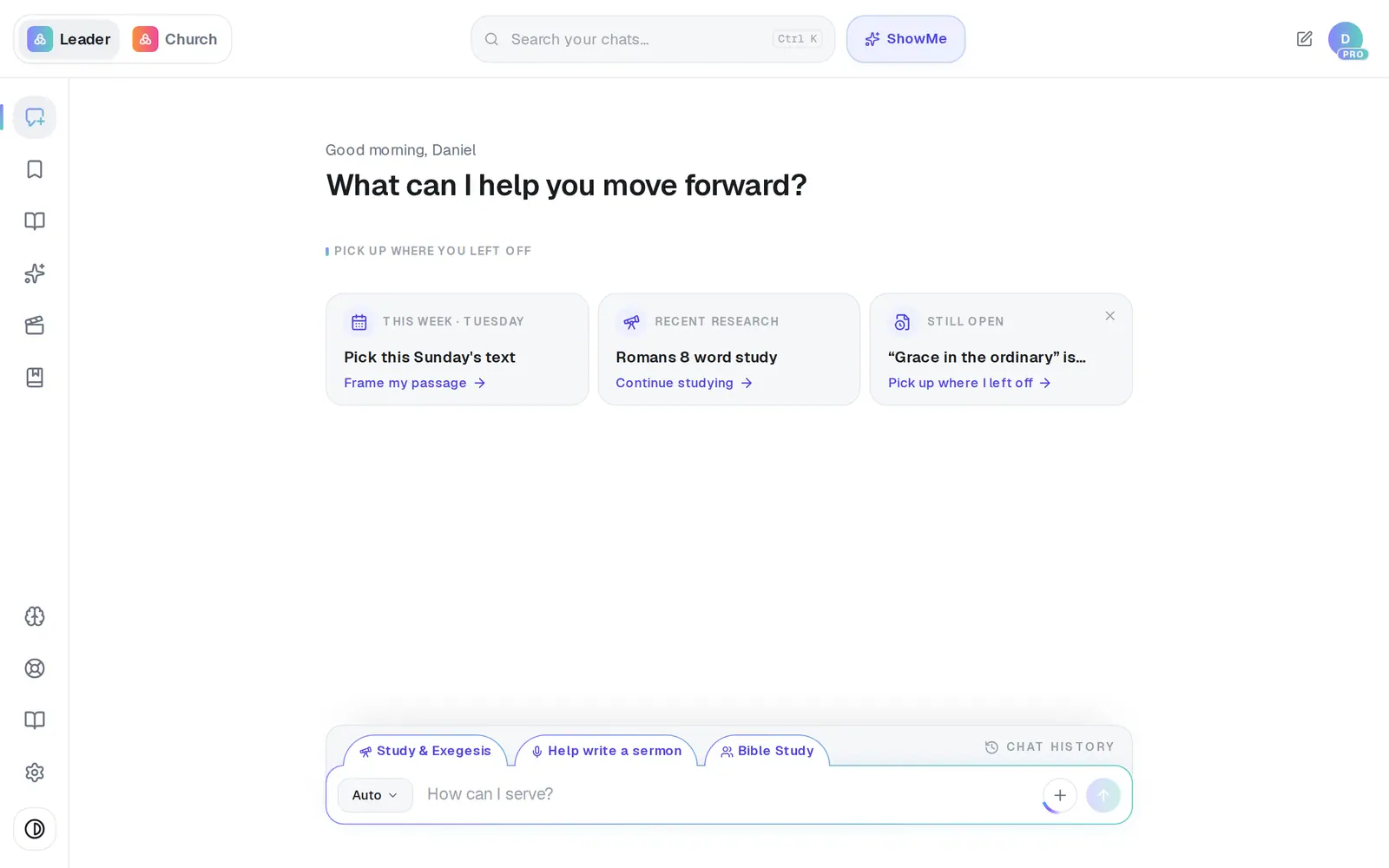
1/4 · Tap Saved in the left rail
Before you start: Saved Work appears once you've saved something. Never saved anything yet? Start with Save this on a draft.
Good to know
- Your saved copy never changes. Edits happen in the canvas; tap Save this when you want to keep the new version, and it's saved as its own item next to the original.
- There's no search box inside Saved Work — folders are how you find things quickly. Every card's ⋯ menu has Rename, Move to… and Delete.
- Need a PDF or a Word file of something you saved? Open it, then use Export at the top of the canvas.
If it’s not working
There's no Saved icon in my rail
It appears after your first save. If you've never saved anything, your work is still in Chat History, the bar just above the message box.
I asked a question about the draft and the canvas stopped following along
The draft travels with the chat only while it's open in the canvas. If you closed the canvas, or opened another chat, open the draft again from Saved Work before asking for a change.
It says “This draft is too long to rework in one pass”
Very long drafts can't be handed over whole. Ask for one section at a time, or paste the part you mean into your message.
Did this help?
Next, you might want to
- Organize your drafts into foldersMake folders in Saved Work, move drafts into them, and rename or delete what you don't need.
- Save your sermon so you can find it laterSave a draft or an answer to Saved Work, and know for sure that it saved.
- Find a past chat or sermonGet back to a conversation from yesterday or last month, even if you only remember a phrase.
- Download your work before you leaveTake your sermons and drafts with you as Word files, PDFs or Google Docs, one item at a time.