Turn your sermon into a devotional or study
Sunday's sermon took hours; it shouldn't only be heard once. From a finished draft, Aligned can write a devotional for the week, a study for your small groups or a lesson for the kids, built from what you're preaching. Your sermon stays exactly as it is.
About 3 minutes Works on the free planUpdated September 29, 2026
aligned.church/leader
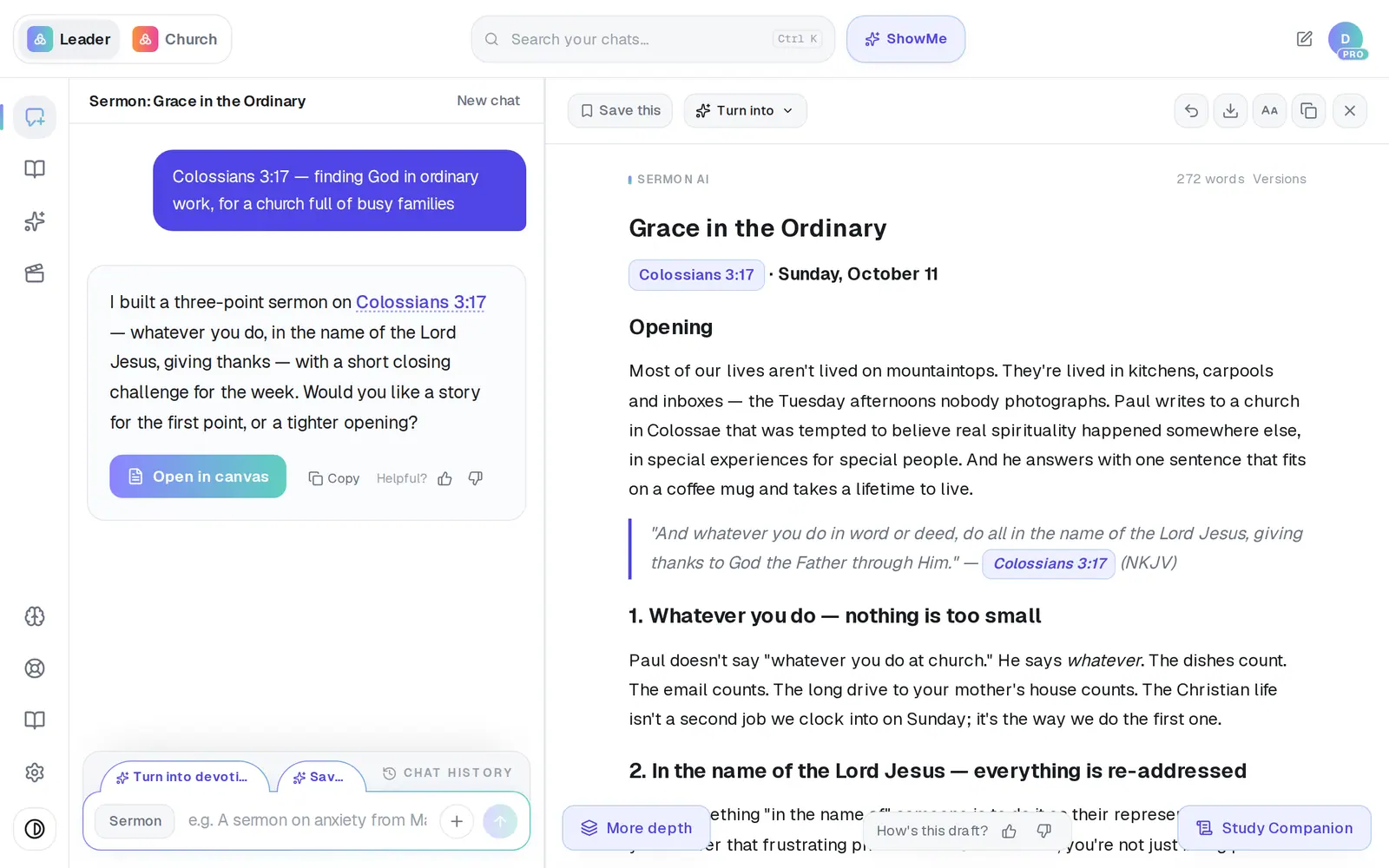
1/5 · Tap Turn into at the top of your draft
Before you start: Open the finished sermon (or any draft) in the canvas. Turn into appears at the top once the draft has finished writing.
Good to know
- On a computer, a sermon also offers Turn into devotional as a tab just above the message box — one tap, no menu.
- Social post writes posts for Facebook, Instagram and X and opens them for review instead of starting a chat.
- Book / Chapter files the draft as a chapter of a book: pick one of your books or Add new book. If you don't have a book yet, Aligned starts one for you.
- Want an email to the congregation instead? There's no Email in Turn into — type “write this as an email to our church” in the chat while the sermon is open, and it opens in the email composer.
If it’s not working
I don't see Turn into
It's hidden while a draft is still being written, and on an empty draft. Wait for the writing to finish and it appears at the top of the draft.
My sermon disappeared when I turned it into a devotional
It's still there. Turning a draft into something new starts a separate chat; open Chat History and tap the sermon.
The Turn into devotional tab isn't on my phone
On a phone only the first and last tabs fit above the box. Use Turn into at the top of the draft instead — it has every format.
Did this help?
Next, you might want to
- Write a devotionalGet a one-day devotional or a five-day reading plan for your people, ready to edit and send.
- Write a small-group Bible studyGet a discussion guide with questions for your group from a passage or last Sunday's sermon.
- Write a book one chapter at a timeStart a book, write its chapters with Aligned, and keep them together in one place.