Write social posts from your sermon
Monday through Saturday, your people are in their feeds, and Sunday's sermon can meet them there. Aligned writes a post for each platform from what you actually preached, makes graphics to match, and you copy them into your accounts.
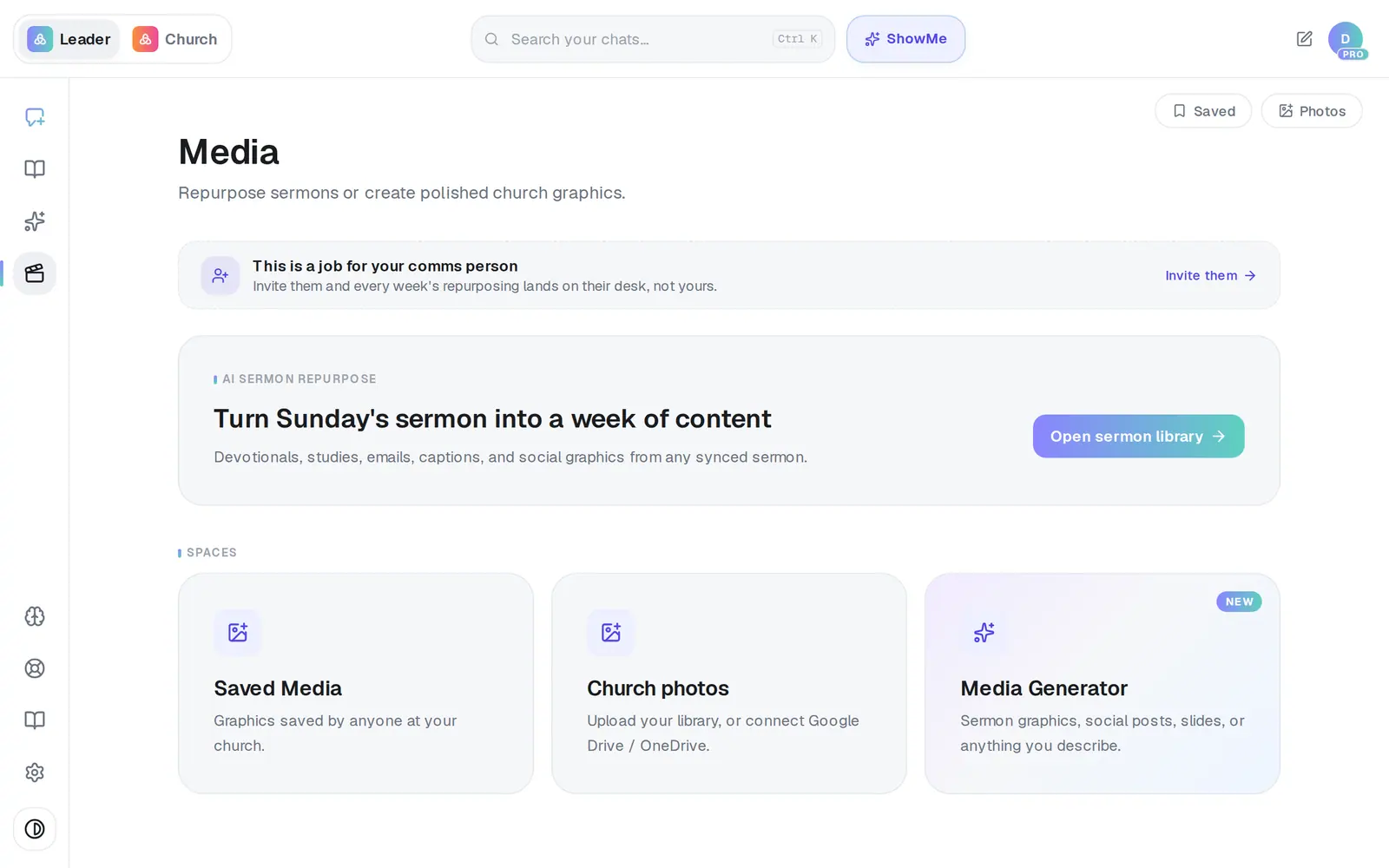
1/7 · In Media, press Open sermon library
Good to know
- Change a post before you copy it, not after you leave. Your edits stay on this page only — when you open the batch again later, you'll see the posts as Aligned wrote them.
- Generate graphics makes two pictures, so it uses two requests and two of your free pictures. The free plan includes 20 pictures a month across everything in Aligned; Pro has no picture limit.
- To schedule posts straight to your Facebook Page and Instagram, open Social in Aligned Church.
- A meeting can become posts too: open it in Meetings and choose Turn into → Social posts.
If it’s not working
It says “Couldn't generate social posts right now. Please try again.”
Nothing was made that time. Wait a moment and choose Turn into → Social post again.
It says “Invalid request”
Too many sermons were ticked for one batch. Untick some — two or three is plenty — and try again.
The posts only talk about the start of my sermon
For a long sermon, Aligned writes from the first part of it. Add the point you want from later on yourself, or press Regenerate for a different take.
It says “Something went wrong generating graphics.”
Press Generate graphics again. Pictures that fail don't count against your free pictures.
It says I've used all my free images this month
The free plan includes 20 generated pictures a month, counted across everything in Aligned, and the count starts over on the 1st. The posts don't need them — copy the captions and add a photo of your own.
Next, you might want to
- Turn Sunday's sermon into a week of contentPick a sermon you've already preached and turn it into a devotional, a Bible study, a kids lesson, social posts or an email.
- Make a sermon graphicGet four finished options for a sermon slide, social post, giving slide or event graphic — in your church's style.
- Schedule posts for the week aheadPick a day on the Post calendar, choose where each post goes and when, and let your connected accounts post it for you.
- Bring in your sermons from YouTubeConnect your channel or playlist so Aligned learns how you preach, and star the sermons that sound most like you.