Finish connecting Google in the phone app
You tapped Connect, signed in to Google, saw a success page — and the app still says Gmail isn't connected. Nothing went wrong. From inside the phone app, Google's sign-in happens in your phone's browser, and nothing brings you back to the app automatically. Here's the whole trip, including the step that's easy to miss.
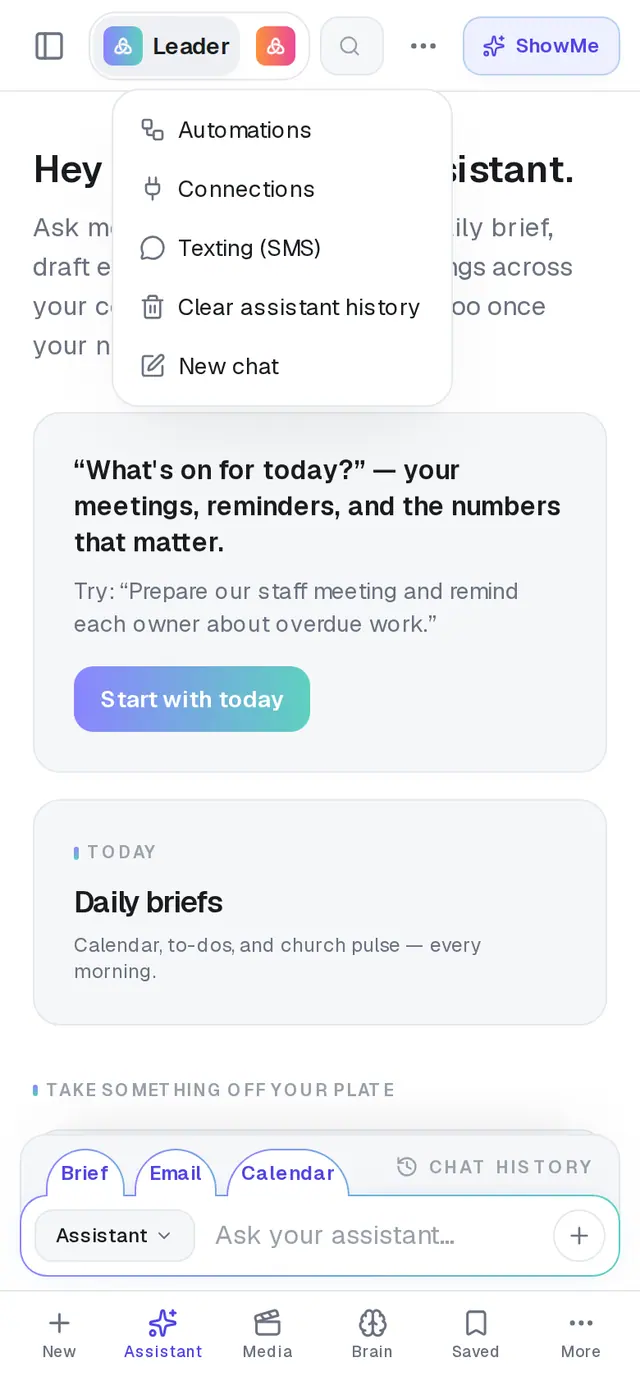
1/4 · In the Assistant, tap ⋯ and choose Connections
Good to know
- The same trip applies to Outlook and Planning Center: finish in the browser, then switch back to the app yourself.
- One connection covers your email, calendar and Drive files. It's one office account for the whole church — whichever mailbox is connected is the one every leader's assistant uses.
- In a web browser on a computer, none of this applies: Google sends you straight back to the Assistant when you're done.
If it’s not working
The page says “That connection didn't finish”
The line under it says why — cancelled before it finished, the other service turned it down, the attempt expired, or the secure handshake didn't complete. Close the browser window, reopen the AlignedAI app, and tap Connect again.
I'm back in the app and it still says Gmail isn't connected
Close Connections and open it again from ⋯ in the Assistant. If the browser page said the connection didn't finish, the app has nothing to show — start again with Connect.
It says “Something is misconfigured on our side. Support has been notified.”
That one's ours to fix, not yours. You don't need to keep retrying — message us from Support if you'd like to know when it's sorted.
Gmail shows Setup required instead of Connect
That means Google connections aren't available right now, which is on our side. Message us from Support.
Next, you might want to
- Connect your email and calendarLink Gmail or Outlook so your assistant can read your calendar, draft email from your own mailbox and find your files — or share only your calendar.
- Get Aligned on your iPhone or AndroidDownload the app or add a home-screen shortcut, sign in with the same account, and keep it up to date.
- Meet your personal assistantOpen your assistant, see what it can take off your plate, and clear its history when you want a fresh start.