Connect your email and calendar
Your assistant can only help with your day if it can see it. Connecting Gmail or Outlook takes a couple of minutes, it's free on every plan, and nothing is ever sent to anyone until you press the button that sends it.
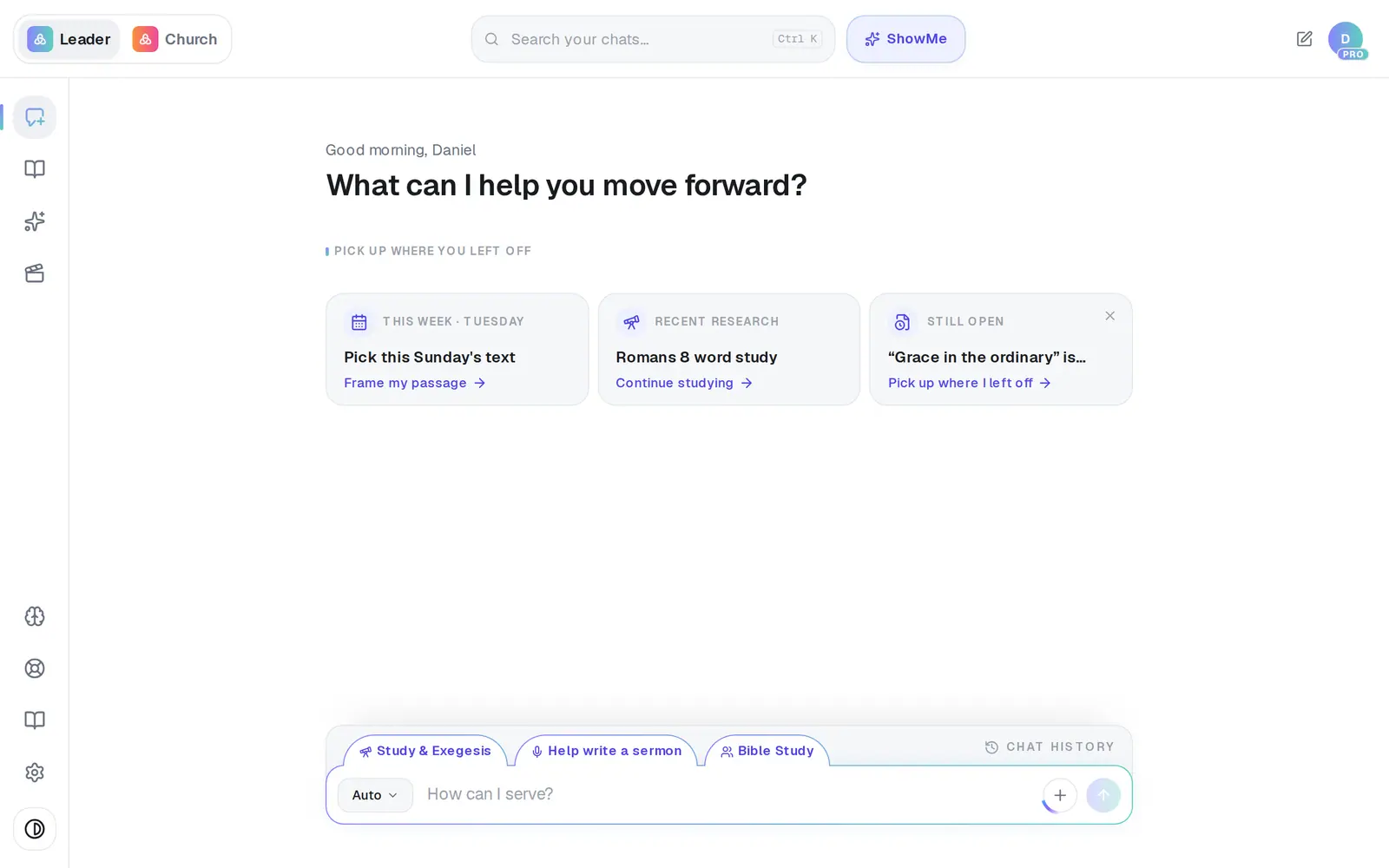
1/6 · Open Assistant from the left rail
Good to know
- The same two rows are at the top of Settings → Connections. A connection made there brings you back to Settings instead of the Assistant.
- If you asked something that needed the connection first — “what's on my calendar?” — the assistant finishes that question for you as soon as you're back.
- Once it's connected, try “What's on my calendar this week?”, “Draft an email to the staff about the Easter service” or “Find the sermon outline in my Drive.”
- Your assistant never emails anyone or invites people to an event without your approval — connecting only lets it get things ready for you.
If it’s not working
Google says “This app hasn't been verified by Google”
Everyone connecting Google sees this page, and another browser or account shows the same one — nothing is wrong on your side. Google puts it in front of apps that read and send mail, and the developer address it names is ours. Choose Advanced at the bottom left, then the Go to … (unsafe) link under it, then allow the permissions. If you'd rather not continue past a warning, share your calendar with a link instead (the last step).
It says sign-in was cancelled, or didn't finish
“…sign-in was cancelled” means Cancel was pressed or a permission was turned down — press Connect again and choose Allow. “…sign-in didn't finish — the session likely timed out” usually means the browser was juggling several Google accounts: open a fresh tab and sign in with only the church's account.
The row says Setup required instead of Connect
That provider can't be connected right now, and it isn't something you can fix from your side. Message us from Support and we'll sort it out.
I connected in the phone app, but it still says not connected
In the iPhone, Android or Mac app, sign-in finishes in your phone's browser, and nothing takes you back automatically. Switch back to Aligned yourself — the list refreshes on its own.
My assistant answers with a message that starts with “Google” or “Microsoft” and a number
That's your mail provider saying the connection needs renewing. On the Email tab press Disconnect, then Connect again.
Next, you might want to
- Check your calendar or schedule a meetingAsk your assistant what's on today or this week, and add or move a meeting in plain words — nothing changes until you tap to confirm.
- Have your assistant write and send an emailTell your assistant who it's for and what to say, check the draft it writes in your voice, and send it from your own mailbox.
- Get a daily brief every morningTurn on a short morning summary of your calendar, to-dos and church numbers, and choose what goes in it.
- Find out what's urgent in your inboxGet a short summary of your recent email with the urgent things first, or find a file in your Google Drive or OneDrive.