Stop drafts repeating the same phrases
A phrase that lands well once can wear thin by the fifth draft. Aligned picks up your catchphrases from your sermons and remembers things you've said in chats, and both live in one place where you can see them and start fresh.
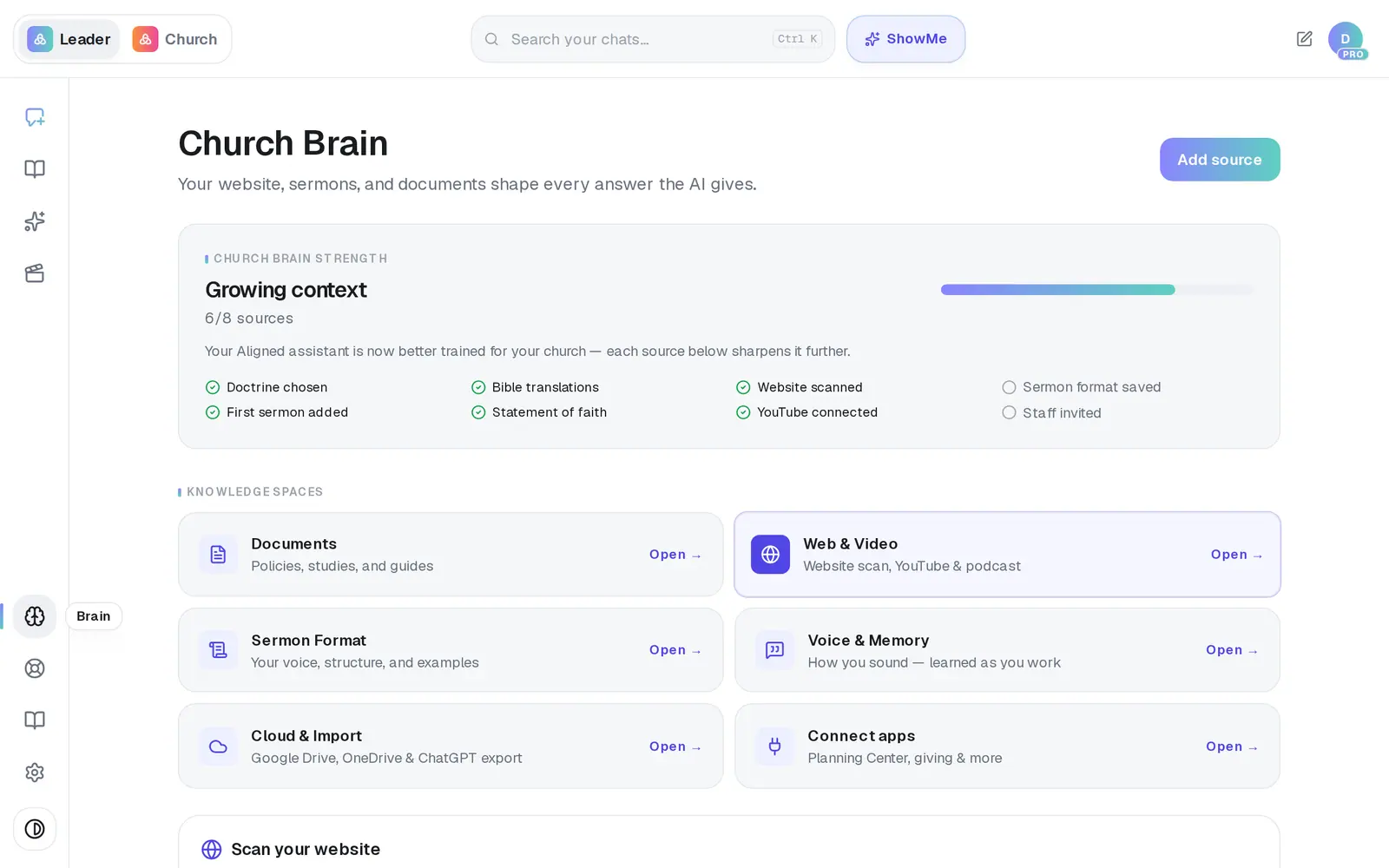
1/5 · In Brain, open Voice & Memory
Good to know
- Only want a phrase kept out of one draft? Say so in that request: “Don't use ‘lean in’ this time.”
- A phrase you really do say often can come back after a reset — that's Aligned hearing you right. If it came from a guest speaker's sermon, remove that sermon so it isn't learned again.
- Clearing remembered context also removes standing preferences you've told Aligned, such as the commentaries you work from. Tell it again in any chat, or add them under Documents, which doesn't depend on being noticed.
- Each person has their own learned voice, so your reset never touches a colleague's.
If it’s not working
It says “Nothing learned yet.”
Aligned hasn't picked up your voice yet, or you've just reset it. Add sermons under Documents or Web & Video and it fills in as they're read.
It says “Only a church admin can clear the church's remembered context.”
You're on a staff seat. What Aligned remembers from chats belongs to the whole church, so ask your church's owner to clear it. You can still reset your own learned voice.
It says “Something went wrong — try again.”
Press the button again. If it happened while clearing remembered context, the notes themselves are already gone, and pressing it again finishes the job.
There's no Brain in my menu
If you're on a church's staff, the owner can turn off staff access to the Church Brain. Ask them to switch Let staff add to the Brain back on in Settings → Staff.
Next, you might want to
- Remove something Aligned learned fromTake a document or a synced sermon out of your Church Brain, or disconnect your channel — and know what each one removes.
- Make Aligned sound like youGive Aligned your website and your sermons so every draft sounds like you and believes what your church believes.
- Make every sermon come out your waySet your preaching approach, structure, length and tone once, so every sermon draft follows it.
- Bring in your sermons from YouTubeConnect your channel or playlist so Aligned learns how you preach, and star the sermons that sound most like you.