Switch your plan on so you can publish and send
Until your plan is on, Aligned Church lets you build but not go live: publishing your site, sending texts and emails, connecting accounts and importing your people all wait for it. Switching it on takes a card on file and about two minutes, and the card isn't charged today.
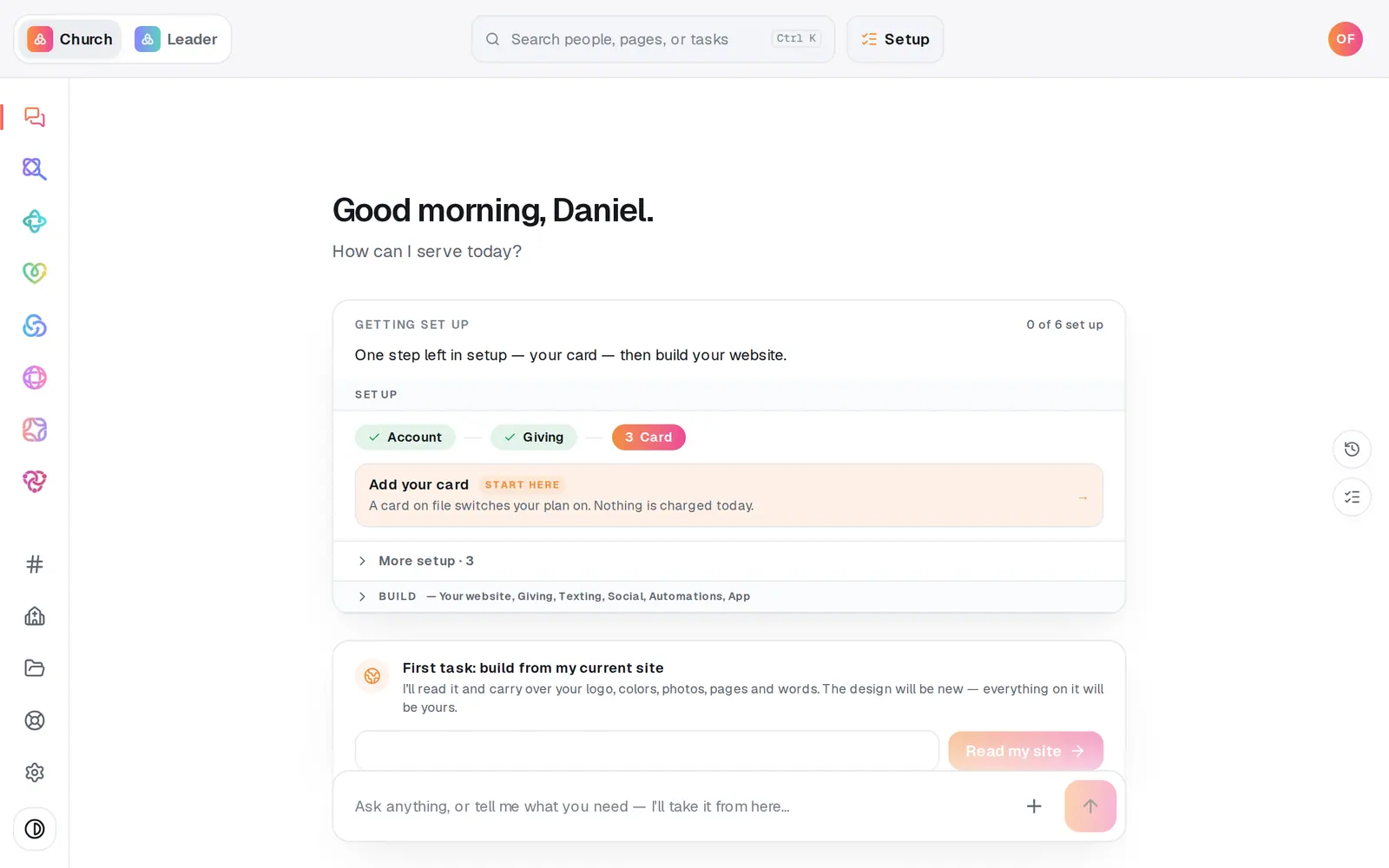
1/4 · Press Add your card on your Getting set up checklist
- 3Enter your card in the secure formYour card is saved, not charged. The numbers go straight into the secure form and never reach Aligned.
Good to know
- A card on file switches your plan on. The $0 price is its own thing: it comes once your Aligned Giving is set up, meaning approved and able to take gifts. Settings → Plan always shows where you stand, and nothing changes without an email first.
- Need longer to get giving set up? On the Aligned Giving path, the email Aligned sends before any first charge has a one-time button that gives you 30 more days.
- Change your modules or cancel any time in Settings → Plan. There's no contract.
- Only the account owner can activate. A staff member who tries is asked to check with the owner.
If it’s not working
Save my card & activate stays grey
Tick I accept the Aligned Church plan terms. above it. If the card form still says it's loading, give it a moment: the button wakes up once the secure form is ready.
It says “The card was not accepted, so nothing was charged.”
Check the number, expiry and ZIP and try again, or use a different card. Nothing was charged.
It says “Our plan terms were updated.”
The terms changed after you opened the page. Reload, read them, tick the box again and save. Your card wasn't sent, so nothing was charged.
It says my plan is already switched on from my giving application
Sending your Aligned Giving application already switched your plan on, so there's nothing to do here. Nothing was charged.
I closed the panel before my card saved
Nothing is lost. Add your card stays lit on your checklist; press it to pick up where you left off.
Next, you might want to
- Choose Aligned Giving or keep your current givingDecide how your church will give. It sets your price and how long you have to get set up, and nothing is charged today.
- Get your church set up, step by stepUse the Getting set up checklist and “What's next?” to finish setup in the order that gets you running fastest.
- Create your Aligned Church accountTurn your guest workspace into a free account with an email and a password, and keep everything you've tried.