Get your church set up, step by step
Setting up a whole church office can feel like a hundred loose ends. Aligned keeps one ordered list for you and always knows the single next thing worth doing, so you can work through it a few minutes at a time and pick up exactly where you left off.
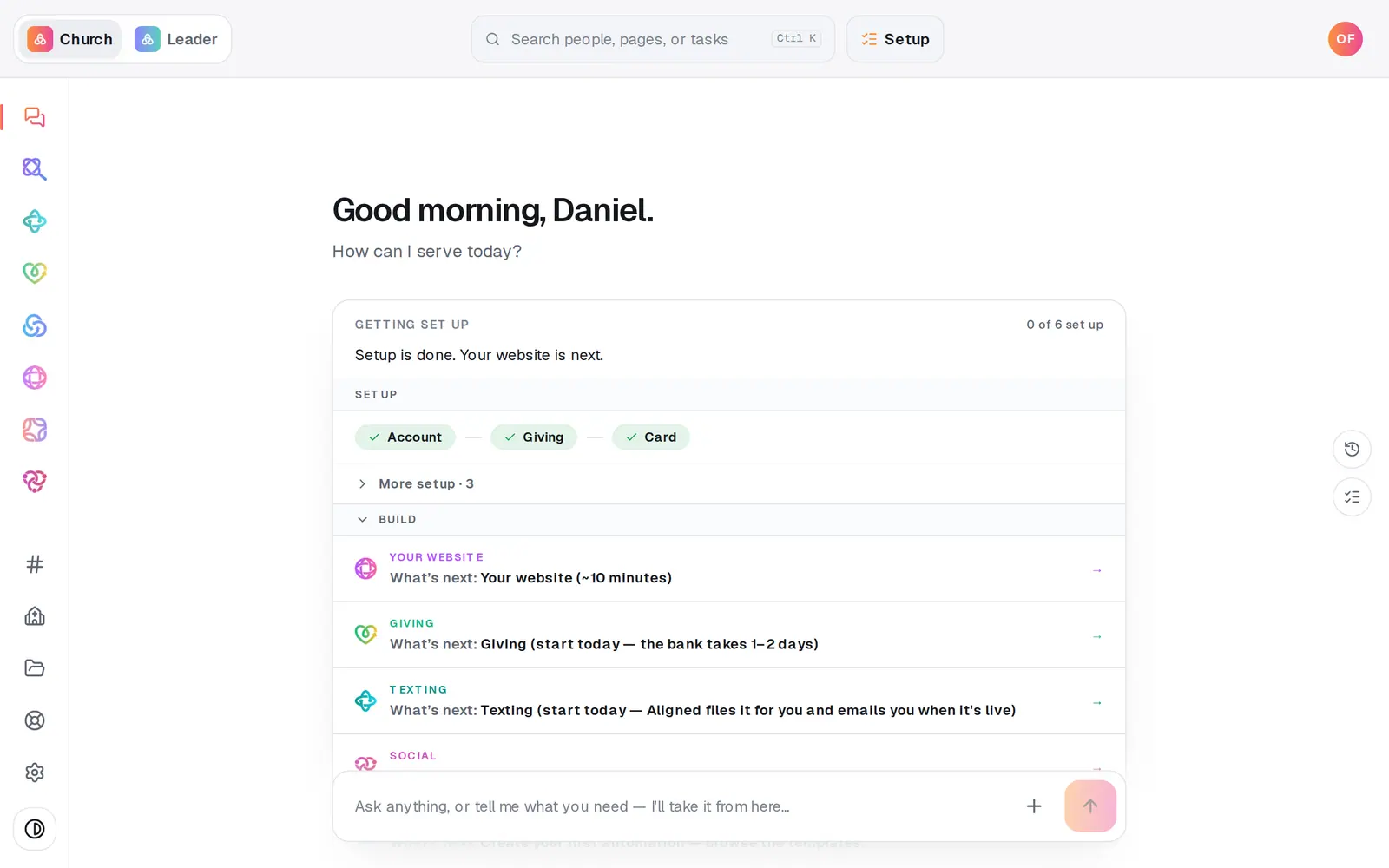
1/6 · Find Getting set up under your greeting on Home
Good to know
- Giving and texting come early on purpose. Both finish in someone else's hands (the bank reviews your giving application, and the carriers review your texting registration), so starting them in your first sessions lets that wait run while you build everything else.
- Once your plan is switched on, a Launch section appears under Build. It lists the Sundays you'll roll things out to your people, such as Kids Check-in and New Here.
- There's no skip button on the checklist itself. Skipping always happens in the chat.
- Staff seats don't see the checklist. Setup belongs to the church's owner.
If it’s not working
The checklist isn't on my Home screen any more
It retires on its own once your main steps are down to one, or when your church is about two months old. Press Setup at the top of the screen to open it. If Home couldn't read your setup on this visit, the card sits that visit out and comes back on the next.
A row says “Action needed”
Something came back needing you: a giving application the bank declined or asked to correct, or a texting registration the carriers sent back. That row moves to the top with a line saying what's needed. Press it to fix it.
The checklist says “Card”, but Setup calls it “Plan”
They're the same step. The Setup panel shows your plan and puts your card on file in one place.
I skipped a step by mistake
Nothing is lost. The step sits under What's done as a small card; press it to open that step again.
Next, you might want to
- Choose Aligned Giving or keep your current givingDecide how your church will give. It sets your price and how long you have to get set up, and nothing is charged today.
- Switch your plan on so you can publish and sendPut a card on file to switch your plan on. Nothing is charged today, and publishing, sending and connecting open up.
- Plan the Sunday you launch something newUse Go Live to pick a launch Sunday, name an owner, and get dated steps, a printed kit and messages already written.
- Find your way around your church workspaceWhere your modules live, how to change pages, search for anything, and get back to the chat.