Plan the Sunday you launch something new
A new check-in system or a new way to give only works if your people know about it on the day. Go Live turns that Sunday into a plan: one person in charge, a date, and the steps counting back to it, with the signs, scripts and messages already written in your church's name. Nothing goes out until you press send.
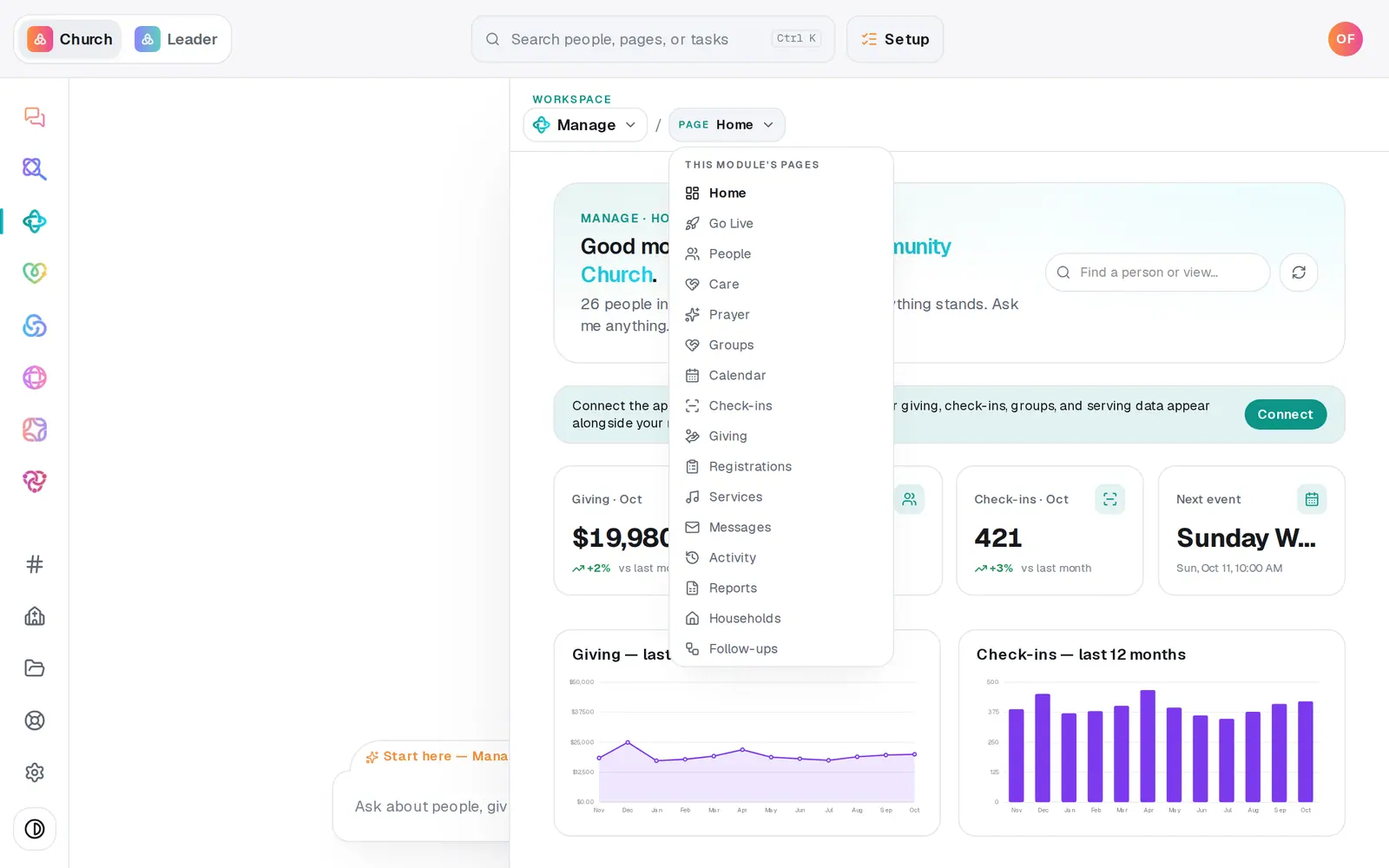
1/7 · In Manage, press Page and choose Go Live
Good to know
- Anything that goes out to people shows a Preview first: how many will get it, who's skipped and why, and the exact words. Nothing sends until you press Send, and the same message never goes twice in a day.
- The owner's link opens the whole plan with no login. They can tick steps done and print the kit, but sending messages and turning things on stays with you in the app.
- Need a different date? Edit answers moves the Sunday, and every dated step moves with it.
- The Monday after your Sunday, the plan's owner and your church's account owner get a short How it went email with that Sunday's numbers.
If it’s not working
It won't take our Sunday
That Sunday is one the plan refuses, and the message says why. Pick the Sunday before or after, and every step dates itself from that one. If it's refused because of an event on your calendar, make the event private or retitle it, then pick the Sunday again.
The owner never got their link
Press Resend the link beside their name at the top of the plan (it can go once every ten minutes), and check the email and phone you gave for them. A text also needs your church's texting number to be live.
A step won't tick when I press it
Some steps are ticked by what actually happened, not by a tap. A Learn it step, for example, needs you to do the real thing once. The line under the step says what it's waiting for.
A step says Waiting
It depends on something outside the plan, like your giving being approved or your texting number going live. It moves on by itself once that happens.
The preview says it was sent recently
That message already went out in the last day, and the preview shows when. The same send can't go twice within a day.
Next, you might want to
- Follow a launch plan you were put in charge ofFor volunteers and staff: open your link, work the dated steps, print the kit and ask how something works. No login needed.
- Get your church set up, step by stepUse the Getting set up checklist and “What's next?” to finish setup in the order that gets you running fastest.
- Check kids in safely on Sunday morningSet up a check-in station, open it on a lobby tablet, decide on guest check-in, and plan the Sunday you start.
- Follow up with every newcomerSet up a newcomer follow-up plan, put new people in it, and move each person through the steps until they're connected.