Announce online giving to your church
Most people start giving online after someone shows them how, on a Sunday, with the link in front of them. The Giving launch plan in Go Live works back from the Sunday you pick: staff give first, the link goes everywhere, and one button tells the church.
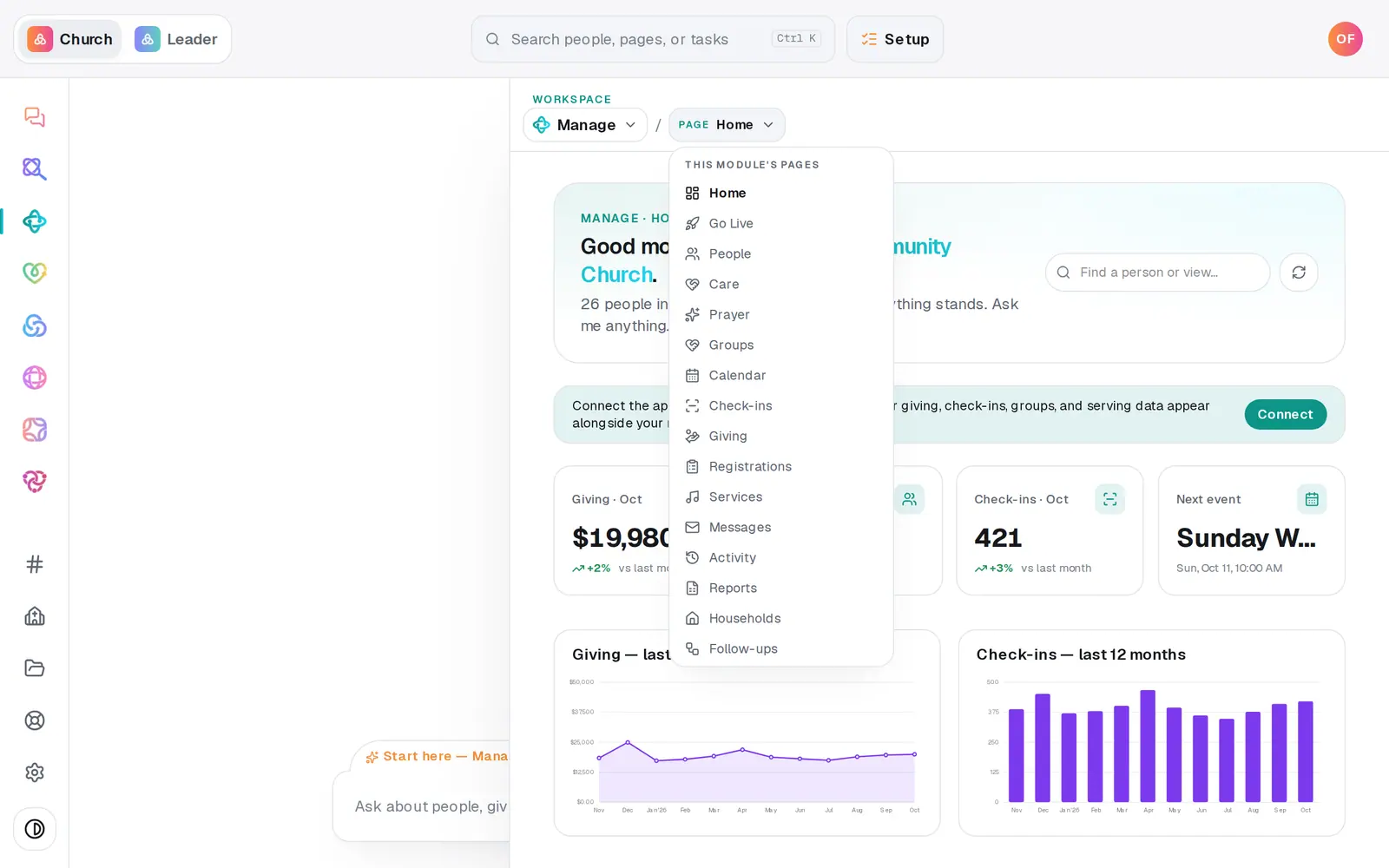
1/7 · Open Manage and choose Go Live from the page menu
Good to know
- Print / Save as PDF at the top of the plan prints the kit in your church's colors: the QR slide for the screen, the foyer poster, the pew card and the stage script.
- Moving from another platform? Choose your path in Giving → Switch & migrate first. On Fresh Start the same button also sends each imported donor their invite; on Full Carryover the announcement waits until your donors' cards have landed.
- The owner's link lets them read the whole plan, tick steps off and print the kit. Sends stay in the app, with whoever presses them.
- The table host will want your giving page in kiosk mode on a tablet, so it resets for each person.
If it’s not working
The preview says “Giving isn't approved yet. The announcement waits for it.”
Your giving application is still in review. You'll hear the moment it's decided, and nothing else in the plan waits on it.
It won't take our Sunday
Some Sundays can't be picked: Easter, Palm Sunday, Mother's Day, Father's Day, Christmas, and any Sunday your own calendar marks as a big day. The message names which one. Pick the Sunday before or after.
The Send button is greyed out
The preview says why: it already went out within the last day, there's nobody to send to yet, or something isn't ready. A repeat inside a day is refused, not queued.
We need to move our Sunday
Press Edit answers, pick the new Sunday and press Save answers. Every dated step moves with it.
Next, you might want to
- Take gifts on a lobby tabletSet a tablet up in the lobby so people can give before or after the service, one person after another.
- Share your giving link and QR codeCopy your giving page's link and download its QR code for slides, bulletins, connect cards and emails.
- Plan the Sunday you launch something newUse Go Live to pick a launch Sunday, name an owner, and get dated steps, a printed kit and messages already written.
- Follow a launch plan you were put in charge ofFor volunteers and staff: open your link, work the dated steps, print the kit and ask how something works. No login needed.