Find out if your giving is approved
Once the agreement is signed, the wait belongs to the bank, and it's natural to keep checking. You don't have to: Aligned tells you the moment a decision lands. Here's where to look in the meantime, and what to do first once you're approved.
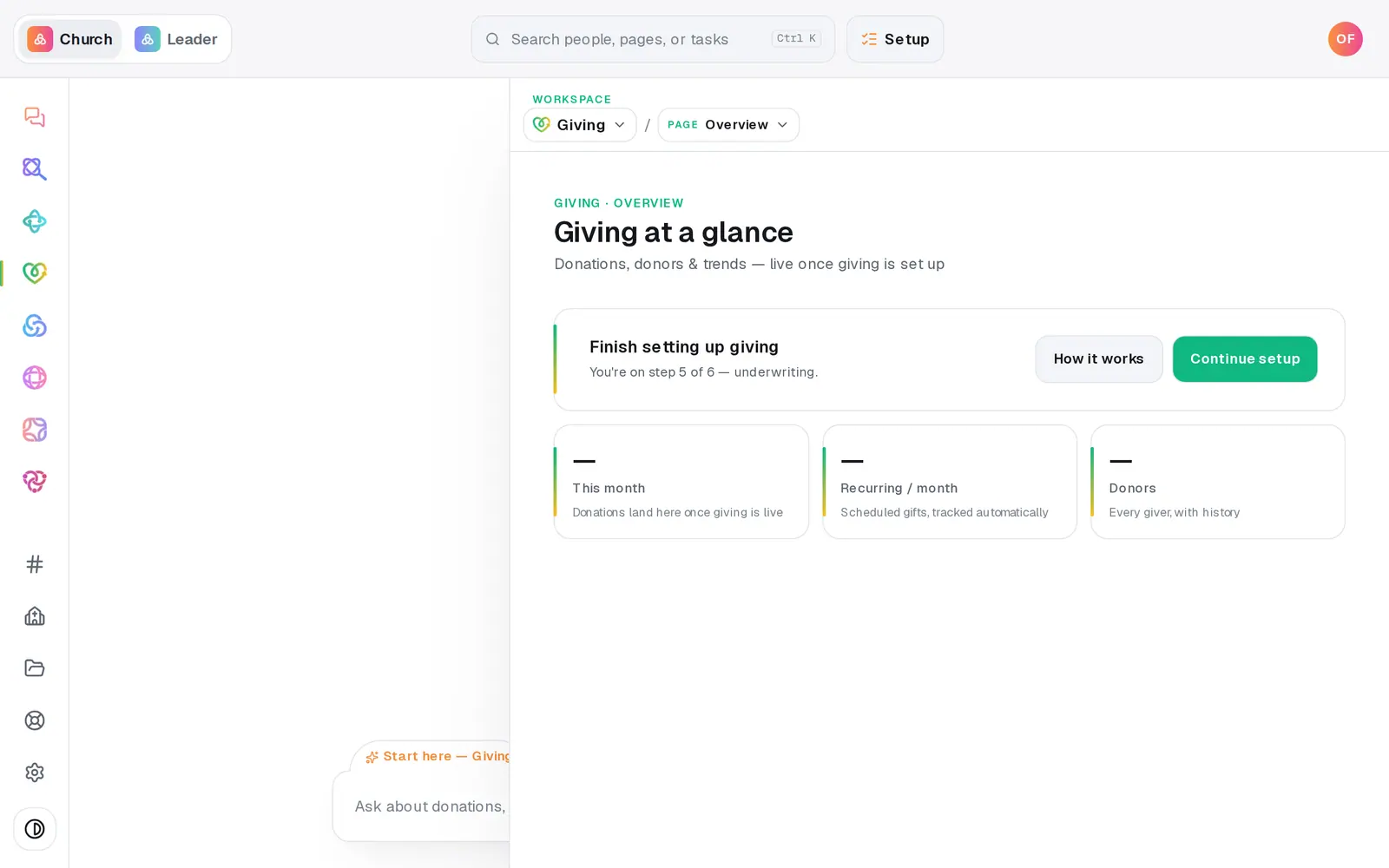
1/4 · In Giving, press Continue setup
Good to know
- Good first moves once you're approved: share the page link, add funds like Building or Missions, and set your quick-give amounts in Giving → Page.
- Set up text giving is at the bottom of the Setup page once you're approved, so people can give from a text message too.
- Home's Getting set up list shows the same thing while you're new: the giving step reads In review — nothing needed from you until the bank decides.
If it’s not working
It still says “Waiting on the signature”, but we signed
If the signer signed from the email and never saw the signing page's own button, the review hasn't been told to start. Press I've signed and submitted it on the same card. Don't sign again.
It's been more than a few days and it still says reviewing
Most reviews finish within 24–48 hours of signing. An application the bank has approved can also read “in review” for a few hours while the account is switched on. If it's been several business days, press Help at the bottom of the left rail and we'll look into it.
The card says “Giving needs your attention”
The bank declined the application, and their note is on the card when they shared one. A decline is final for that application and can't be appealed from Aligned. Press Help and a person will walk through the options with you.
The Setup page says “The underwriter flagged the application.”
That isn't a decline: the bank needs a correction. Fix the field it names and resubmit. “Fix a giving application that was sent back” walks through it.
Next, you might want to
- Fix a giving application that was sent backWhat to change when underwriting flags your giving application, how to resubmit it, and what a decline means.
- Share your giving link and QR codeCopy your giving page's link and download its QR code for slides, bulletins, connect cards and emails.
- Add a building or missions fundCreate a fund donors can choose when they give, then rename it, retire it or make it your default whenever you need to.
- Announce online giving to your churchUse the Giving launch plan to pick your Sunday, have staff give first, and send the announcement with the slide and pew cards ready.