Send the bank document your giving review asks for
Right after your giving application goes in, the review asks for proof of the deposit account, and it can ask again even after it approves you. It takes a minute: a photo or PDF of a voided check or a recent statement, uploaded from the Giving chat.
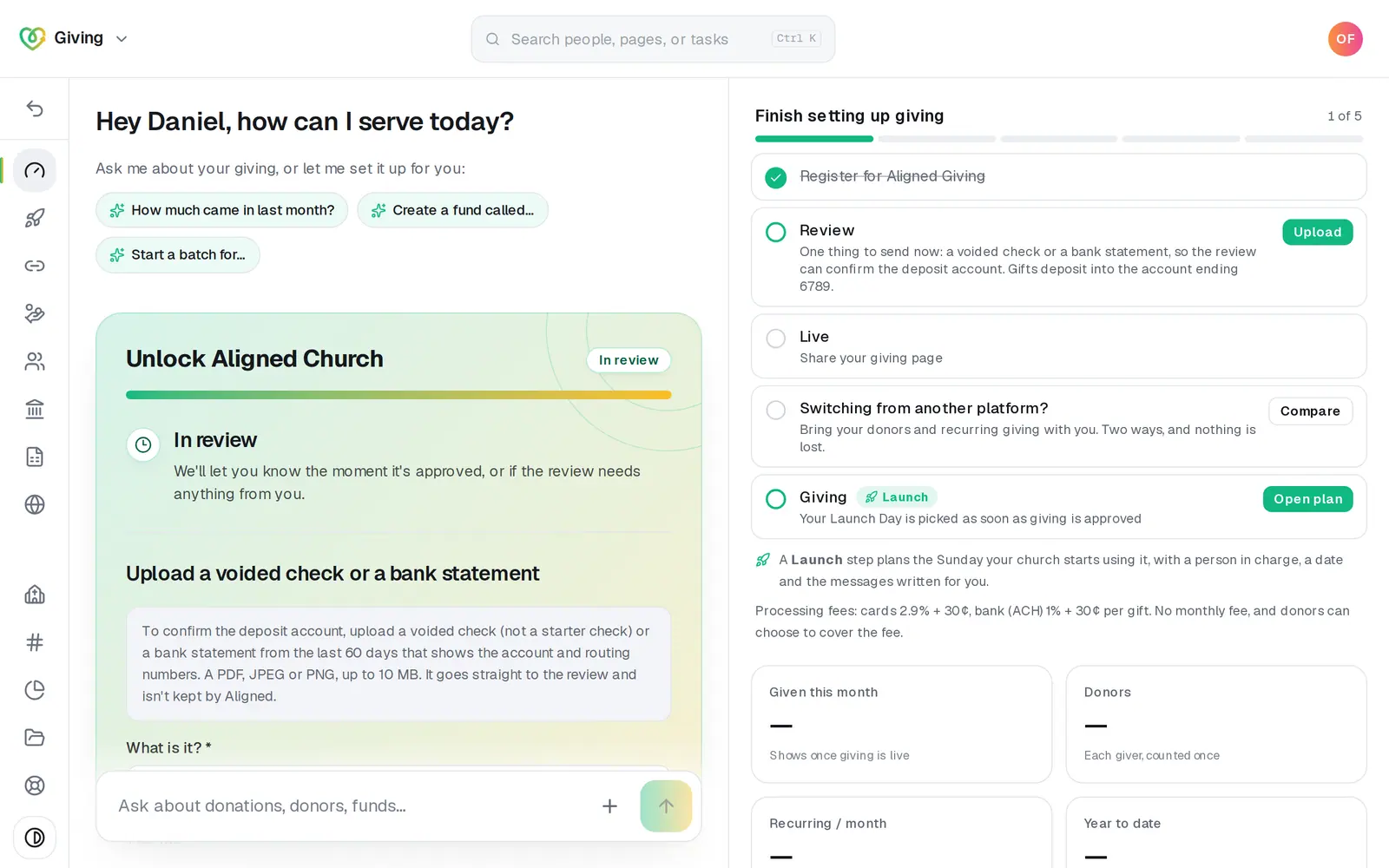
1/4 · In Giving, press Upload on the step that asks
Good to know
- Approved before you sent it? Once giving is switched on, you can take gifts all the same, but your deposits depend on it: until it's in, they may not start, or the review may pause them.
- If the review takes a closer look, the chat offers an upload card named for what it asked (Upload a voided check or bank statement, Upload a photo ID of the signer, or both), with more kinds to choose from (a formation document, a photo ID of the signer, an IRS letter and others). Upload only what the review asked you for — if it needs something, we'll email you to say what.
- When the review asks for a document from your bank later, Home's chat shows the same “Underwriting needs one more thing to approve your giving.” card, and Home's Getting started on Aligned Church card asks too, with its own Upload button that brings the upload card into Home's chat.
If it’s not working
I attached the check to a chat message and it asked if it's a photo
Documents for the application never go in a chat message, because chat photos are saved to your image library and Files. Nothing was sent or saved. Use the upload card in the Giving chat instead.
It says to upload a PDF, JPEG or PNG, or that the file is over 10 MB
Save or photograph it again as one of those, under 10 MB, and upload that copy.
It says the file couldn't be accepted
That file couldn't be accepted. A clearer PDF or photo, with the account and routing numbers easy to see, usually works.
It says it couldn't confirm the upload
Send it again. The same file is never sent twice.
It says the application can't take a document right now
There's nothing open for one at the moment, for example because the review already has it. If the review asked you for something, message us from Support at the bottom of the left rail.
Next, you might want to
- Start receiving gifts onlineStart your Aligned Giving application from Giving, work through its cards in the Giving chat, and know what happens after you send it.
- Find out if your giving is approvedWhere your giving application stands while it's reviewed, how you'll hear the decision, and what to do the moment you're approved.
- Fill in your giving applicationWho signs and their home address, the church, the giving you expect, the terms and a signature, then the bank and ID numbers, card by card in the Giving chat.
- Fix a giving application that was sent backWhat to change when the review sends your giving application back, how to send it again, and what a decline means.