Fill in your giving application
The bank reviews this part of giving setup, so it's worth ten careful minutes. Most of it is already filled in from your registration. Have your church's legal name and EIN nearby, plus a check or your bank's app for the account numbers.
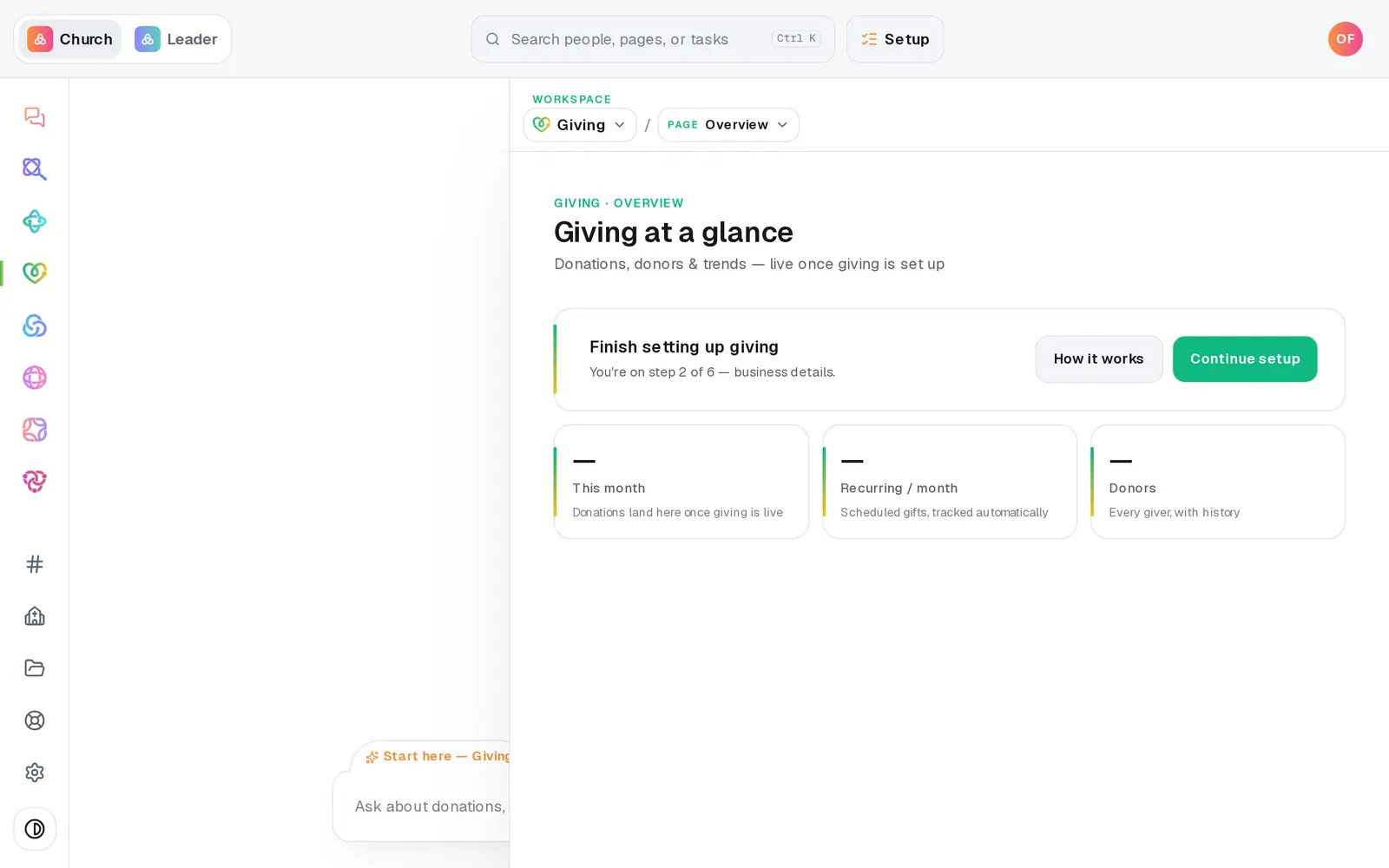
1/7 · In Giving, press Continue setup
Good to know
- Rather answer a question at a time? Press Continue in chat on the same page. The chat and the form share one set of answers, so you can switch between them.
- Expecting one big annual gift? Pick the monthly range that contains it. The largest single gift can't be more than the top of the range you chose, and card and bank are checked separately.
- Signed straight from the email and never saw the signing page's own button? Come back and press I've signed and submitted it, so the review starts. Don't sign twice.
- After signing, the bank's review usually takes 24–48 hours. You don't have to keep checking: the account owner gets an email, and a note waits at the top of Home.
If it’s not working
It says a field needs attention, but I can't see which one
Scroll up through the form: every field that needs fixing is outlined in red with a short note, like “A 9-digit routing number (double-check the digits).” Fix each one and press Submit for underwriting again.
My largest single gift is refused
It's higher than the top of the monthly range you picked. Choose a bigger Monthly volume, one whose top figure is at least that gift, then submit again.
I came back and the bank numbers are blank
That's on purpose. Routing and account numbers, and the date of birth, are never stored, so they're typed again each time. Everything else is still filled in.
A red message names Business type or Ownership %
Don't change your organization type or add an owner to get past it. Press Help at the bottom of the left rail and tell us; a person will correct the application with you.
The signer never got the code email
Check spam, and look for the sender named on the Setup page's sign card rather than an email from Aligned. You can also press Copy link and send the signing page to them directly.
Next, you might want to
- Start receiving gifts onlineRegister your church for Aligned Giving on the Setup page or in the chat, and know what happens after you press the button.
- Find out if your giving is approvedWhere your giving application stands, how long the bank's review takes, and what to do the moment you're approved.
- Fix a giving application that was sent backWhat to change when underwriting flags your giving application, how to resubmit it, and what a decline means.
- Understand giving fees (and let donors cover them)What each gift costs your church, and how to have “cover the fees” ticked for your donors by default.