Set up your church in the welcome chat
You'd rather answer a few questions than click through a pile of settings. The welcome chat asks about your church one question at a time and starts building while you answer: your church's details and a first draft of your website, and, at the end, starter posts and three paused starter automations. It takes about five minutes.
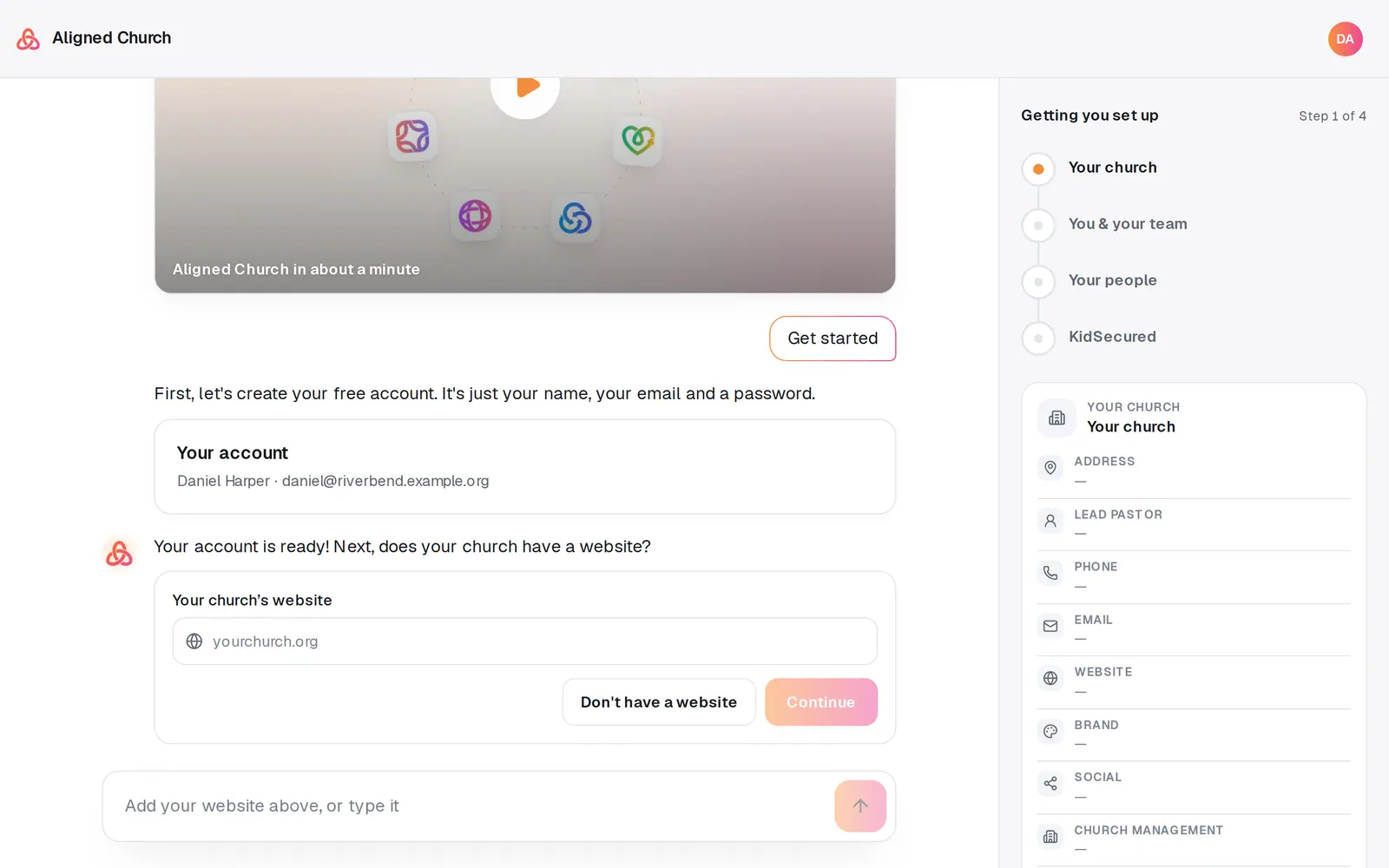
1/8 · Type your church's web address in Your church's website, then press Continue
Good to know
- You can ask a question at any point, like what it costs. The chat answers it, and the step you were on comes back right under the answer, with nothing lost.
- Typed the wrong website? Say “our website is actually …” at a later step, and the chat reads the new one instead.
- No website? After the KidSecured questions, the chat asks for a few photos and your logo (up to 12 photos, from your device, Google Drive or OneDrive), and builds your first draft with them.
- Send someone else this step? hands the people step (or the photos step) to someone on your team. They get an email, and the chat walks them through it.
If it’s not working
Your church didn't fill in from my website
Some sites block reading, and a slow page can time out. Nothing is lost: press the pencil, or Add …, beside any row in Your church on the right and fill it in yourself. After setup, the same details are on the Your church page.
Continue stays greyed out under my website
It stays off until the field holds a web address. If what's there isn't one, the line under it says “That doesn't look like a web address — like yourchurch.org” once you leave the field. Check it for a typo, or press Don't have a website if your church has none.
An invitation didn't go out
The chat says which one and why, like “you've reached the limit of 10 staff members” or that the person is already on your team, and keeps that row in the form so you can fix it or skip it. Everyone else is already invited.
I closed the tab partway through
Open aligned.church/church/new again, signed in, and you pick up where you left off. Only what had already started keeps going in the background: an import, and the draft of your website once your site was read. Your starter posts start when you reach the summary.
A card in the summary says something stopped
That piece of background work didn't finish, and its card says so in one sentence and names where to pick it up in your workspace. The rest of setup carries on.
Next, you might want to
- Create your Aligned Church accountMake your free account in the first step of the welcome chat: your name, your email and a password.
- Get your church set up, step by stepWork through Getting started on Aligned Church on Home, then each module's own setup card, a few minutes at a time.
- Bring your people over from your old systemConnect Planning Center, Breeze, Elvanto or Church Community Builder and bring your people across, with their families, groups and events, approving every change.
- Build a new church website from a short interviewAnswer eight quick questions, most of them taps, and Aligned builds a finished site around your answers that you can keep editing.