Create your Aligned Church account
Trying Aligned Church as a guest lets you ask anything, but real work (adding people, building your site, starting giving) waits for an account. Making one takes about thirty seconds and costs nothing. Nothing you've tried is lost, because the account is made from the same workspace.
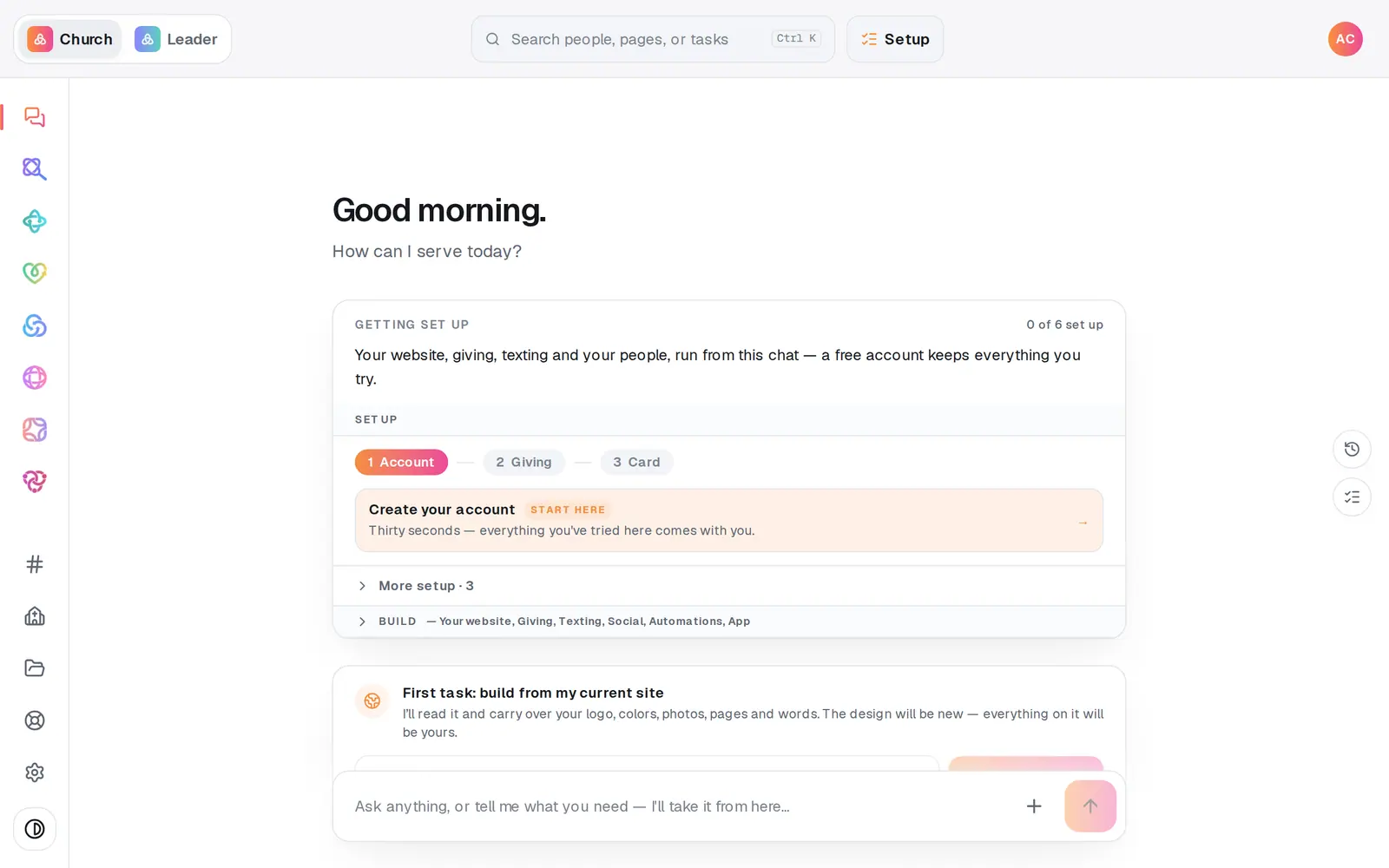
1/5 · Press Create your account on your Getting set up checklist
Good to know
- Starting from the welcome page instead? Create account under Start chatting free on aligned.church/church opens a small sign-up window. It also asks Your name, which is optional, and has an Open after sign-in switch: leave it on Church, because picking Leader takes you to Aligned Leader. Once you're signed in, press Start chatting free to open your workspace.
- Nothing is charged when you create an account. A card only comes in at the Plan step, and even then it's saved, not charged.
- It's one account for both Aligned Church and Aligned Leader. The Leader | Church switch at the top left moves between them.
If it’s not working
It says “You already have an account — log in instead.”
That email already has an Aligned account, maybe from Aligned Leader or an earlier visit. Press log in instead and sign in with it. What you tried as a guest stays with this guest session and doesn't move to that account, so redo anything you want to keep once you're in. Don't make a second account with another email: it starts a separate church.
It says “Your account is created — sign in with that email and password”
Your account is made; the sign-in didn't finish. Press Log in and use the email and password you just chose, and you'll pick up right where you were.
It says “Your password needs at least 8 characters.”
Pick a longer password and press Create account again.
It says “We couldn't reach the server.”
The connection dropped for a moment. Check you're online and press Create account again. Nothing was lost.
Next, you might want to
- Understand your free tries before you sign upA guest workspace comes with 8 free requests. Here's what counts, what doesn't, and what happens when you try real work.
- Choose Aligned Giving or keep your current givingDecide how your church will give. It sets your price and how long you have to get set up, and nothing is charged today.
- Sign in or reset your passwordSign in to Aligned Church from any browser, and get back in with a reset link if you've forgotten your password.
- Try Aligned Church before you sign upWatch the demos on the welcome page, then open a free workspace of your own with no account and no card.