Answer a gift a donor disputed with their card company
Now and then a donor disputes a gift with their card company. You can answer it from Aligned with a short explanation and the gift's receipt, but the card company only waits so long, so it's worth doing the day it arrives.
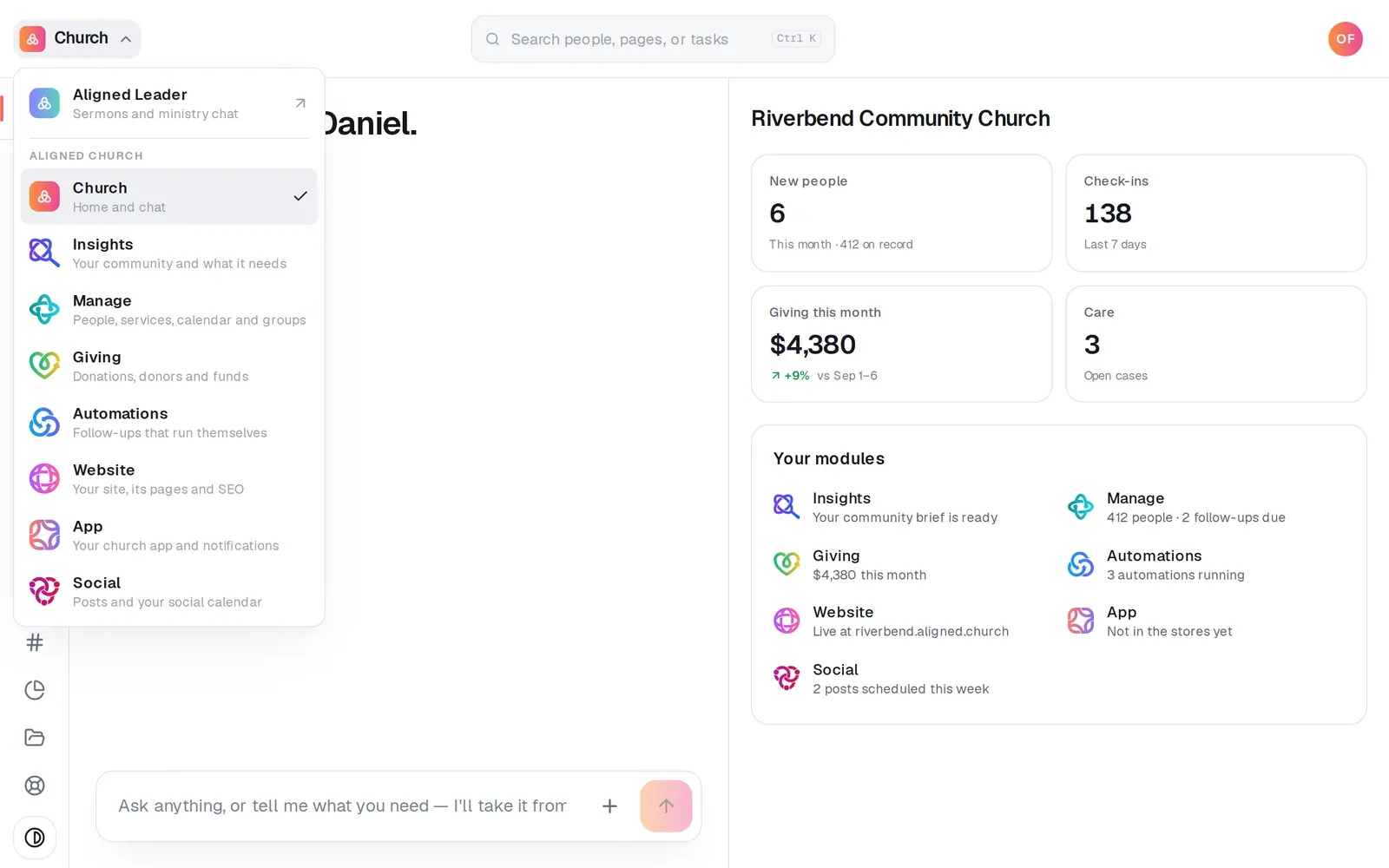
1/7 · Open Giving from the menu at the top left
Good to know
- The bell tells you when a gift is disputed or a dispute moves to a new stage, with the day to send your response by, and once it's decided.
- What helps most: the gift's receipt, the donor's earlier gifts on the same card, emails or messages with the donor, and a copy of your giving page.
- A disputed gift has no Refund button in Donations; its details point you to Payouts. If a dispute is lost, the amount comes off the gift, which then reads Dispute lost.
- If the card company takes a dispute to a later stage, you can answer that stage when it arrives.
If it’s not working
There's no Respond button on the dispute
A dispute that's under review, closed, or at a stage only Aligned support can answer has none. If you think it still needs an answer, contact Aligned support right away through Support.
A file won't go
The card names the file and why, like a PDF that's too big or one with a password. Upload a smaller copy, or save a copy without the password (or print it to PDF), then add it again. Nothing is sent until every file is fine.
Send response is greyed out
Tick the box that says the response is sent once. The button turns on as soon as it's ticked.
It says it couldn't confirm the response went through
Don't send it again. Aligned's team is checking, and the dispute shows Sent or Not sent once it's confirmed, usually within the hour. If it reads Not sent, press Respond again.
Next, you might want to
- See when gifts reach your bank accountFollow each payout from your giving to your bank, and see what it was made of and what each gift cost.
- Refund a giftSend all or part of an online gift back to the donor, right from the gift itself.
- Find a gift or a donor's giving historyFind any one gift, and look up everything a donor has given, down to the link they use to manage their own giving.
- Run giving reports and exportsGive your treasurer giving by fund, month or donor, and download every donation as a spreadsheet.