Get more time to set up giving
Your giving application is taking longer than you hoped, and the email saying your free window is closing has arrived. You can push the date back 30 days yourself, once, with one button and no sign-in.
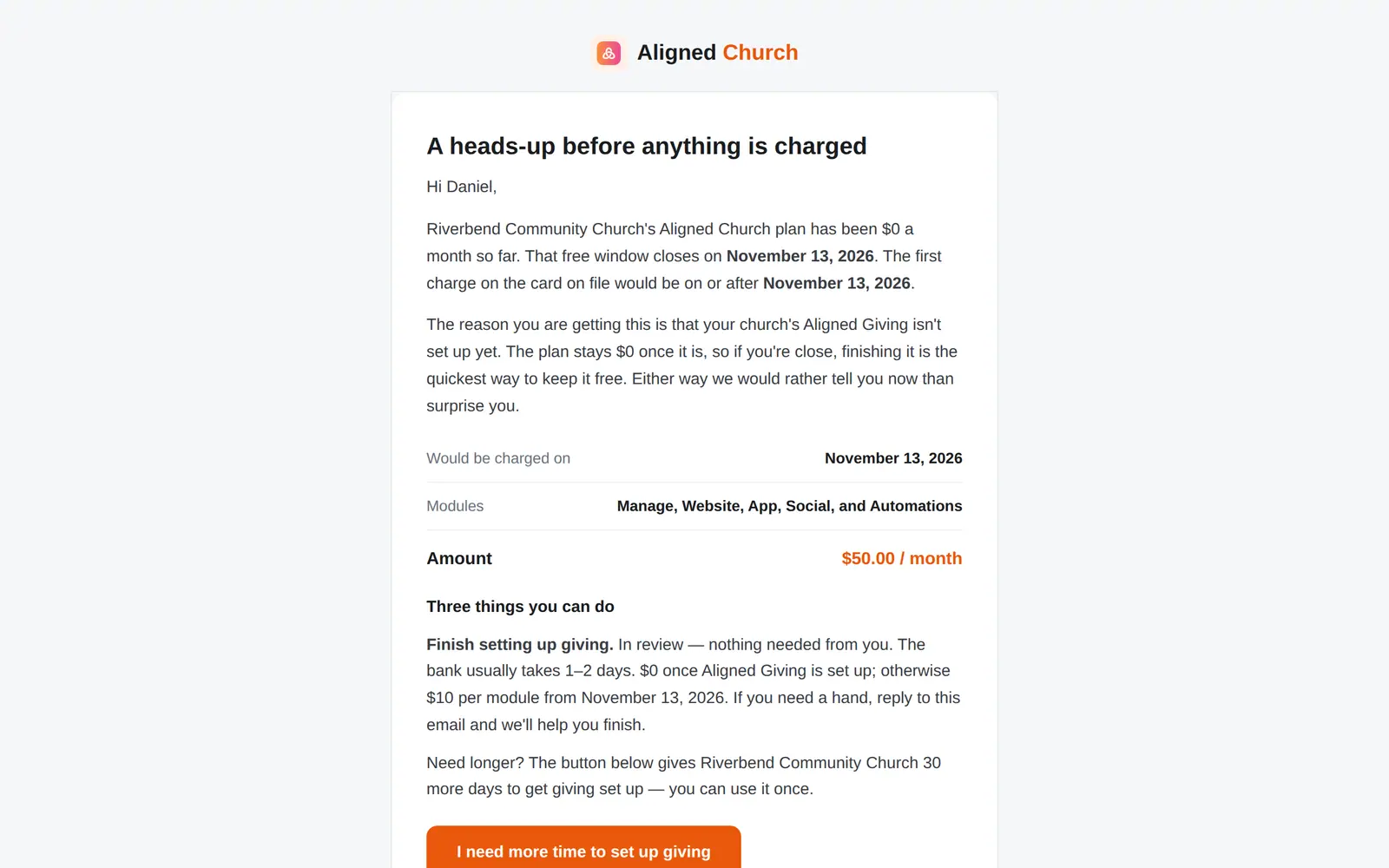
1/4 · Open the email about your free window closing
Good to know
- It's once per church. The new date still gets its own email at least 7 days ahead, but without the button. If you need longer after that, reply to that email: a person can hold billing while you talk.
- Extra time moves the date, not the rule: the plan is $0 once your Aligned Giving is set up, and not before.
- No email yet and worried about the date? Message us from Help: a person can extend your setup window.
If it’s not working
The page says “This link has expired”
Your free window has already moved since that email went out, so the link was for an older date. The page shows your current date. Reply to the email if you need more time.
It says “Your extra time is already in place”
Your church has already used its one extension. Reply to the email we sent you if you need longer.
It says “This is for Aligned Giving setup”
Your church kept the giving platform it has, which comes with a free trial rather than setup time, so the extension doesn't apply. Reply to the email to talk it through.
It says “Nothing to extend”
Your plan is already $0 because your Aligned Giving is set up, so there's no free window to extend.
It says “That didn't go through, and nothing changed. Please try again.”
Press Give us 30 more days again. If it keeps happening, reply to the email we sent you.
Next, you might want to
- Understand what Aligned Church costsThe price of each module, when it's all $0, how long your free window runs, and where to see exactly what your church pays.
- Fill in your giving applicationWho signs for the church, your church's details, expected giving and the bank account, then one signature and you're in review.
- Find out if your giving is approvedWhere your giving application stands, how long the bank's review takes, and what to do the moment you're approved.