Merge duplicate people
An import, a connect card and a busy Sunday can leave the same person in your directory twice — and then they get two emails, or their notes end up split across two records. A duplicate scan finds the likely pairs, and merging each one takes a single press.
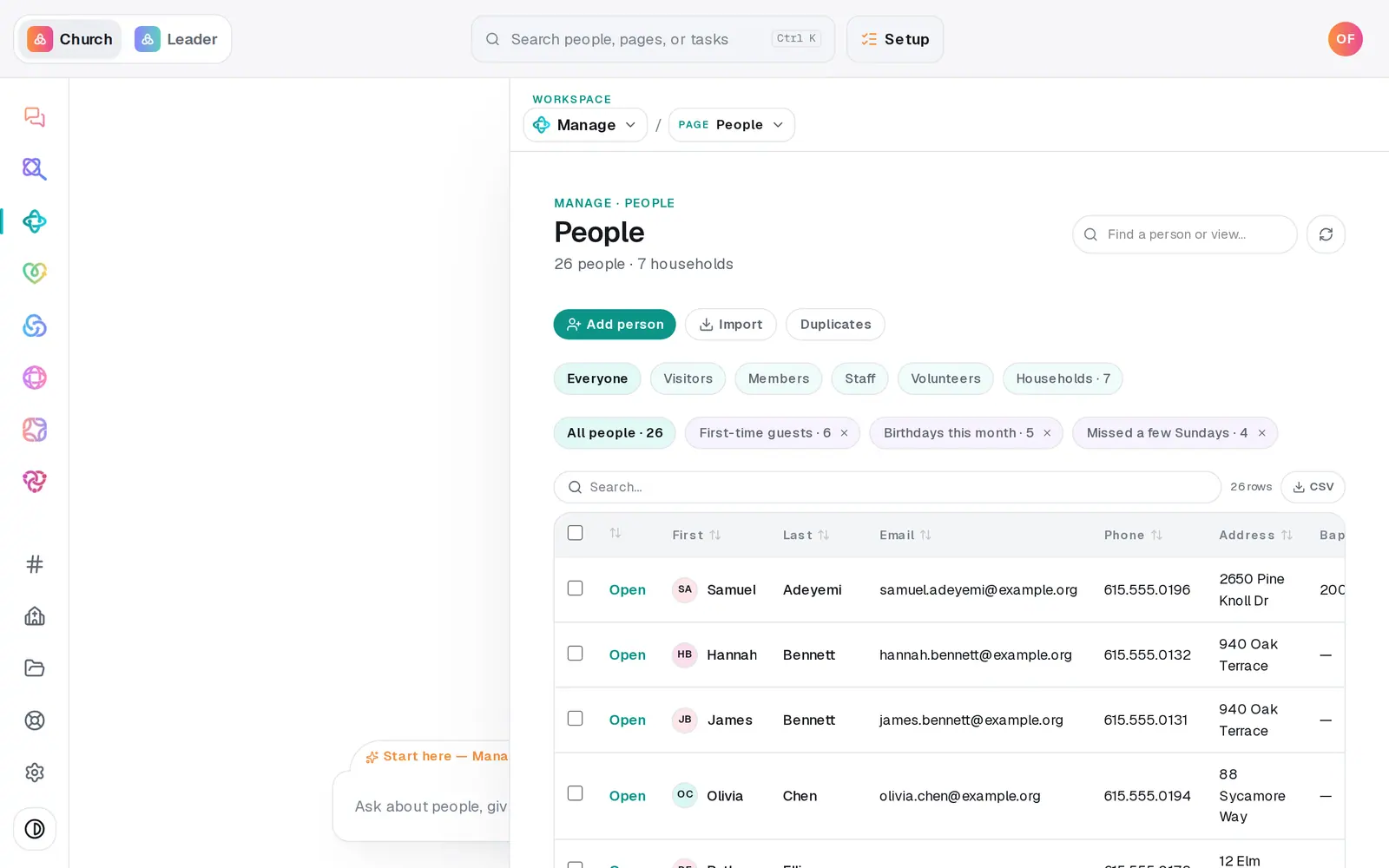
1/4 · On People, press Duplicates
Good to know
- Keep the record with the most history. Only the things listed above move across — group memberships, milestones, files and check-ins on the record you merge away don't come with it, so add anything you need to the kept record first.
- Each scan shows up to 20 pairs. Merge a few, then press Rescan to see more.
- The merged-away record is gone from your directory; your change history (Activity) keeps a copy of it.
- Merging happens here only — the chat can't merge people.
If it’s not working
It says "No likely duplicates found" but I know someone's in there twice
The scan only pairs exact full names or matching emails, so "Tom Rivera" and "Tomás Rivera" with different emails aren't flagged. Correct the name on one of them in the table so the two match, then press Rescan.
Both Keep buttons say the same thing
On a same email pair both records share the email, so the buttons can read alike. The first button keeps the record listed first — and the confirmation names both records with the date each was added before anything happens.
A note says only part of my directory was scanned
Very large directories are scanned in alphabetical order, and the note says how many people were checked. People past that point aren't in this scan.
"Couldn't merge those two."
Nothing was changed. Press Rescan — if one of the two was already merged or archived, the pair drops off the list.
Next, you might want to
- Add people and group them into familiesAdd someone with a short form, add a whole family in one sentence, and group people into households.
- See who changed whatRead your church's change history — what was added, updated, archived or imported, by whom and when — for everyone or for one person.
- Archive or restore a personTake someone who moved away off your roster without deleting a thing, and bring them back if they return.
- Import people from a spreadsheetUpload a CSV of your members from any system or spreadsheet, match its columns once, and bring everyone in without duplicates.