Rename your statuses or add your own
Your church doesn't say “Visitor”, or your old system kept people as “Regular attender” or “Deacon”. You can rename the four built-in statuses, give any status a color, and add as many of your own as you need, from the Status list on someone's page. Renaming a status never takes it away from the people who have it.
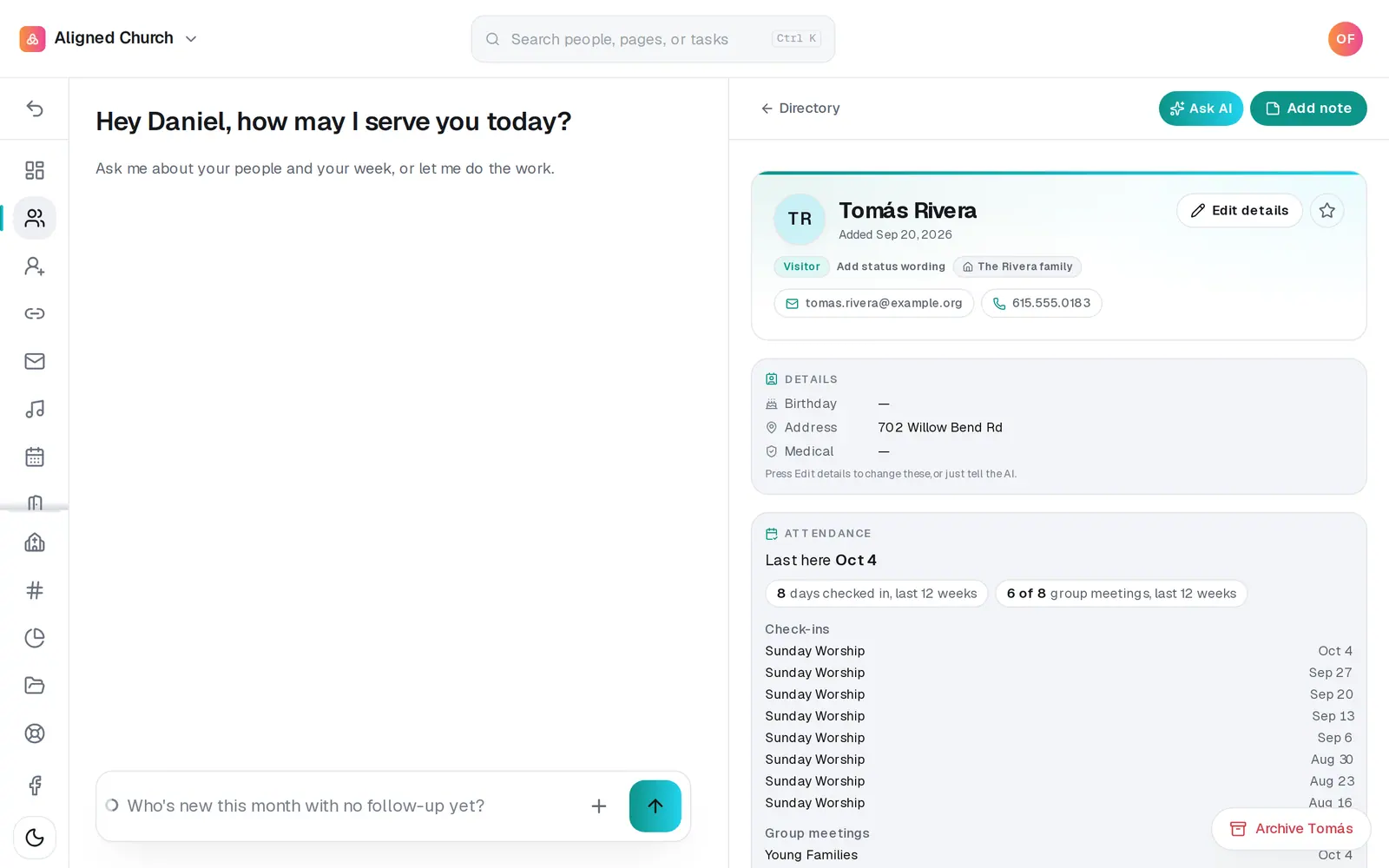
1/7 · Open someone's page and press Edit details
Good to know
- You can also set a status right in the Directory table (when the Directory shows as a table): click someone's status in the Status column and pick from the list, which ends with Edit statuses too. For several people at once, tick them and use the bar that appears.
- Manage's chat can mark someone with a built-in status (“mark Tomás Rivera as a member”), but it can't set one of your own. Pick those in People.
- A renamed built-in status is still the same status underneath. Scheduling's volunteer and staff pickers, your lists and your automations keep working, and they still know it by its built-in word: a list that looks for “member” still finds your members after you rename Member to “Partner”.
- Bringing people over from another system? An import sets a status only for someone who has none, and never sets one of your own, so a status you've picked stays through every re-import.
If it’s not working
There's no Edit statuses at the bottom of the list
If someone's page has no Edit details either, your role can only view Manage: ask your church's account owner or an Admin for a role that can edit it. If you can edit and the list still ends without Edit statuses, your statuses didn't load. Refresh the page and open the list again.
It says “There's already a status called …”
Two statuses can't share a name, whatever the capitals, so “guest” and “Guest” count as the same. Pick another name, or rename the other status first.
There's no Delete next to Visitor, Member, Staff or Volunteer
Those four are built in, so they're marked built-in instead. You can rename and recolor them, but not delete them. Only the statuses you add have Delete.
What happens to people when I delete a status?
Delete asks first: “Delete Regular attender? It'll be removed from everyone who has it, and they'll have no status.”, with how many people have it now. Press Delete again and everyone who had it, archived people too, is left with no status, so pick a new one for anyone who needs it.
My list or automation doesn't find people with our own status
When a list or an automation looks for a status, it knows the four built-in ones by their built-in words, even after you rename them, but it doesn't match your own statuses by name. To see everyone with one of yours, press its button in the Directory's row of filters.
Next, you might want to
- Update someone's details or statusFix a phone number or a name on someone's page, mark them a member or a visitor, and add your church's own word for it.
- Change many people at onceTick the people you mean and set their status, add your church's wording, start a follow-up plan or archive them, all in one go.
- Make a list you can email or textBuild a saved list, like this fall's new visitors, that keeps itself up to date and is ready whenever you email or text.
- Add people and group them into familiesAdd someone with a short form, add a whole family in one sentence, and group people into households.