Update someone's details or status
Someone got married, someone has a new number, and a visitor just finished the membership class. Most changes take one click on the People table — click the detail, type, press Enter — and status has its own short menu. Your church's own word for a status, like "Covenant Partner", lives on the person's profile.
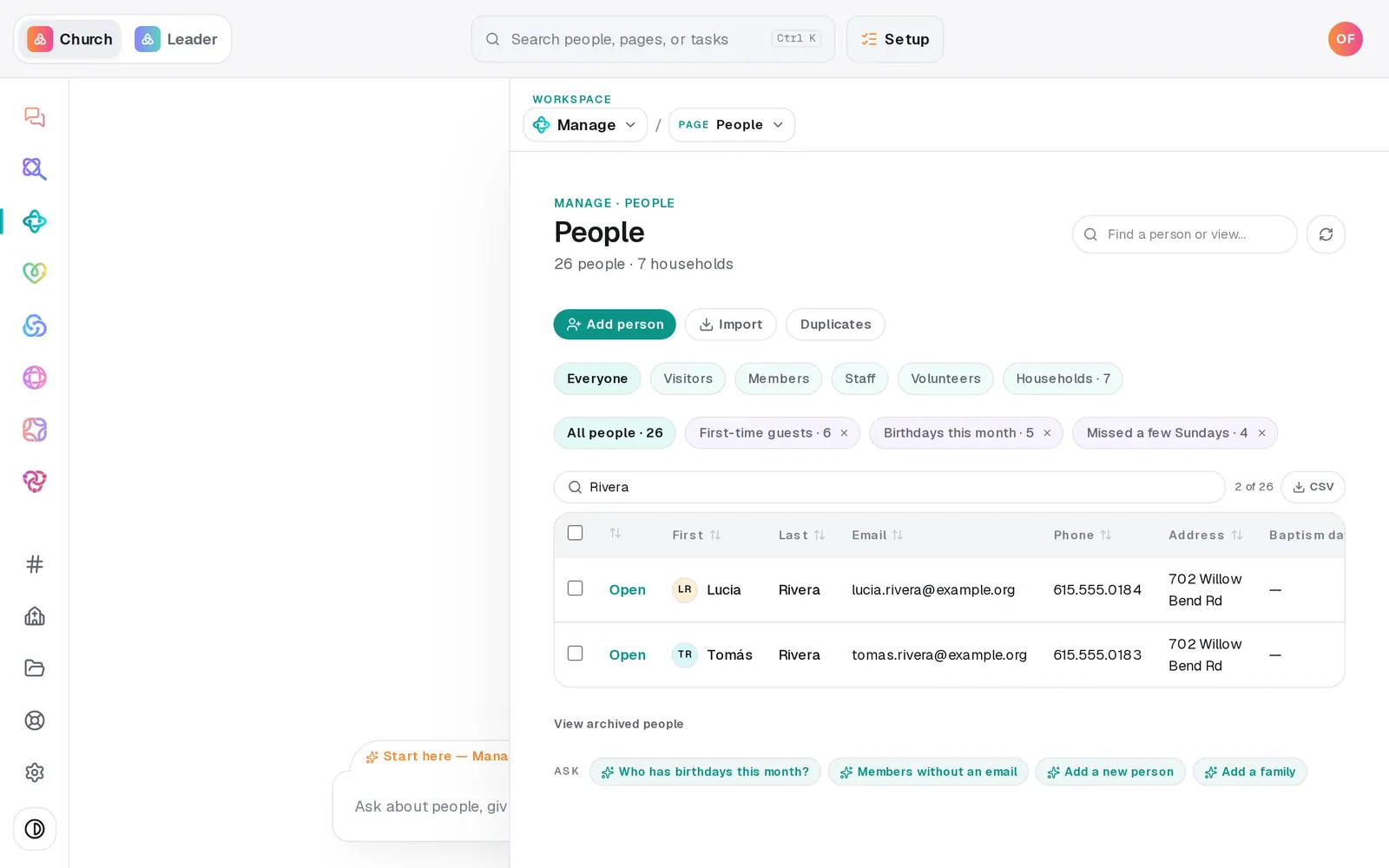
1/6 · On People, click the detail you want to change
Good to know
- Or tell the chat: "Sarah Whitfield got married, her new last name is Jones", "mark Tomás Rivera as a member", "mark David Kim as a Covenant Partner". A single change like these happens straight away, and the reply shows what changed.
- Changing lots of people? Tick them on People and use the bar that appears — up to 200 at a time.
- Household and custom-field columns aren't edited in the table: change a household on Households, and a field from the person's profile.
If it’s not working
Clicking a cell does nothing
A row with a lock and "read-only" lives in a connected app, so it's changed in that app. If no cell responds anywhere, your role can only view Manage — ask your church's owner.
"First name is required — every person needs one."
A first name can't be left empty. Type one in, or press Esc to leave it as it was.
"Couldn't save that change."
The change didn't go through. What you typed stays in the cell with a red edge — press Enter to try again.
I can't change someone's medical notes
Medical notes show on the profile but can't be changed from the table or the chat. For allergies and medical details you keep up to date, add a custom field marked Sensitive — see Track baptisms, allergies and other details.
Next, you might want to
- Find someone in your directoryJump straight to anyone's profile from the find box, narrow your roster to visitors or members, or search the table.
- Change many people at onceTick the people you mean and set their status, add your church's wording, start a follow-up plan or archive them — all in one go.
- Track baptisms, allergies and other detailsAdd your own fields — a background check date, allergies, a T-shirt size — and check off milestones like baptism on anyone's profile.
- Ask members to update their own infoEmail someone a link to check their own contact details, or copy the link to their member page and send it yourself.