Track baptisms, allergies and other details
Every church keeps track of a few things no standard form asks about: when someone's background check was done, a child's allergies, a T-shirt size for the retreat. Add a field once and it's on everyone's profile; milestones like baptism or a membership class get a checkmark and a date.
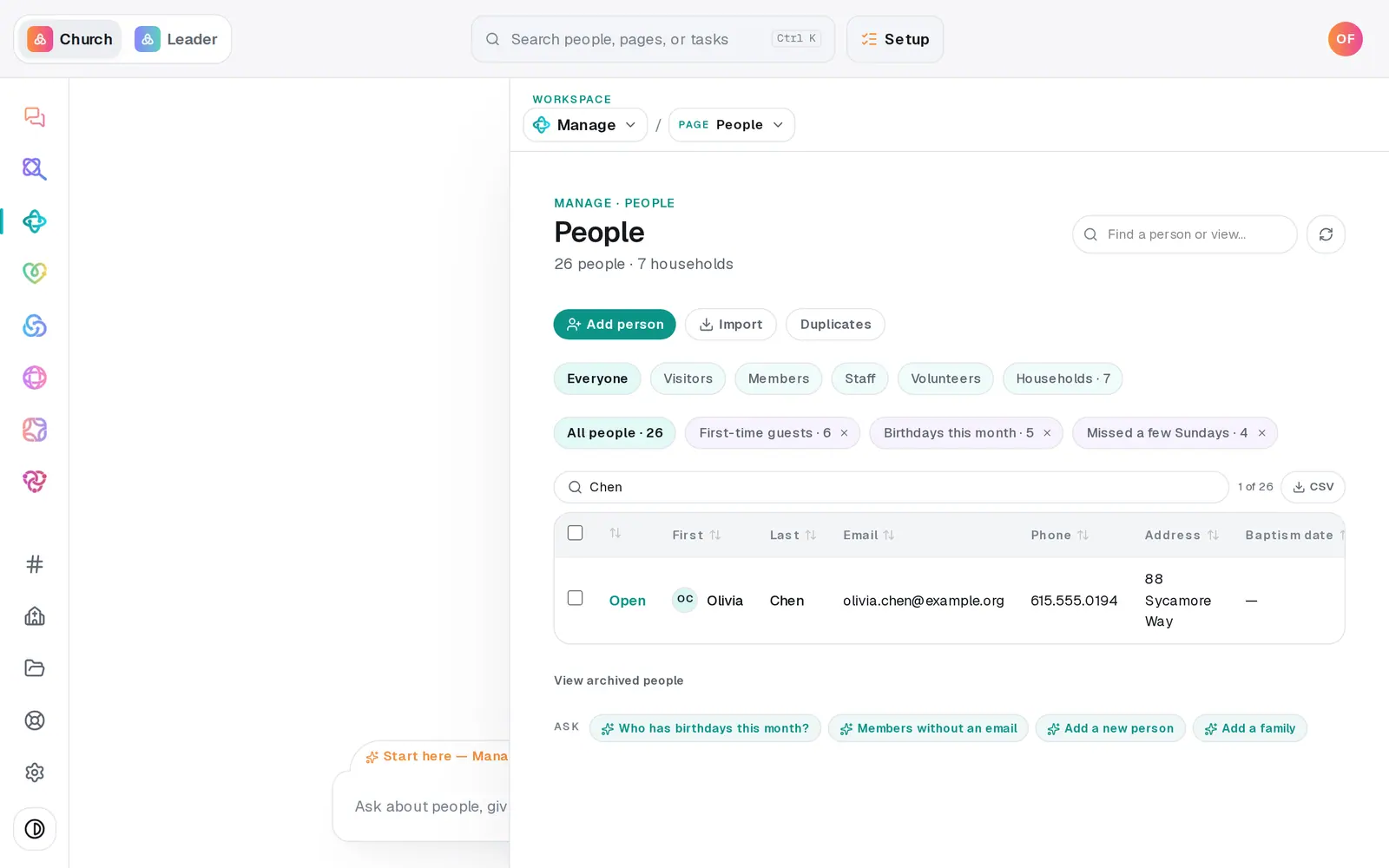
1/7 · On People, press Open next to someone's name
Good to know
- The chat does all of this too: "add a baptism date field", "set Olivia Chen's baptism date to September 14 2025", "Olivia was baptized September 14" (that one ticks the milestone).
- Saved lists can use a field: pick Custom field contains… in the list builder, or ask the chat for "everyone whose T-shirt size says XL".
- A Date field can back a group or team requirement — a background check that has to be current before someone joins.
- People who can only view Manage never see sensitive fields at all.
If it’s not working
"Choice fields need at least one option (comma-separated)."
Type the choices with commas between them — for example: S, M, L, XL — then press Create field again.
A requirement says to create a field under People → Fields, and I can't find it
There's no separate Fields page. Open anyone's profile on People and use + New field under Fields, or ask the chat to add the field.
My field isn't a column on People
Fields marked sensitive stay off the table on purpose. If it isn't sensitive, refresh the page.
The chat says there's no field with that name yet
Setting a value needs the field to exist first. Press the chat's Create a … field first button, then ask again.
"Couldn't save that value."
The value didn't save that time. Click beside the field and enter it again.
Next, you might want to
- Update someone's details or statusFix a phone number or a name right in the People table, mark someone a member or a visitor, and add your church's own word for it.
- Keep notes, reminders and files on a personLog a pastoral note, set a private reminder to call, follow someone's news, and attach a signed form to their profile.
- Make a list you can email or textBuild a saved list — like this fall's new visitors — that keeps itself up to date and is ready whenever you email or text.
- Require a background check before someone servesRecord each volunteer's background check date, require a current one on a team, and see who isn't cleared yet.