Keep notes, reminders and files on a person
After a hospital visit or a hallway conversation you want somewhere to put what you learned — and a nudge to check back next week. Each person's profile holds notes, reminders only you can see, and files like a signed form or a background check.
About 3 minutes Part of Aligned ChurchUpdated September 29, 2026
aligned.church/church
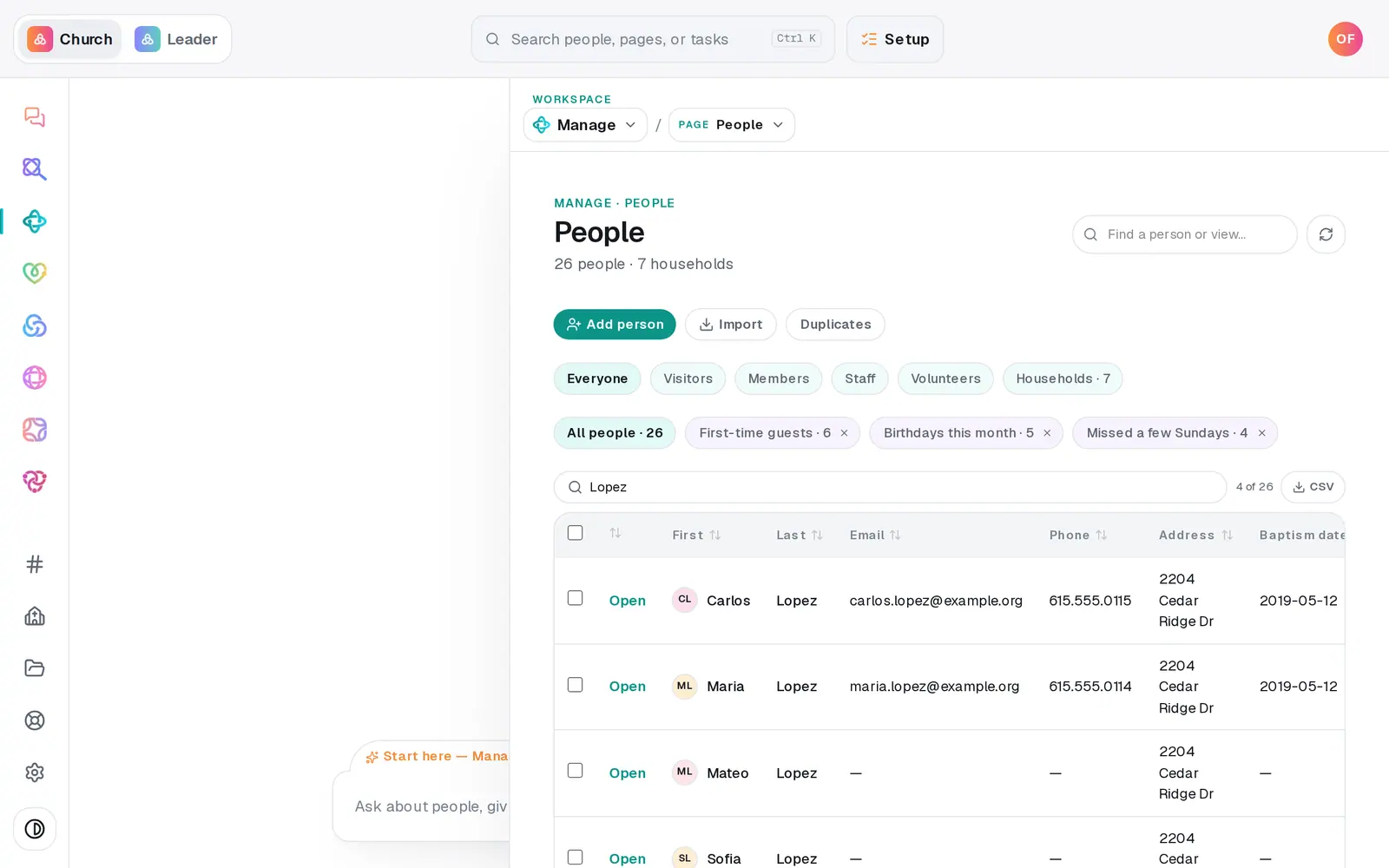
1/5 · On People, press Open next to their name
Before you start: You need a role that can edit Manage. A person's files are only for the church owner and staff who can edit Manage.
Good to know
- The chat can do everything here except files: "Note on Dan: he can serve Sunday if we need him", "remind me to call Sarah on Tuesday", "remind me every 30 days to check on the Kims", "follow Sarah".
- Deleting a note takes it off their profile, but the text is kept in your change history.
- A person's files are separate from your church's shared Files in the left rail.
- Tick a reminder's box when it's done. A repeating reminder comes back on its next date by itself.
If it’s not working
"Choose a file up to 10 MB."
The file is too big. Scan it again at a lower resolution, or save it as a smaller PDF.
"Repeat must be between 1 and 365 days."
The repeat box takes a number of days — 7 for weekly, 30 for about monthly. Leave it empty for a one-time reminder.
I don't see Files on the profile
Your role can only view Manage, so files aren't shown to you at all. Ask your church's owner if you need them.
"Couldn't save that note — try again."
The note didn't save that time. Your text is still in the box — press Save again.
Did this help?
Next, you might want to
- Track a benevolence or care needOpen a care case when someone needs help, log what your church does and gives, and close it when the need is met.
- Track baptisms, allergies and other detailsAdd your own fields — a background check date, allergies, a T-shirt size — and check off milestones like baptism on anyone's profile.
- Find someone in your directoryJump straight to anyone's profile from the find box, narrow your roster to visitors or members, or search the table.