Take registrations for an event
A headcount you can trust makes the food order, the room and the volunteer list easy. A signup gives your event its own page where people reserve a spot and answer your questions, and you see every name in one list. Setting one up takes about five minutes.
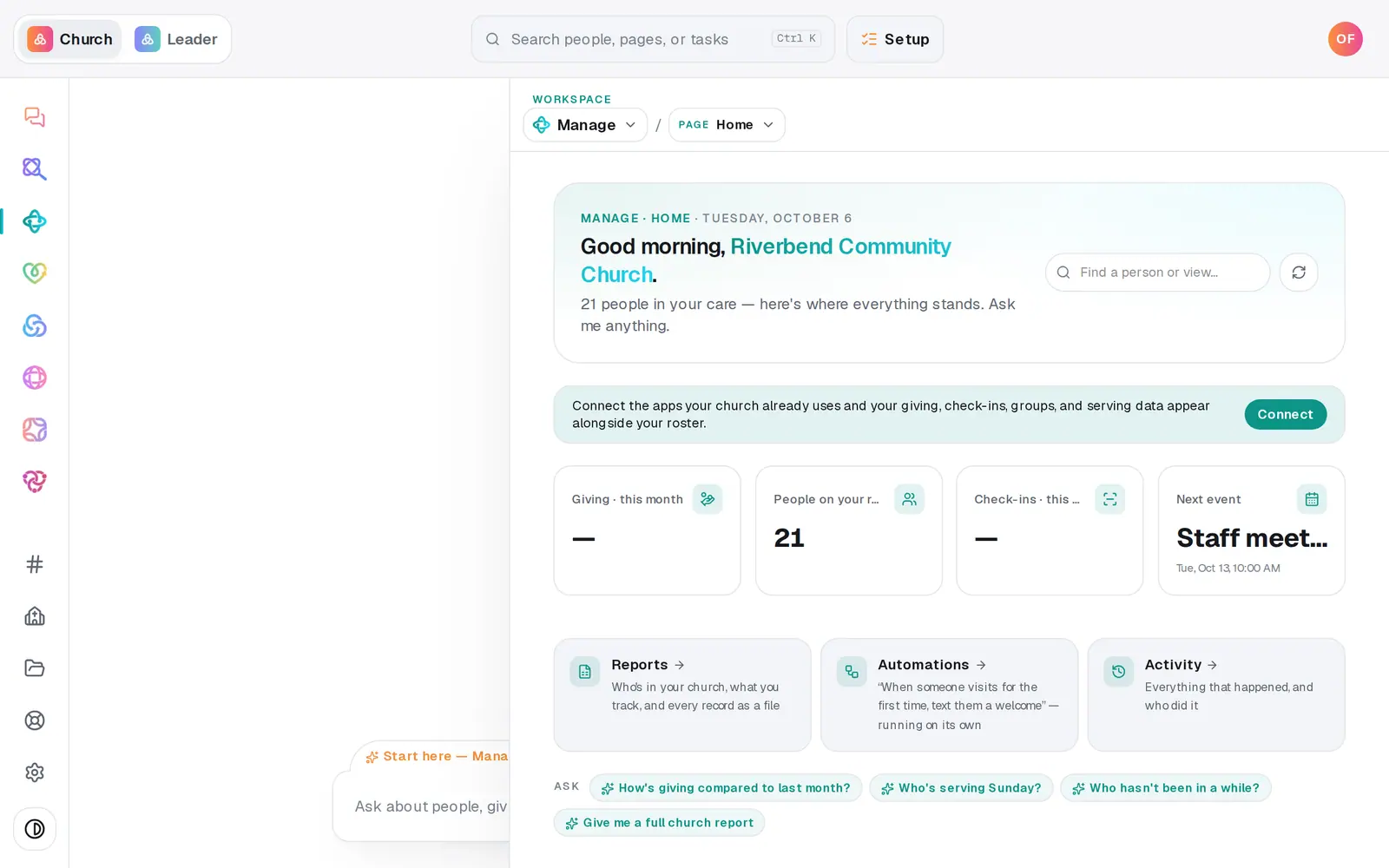
1/7 · In Manage, choose Registrations from the page menu
Good to know
- Link a signup to a calendar event: in Calendar, switch to List, press Edit on the event, and choose the signup under Registration — link a signup page.
- Stop taking registrations with the lock icon on the signup. The page keeps working and says it's closed. Press the lock again to reopen it.
- A payment link is only a link: after someone registers, the page asks them to pay through your giving page. The signup itself doesn't take money.
- The trash icon deletes the signup and its list of who's coming. Its link stops working right away, and that can't be undone.
If it’s not working
My signup doesn't show on the website
A signup reaches your website through a public calendar event: link them under Registration — link a signup page in the event's Edit. A closed signup hides that Register button until you reopen it.
I can't find where to add questions or a photo
They're in the edit form. Create the signup first, then press its pencil.
It says "Every question needs a label."
One of your questions is blank. Type its wording, or press the × on that question to remove it.
I can't add another question
A signup holds up to 10 questions. For a longer questionnaire, build a form in Manage → Forms and share it alongside.
Next, you might want to
- See who signed up for an eventSee everyone registered for an event, with their party and answers, move someone up from the waitlist, and download the list.
- Add an event to your calendarPut a one-time or repeating event on your church calendar, then edit it, cancel it, add a photo or book a room.
- Make a digital connect cardBuild a connect card or sign-up form, share its link, and close or delete it when you're done collecting.