Update service times and address on your site
New service times this fall, or the church moved across town. Your site states those facts on several pages, and they should never disagree. Change them once and Aligned updates every spot that shows them.
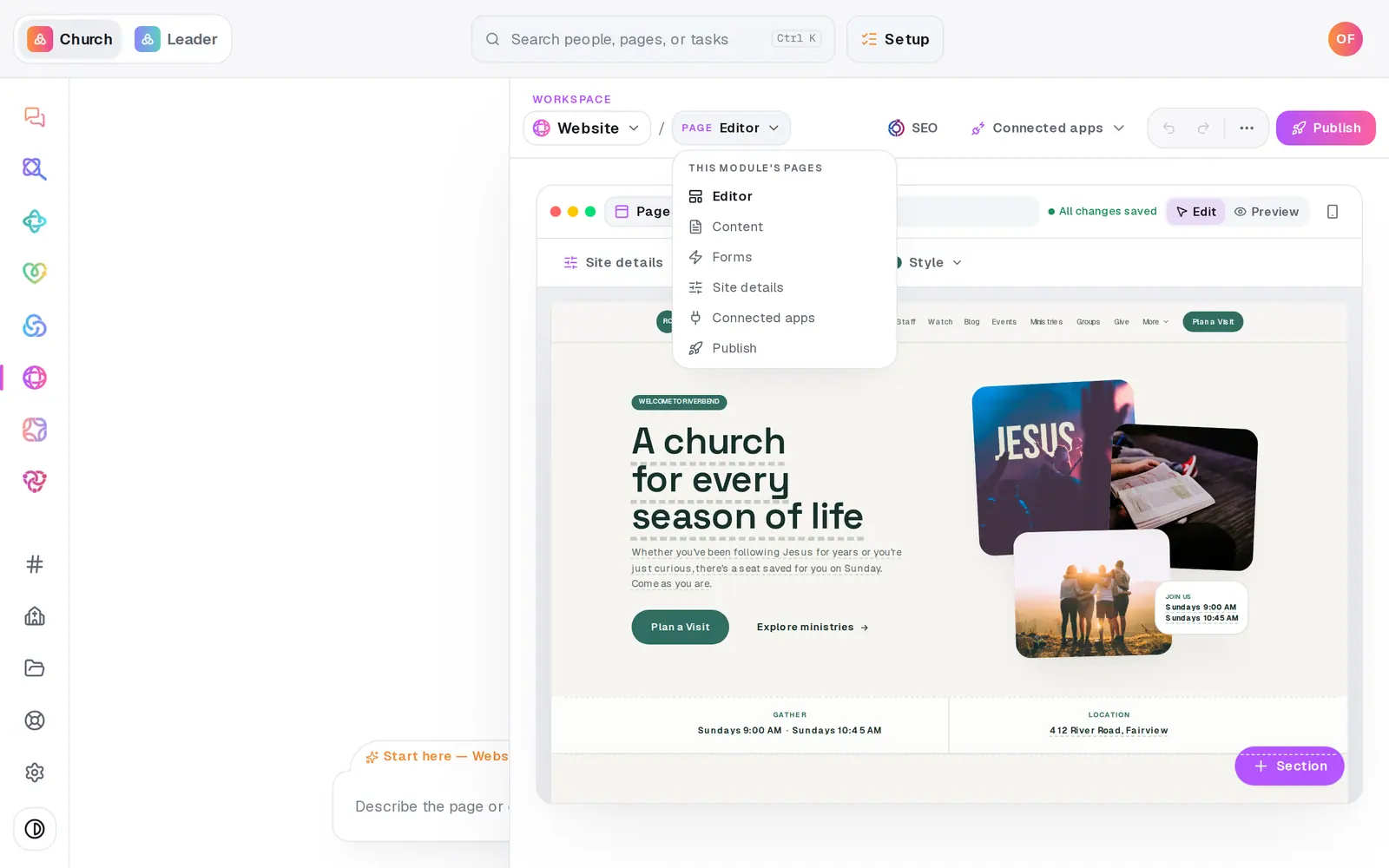
1/7 · In Website, choose Site details from the Page menu
Good to know
- In the chat, your street address is the fact you can change by asking. Service times change here, on Site details. You can also change the address on the same Basics card.
- More than one location? Add the others under Your church in the left rail. Basics holds the main campus, which is the address your site's own address block shows.
- Revisiting several answers at once? Update my answers & rebuild, at the top of Site details, walks you through the ones you pick and rebuilds your site from them.
If it’s not working
The chat answered my question instead of changing the address
Give the new address as a fact, starting with the street number: “Our address is now 500 Oak Street, Fairview”.
One sentence on my site still describes the old location
Aligned swaps the address wherever it's written out. A sentence that only describes the place in its own words, like “just off the square”, has nothing to swap. Click that sentence on your site and fix it by hand.
It says the address is saved but the site wasn't updated
Another edit saved at the same moment. Your church's record has the new address; ask again and Aligned updates the site too.
The new times aren't on my live site
Changes go live when you publish. Press Publish at the top right, then the publish button on the list of waiting changes.
Next, you might want to
- Add a banner to the top of your sitePut a one-line announcement, like Christmas Eve service times or a closure, across the top of every page of your site.
- Build a new church website from a short interviewAnswer eight quick questions, most of them taps, and Aligned builds a finished site around your answers that you can keep editing.
- Change your website by telling Aligned what you wantAsk for a warmer homepage, a new page or giving moved higher, see exactly what changed, and publish it when you're happy.
- Put your website live and share itCheck your site on a phone, see what's ready, pick your address, go live, and share the link or QR code.