Find your way around Aligned
The first time you open Aligned it can look like a blank page with a row of little icons down the side. Every place in the app is one of those icons or something in the bar across the top — here's what each one is, in about two minutes.
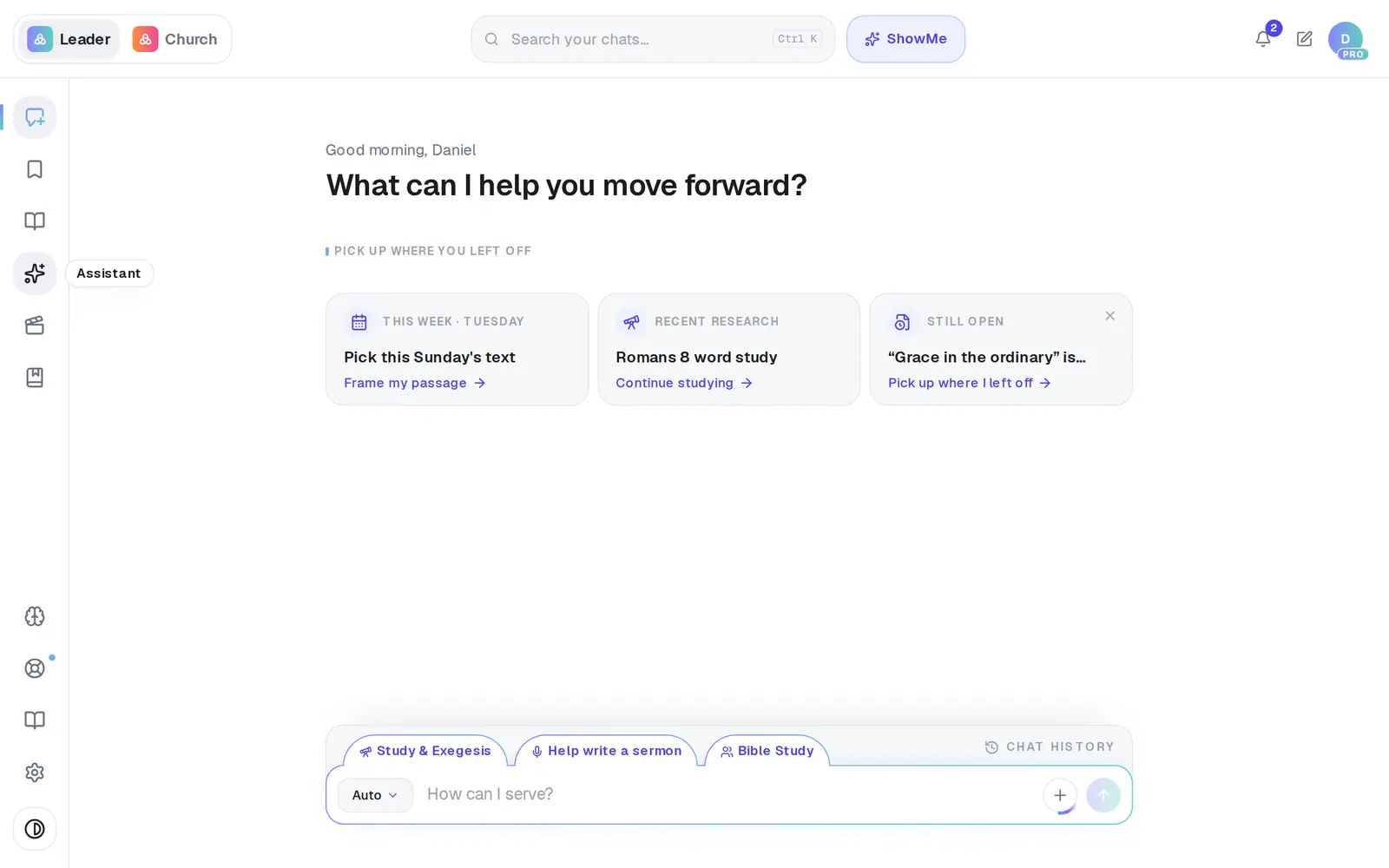
1/6 · Hover an icon in the left rail to see its name
Good to know
- Your past conversations live in Chat History, the bar at the top edge of the message box. Its search reads the words inside your chats, not only their names.
- Meetings and Automations don't have icons of their own: Record meeting is at the bottom of the format menu in the message box, and Automations is a button at the top of the Assistant.
- The Leader | Church switch at the top-left opens Aligned Church, our app for your church's website, giving and people. Same account.
- A “Start here!” bubble pointing at the message box on your first visit goes away when you open the format menu, press its ×, or press Escape. It won't come back.
If it’s not working
Where's my list of chats?
It isn't in the rail — the rail is icons only. Click Chat History at the top edge of the message box and your chats slide up, newest first.
I don't see Saved or Books
They appear once there's something in them: Saved after you save your first piece of work, Books after you start a book. Nothing is missing from your account.
A big “Aligned Church” window popped up
It's a one-time introduction to our church app for church owners. Close it with the × at the top-right and it won't come back, or pick Remind me later.
My tab refreshed by itself
When we ship an update, a tab that's sat idle for a minute refreshes itself so you're on the latest version. It waits while you're typing, while an answer is being written and while a document is open, and your conversation reopens afterwards.
Is there a tour I can replay?
Not a replayable tour — ShowMe, next to the search at the top, is the way to learn a task: pick one and it points at each real button as you go.
Next, you might want to
- Find your way around on your phoneThe bar along the bottom, the More menu and its search — where everything in Aligned lives on a phone.
- Get walked through a task, step by stepStart a ShowMe walkthrough, follow it in the real app, and see which ones you've finished.
- Get help from a real personMessage the Aligned team, send a feature idea or bug report, and know what happens after you send.